
PowerPoint 2019 Advanced Tutorial
Master advanced PowerPoint 2019 features like slide masters, SmartArt, transitions, and animations. Learn time-saving techniques, create professional templates, and enhance presentations with screen recordings and sharing options.

PowerPoint 2019 Beginner Tutorial
Learn essential PowerPoint 2019 skills to create impressive presentations. Master slide design, text formatting, image manipulation, transitions, animations, and organization techniques for standout results.
Office 2021 Basics - Excel & PowerPoint
Master Excel and PowerPoint essentials: data manipulation, formulas, slide creation, formatting, and presentation enhancements. Boost productivity with practical skills for spreadsheets and impactful presentations.
LEARN POWERPOINT IN 95 MINUTES - MICROSOFT POWERPOINT - MS-OFFICE IN TELUGU
తెలుగులో పవర్పాయింట్ నేర్చుకోండి - ప్రజెంటేషన్లను సృష్టించడం, స్లైడ్లను రూపొందించడం, యానిమేషన్లను జోడించడం మరియు ప్రభావవంతమైన ప్రదర్శనలను తయారు చేయడం గురించి తెలుసుకోండి.
Boost Efficiency in Microsoft Office - PowerPoint, Excel, and Outlook Tips
Master essential productivity hacks across Microsoft Office - from PowerPoint's Morph transitions and design automation to Excel's dynamic formulas and Outlook's email management strategies for a more organized workflow.
Microsoft PowerPoint Course for Beginners - Presentations Tutorial
Comprehensive tutorial covering PowerPoint basics to advanced techniques, including interface navigation, object creation, design elements, animations, and photo editing for impactful presentations.

Microsoft PowerPoint for Beginners - Complete Course
Comprehensive tutorial covering PowerPoint essentials: layout, editing, formatting, tables, charts, objects, drawing, refining, printing, and presentation delivery. Master the software for professional use.
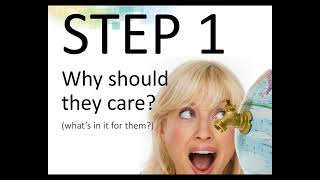
PowerPoint Psychology - Tips for Amazing PowerPoint Presentations
Psychology-based strategies for creating impactful PowerPoint presentations, covering structure, design, and delivery techniques to engage audiences and effectively communicate ideas.
Master PowerPoint - 15 Essential Tips
Learn essential PowerPoint skills to create impactful presentations, from choosing templates and editing layouts to adding multimedia elements and customizing infographics.
Creating Professional PowerPoint Presentations with Templates
Learn to create professional PowerPoint presentations quickly using templates. Master slide building, design techniques, and presentation aids to deliver impactful content efficiently.
Microsoft PowerPoint Fundamentals for Beginners - Beginners Guide to PowerPoint - Great Learning
Learn to create visually appealing PowerPoint presentations with animations, charts, and templates. Master essential skills for effective communication in professional settings.

PowerPoint 2021 Full Course Tutorial
Comprehensive tutorial covering PowerPoint 2021 features, from basics to advanced techniques. Learn to create engaging presentations, use templates, collaborate, and customize slideshows for maximum impact.
Microsoft 365 Productivity Tips and Tricks Tutorial
Boost productivity with advanced Microsoft 365 features: keyboard shortcuts, templates, Outlook tools, macros, and more. Learn time-saving techniques to enhance efficiency in Excel, Word, PowerPoint, and other apps.

Learn Complete Word, Excel & PowerPoint - MS-Office Applications
Comprehensive training on Microsoft Word, Excel, and PowerPoint, covering essential features and practical applications for efficient office productivity and document creation.

PowerPoint Essentials: A Beginner's Step-by-Step Tutorial
Learn to create impressive presentations: from basics to advanced features, including design, images, charts, animations, and effective delivery techniques.
PowerPoint 365 for Beginners - Comprehensive 4-Hour Tutorial
Comprehensive tutorial covering PowerPoint 365 essentials and advanced techniques, from interface basics to AI features, enabling creation of professional presentations with engaging design and efficient workflows.

5 Best PowerPoint Animation Tips for Looping
Learn 5 powerful techniques for creating dynamic looping animations in PowerPoint, enhancing slide presentations with engaging visual effects and seamless motion graphics.

PowerPoint Advanced Tutorial - Mastering Presentations and Design
Enhance your PowerPoint skills with advanced techniques in slide design, SmartArt, media integration, collaboration, and presentation delivery. Master time-saving features and create standout presentations.

PowerPoint Copilot Tutorial - Boosting Productivity with AI-Assisted Presentations
Explore Microsoft Copilot's AI capabilities in PowerPoint to automate tasks, create content, and enhance presentations. Learn to boost productivity and efficiency without prior AI knowledge.

Enhance Your PowerPoint Skills Using AI - A Step-by-Step Tutorial
Master AI-powered features in PowerPoint to enhance slide design, improve presentations with live video, leverage OpenAI integration, and create accessible content with automated subtitles.

How to Create 3D Objects in PowerPoint Presentations - A Complete Tutorial
Master the art of creating dynamic PowerPoint presentations by incorporating 3D objects through built-in models, external resources, and AI-generated content, complete with animations and customization options.