
Microsoft Office Tutorial - Learn Excel, PowerPoint and Word
Comprehensive tutorial covering Excel, PowerPoint, and Word essentials. Learn fundamental skills, formatting techniques, and practical applications for enhanced productivity in Microsoft Office.

Beginner's Guide to Microsoft PowerPoint
Learn to create modern, animated PowerPoint slides with step-by-step guidance on design, animations, icons, transitions, charts, and more. Perfect for beginners seeking to enhance their presentation skills.

Animated PowerPoint Slide Design Tutorial
Learn to create visually stunning PowerPoint slides with gradient backgrounds, clickable menus, and smooth animations. Master advanced design techniques for impactful presentations.
Beginner's Guide to Microsoft PowerPoint
Comprehensive guide to Microsoft PowerPoint, covering basics to advanced features. Learn to create engaging presentations with animations, SmartArt, charts, and data visualization techniques.

Microsoft PowerPoint Tutorial - Beginners Level 1
Learn essential PowerPoint skills: creating slides, adding text and images, customizing designs, applying animations, and presenting effectively. Master the basics to create impressive presentations.
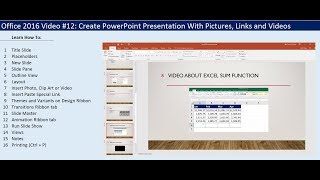
Create PowerPoint Presentation With Pictures, Links and Videos
Learn to create engaging PowerPoint presentations with images, links, and videos. Master essential features like slide layouts, transitions, animations, and printing options for professional-looking slideshows.

Beginner's Guide to PowerPoint
Comprehensive guide to creating impressive PowerPoint presentations, covering basics to advanced techniques like animations and transitions in just 30 minutes.

Top 10 PowerPoint Animations Tips & Tricks
Learn 10 advanced PowerPoint animation techniques to create dynamic, engaging presentations. Master click, bounce, delayed, and 3D model animations for impactful slides.
Excel Chart Animation in PowerPoint - Speedometer
Learn to create an animated gauge chart with spinning elements, scrolling numbers, and clickable buttons in PowerPoint using Excel data. Master advanced design and animation techniques for impactful presentations.
How to Create a Mosaic Video Intro in PowerPoint
Learn to create an eye-catching mosaic video intro using PowerPoint's Morph transition. Master image placeholders, vertical and horizontal scrolling animations, and add a professional touch with logo and handwriting effects.
PowerPoint Animation Tutorial - Best Game Engine
Learn to create an interactive platform game in PowerPoint, including animated characters, game maps, collectible coins, and information boxes. Master advanced animation techniques for engaging presentations.

PowerPoint Slide Design from Beginner to Expert in One Video
Master PowerPoint slide design techniques, from basic to advanced, covering layout, infographics, and animations. Transform your presentations with expert tips and creative strategies.
How to Customize PowerPoint Template
Learn to customize PowerPoint templates: set color schemes, fonts, backgrounds, animations, and more. Master essential design techniques to create professional, visually appealing presentations tailored to your needs.
Things PowerPoint Beginners Want to Know How to Do
Master essential PowerPoint skills: text, shapes, images, backgrounds, animations, transitions, alignment, music, icon insertion, and chart creation for impactful presentations.

Microsoft PowerPoint for Beginners - Training Course in PowerPoint 2021/365
Comprehensive beginner's guide to PowerPoint 2021/365, covering interface basics, slide design, formatting, and advanced features like shape merging and morph transitions. Includes practical exercises for hands-on learning.

Advanced PowerPoint Hacks - Practical Tips to Boost Your PowerPoint Presentation
Learn advanced PowerPoint techniques to create engaging presentations. Master crop and fill, transparent overlays, shape merging, morph transitions, and more to elevate your slideshows and captivate your audience.

PowerPoint 2021 Advanced Tutorial
Enhance your PowerPoint skills with advanced techniques in slide mastering, SmartArt design, custom animations, collaboration tools, and presentation recording for impactful, professional slideshows.
PowerPoint 2021 Beginner Tutorial
Comprehensive tutorial covering PowerPoint 2021 essentials, from interface basics to advanced features like slide masters, templates, and collaborative tools. Ideal for beginners seeking to enhance presentation skills.

How to Use PowerPoint 2019
Comprehensive tutorial covering PowerPoint basics to advanced features, including text formatting, graphics insertion, object manipulation, and SmartArt creation for impactful presentations.

PowerPoint 2016 Advanced Tutorial
Master advanced PowerPoint techniques including slide masters, Smart Art, animations, and multimedia integration. Enhance your presentations with professional layouts, custom designs, and engaging visual elements.
PowerPoint 2016 Beginner Tutorial
Learn to create, edit, and enhance presentations using PowerPoint 2016. Master essential features like slide management, text formatting, graphics insertion, transitions, and animations for effective visual communication.