
Become a Power Query Master in Excel in Less Than One Hour
Master Power Query in Excel: Learn to gather, clean, and transform data efficiently. Streamline your workflow, automate tasks, and optimize data preparation for analysis.

Outlook Advanced Tutorial - Mastering Email Management and Productivity
Unlock Outlook's full potential: optimize inbox, automate tasks, manage calendars, organize meetings, and integrate with Microsoft apps for enhanced productivity and efficiency.
Ultimate PivotCharts Tutorial in Excel 365
Master Excel data visualization with PivotCharts and Map Charts. Learn creation, formatting, and practical application through hands-on exercises. Elevate your skills for clear, dynamic data representation.

Excel Automation Essentials - Streamlining Workflows and Boosting Productivity
Master Excel automation: functions, conditional formatting, AI tools, PivotTables, and Power Query. Boost productivity with advanced techniques like Excel Bot and GPT Excel.

Microsoft Outlook Full Course Tutorial - From Basics to Advanced Features
Comprehensive tutorial on Microsoft Outlook, covering email management, calendar features, contacts, tasks, advanced options, and integration with AI-powered Copilot for enhanced productivity.

Microsoft Word Beginner Tutorial - From Interface to PDF Conversion
Comprehensive tutorial covering Word basics to advanced features. Learn interface navigation, text formatting, styles, lists, proofing, shapes, images, page layout, and PDF conversion for efficient document creation.

PowerPoint Presentation Skills Tutorial - Effective Delivery and Design Techniques
Master effective presentation techniques, from storytelling to slide design. Learn to engage audiences, optimize layouts, and use PowerPoint tools for impactful, memorable presentations.

Microsoft 365 Excel Fundamentals: Formulas, Functions, Formatting and Page Setup - Part 1
Master essential Excel skills from formulas and functions to formatting and cell references. Includes hands-on projects, time-saving shortcuts, and practical techniques for efficient spreadsheet creation and data analysis.

Introduction to Data Exploration Using Microsoft Excel
Explore data using Excel: Learn importing, cleaning, basic functions, and statistical analyses for valuable insights from a Mars Petcare Data Engineer.
How Microsoft Uses C++ to Deliver Office - Huge Size, Small Components
Explore Microsoft's C++ engineering in Office, focusing on codebase management, design standards, and the 'liblet' component architecture for this massive, multi-platform software suite.

140+ ChatGPT Tips and Tricks with Demo in 2024
Discover 140+ ChatGPT tips for effective prompts, coding, Excel, PowerPoint, marketing, finance, and more. Master advanced techniques and unlock AI's potential across various domains.
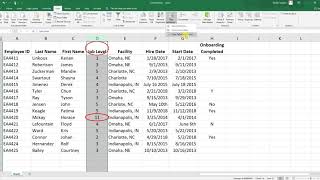
Excel Tutorials
Learn essential Excel techniques for HR data analysis, including data cleaning, statistical tests, and data visualization for effective decision-making.

How to Automate Microsoft 365 Copilot Readiness and Accelerate Secure Adoption
Master automated data readiness strategies for M365 Copilot implementation, focusing on security, quality optimization, and maximizing ROI through practical steps and proven methodologies.
Advanced Excel Techniques for HR Data Management and Analysis
Master advanced Excel techniques for HR data management, from pivot tables and conditional formatting to data validation and interactive reporting - all designed to streamline HR analytics and decision-making processes.
Mastering Conditional Formatting in Excel - Data Visualization and Analysis
Master Excel's conditional formatting features to enhance data visualization through highlight rules, data bars, color scales, and custom formulas for more impactful spreadsheet analysis and presentation.
Microsoft Excel Express Tutorial for Beginners - From Basics to Advanced Features
Master essential Excel skills from navigation and data entry to PivotTables and advanced functions in a fast-paced, practical tutorial designed for immediate productivity gains.

Advanced PowerPoint Animation Tutorial - Book Flip Animation
Master realistic book flip animations in PowerPoint using Morph transitions and 3D rotation techniques to create engaging, professional-looking presentation effects.
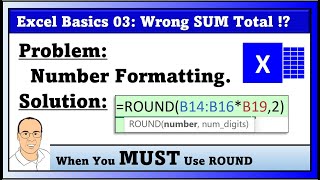
Number Formatting and ROUND Function in MS 365 Excel - Part 3
Master essential Excel number formatting concepts and ROUND function applications for accurate financial calculations, including payroll, invoicing, and tax computations.

Excel for HR Professionals - Data Management and Analysis Fundamentals
Master essential Excel functions and tools specifically designed for HR tasks, from data organization and calculations to creating dynamic visualizations for workforce analytics and reporting.

Converting PowerPoint Presentations into YouTube Videos - A Step-by-Step Tutorial
Master the process of transforming PowerPoint presentations into engaging YouTube content using Cameo feature, recording techniques, and proper upload methods for enhanced content sharing.

Data Models, PivotTables, and Power Query in Excel - Advanced Data Analysis Techniques
Master advanced Excel data analysis by combining PivotTables, data models, and Power Query to transform complex datasets into meaningful insights. Learn to create relationships, clean data, and generate powerful analytical reports.