
SharePoint Online Beginner Tutorial
Learn SharePoint Online fundamentals, including navigation, collaboration tools, and site components. Gain essential skills for effective teamwork and project management in this web-based platform.
SharePoint Online Site Manager Advanced Tutorial
Master advanced SharePoint Online site management techniques, including content types, metadata, document templates, and Delve features. Enhance collaboration and streamline operations with expert-level skills.
SharePoint Online Basics Tutorial
Comprehensive introduction to SharePoint Online, covering navigation, collaboration tools, site creation, and customization within the Microsoft 365 ecosystem. Ideal for beginners and teams implementing SharePoint.

How to Use Microsoft SharePoint - Beginner's Tutorial
Learn to create and manage an organizational intranet using Microsoft SharePoint, covering site creation, customization, document management, and integration with other Microsoft tools.

Building Employee Experiences with Microsoft Viva Connections and SharePoint Framework
Learn to create engaging employee experiences using Microsoft Viva Connections and SharePoint Framework. Explore dashboard cards, implementation models, and advanced capabilities for tailored enterprise solutions.
SharePoint Power User Advanced Tutorial
Comprehensive tutorial for SharePoint power users covering site management, content creation, columns, content types, and permissions. Ideal for users seeking to enhance their SharePoint skills and streamline collaboration.
SharePoint Power User Beginner Tutorial
Comprehensive tutorial for everyday users to become SharePoint power users. Covers site creation, navigation, content management, permissions, and advanced features for effective collaboration and information sharing.
SharePoint Basics Advanced Tutorial
Learn to create, update, and navigate SharePoint sites efficiently. Master lists, libraries, pages, and team collaboration. Ideal for new users seeking to leverage SharePoint's intranet capabilities.

SharePoint Basics Beginner Tutorial
Learn to navigate, create, and manage content on SharePoint intranets. Master site structure, permissions, libraries, document management, and advanced features for efficient collaboration.

Microsoft SharePoint Online Tutorial - Crash Course
Comprehensive guide to SharePoint Online basics: site creation, navigation, lists, libraries, web parts, alerts, and more. Learn to build and manage collaborative workspaces efficiently.

SharePoint Basics Advanced Tutorial
Master SharePoint essentials: create lists, integrate with Office, design pages, manage sites, collaborate in teams, and configure settings for efficient intranet management and collaboration.
SharePoint Power User Advanced Tutorial
Explore advanced SharePoint features for power users: site columns, content types, and permission management. Learn to customize sites, enhance content organization, and control access effectively.
SharePoint Power User Beginner Tutorial
Comprehensive tutorial for SharePoint power users covering site creation, content management, permissions, and collaboration features. Ideal for those looking to enhance their SharePoint skills and productivity.
SharePoint Basics Beginner Tutorial
Learn to navigate, create, and manage content on SharePoint intranets. Master site structure, permissions, apps, libraries, document management, and advanced features for effective collaboration and resource management.
SharePoint Online Site Manager Intermediate Tutorial
Master SharePoint Online site management: create pages, manage security, customize themes, configure navigation, and optimize site structure for enhanced collaboration and productivity.

SharePoint Online Site Manager Beginner Tutorial
Comprehensive guide for managing SharePoint Online sites, covering site structure, metadata, permissions, and collaboration tools. Ideal for site owners and power users seeking hands-on expertise.

SharePoint Online Advanced Tutorial
Explore advanced SharePoint Online features: alerts, search, discussion boards, surveys, Office 365 integration, and OneDrive. Enhance collaboration and productivity with practical tools and techniques.
SharePoint Online Intermediate Tutorial
Explore SharePoint Online's intermediate features, including list management, document libraries, content approval, and custom views. Gain practical skills for effective collaboration and file management.
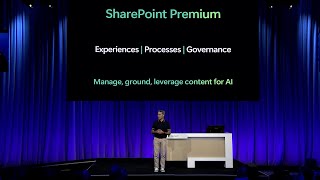
Transform Your Cloud Content Experiences - Introducing Microsoft SharePoint Premium
Discover Microsoft SharePoint Premium: AI-powered platform for content intelligence, process optimization, and governance. Learn how it prepares your content for Copilot and transforms cloud experiences.

Microsoft SharePoint Administration Tutorial - A Guide for Admins
Comprehensive guide to SharePoint administration, covering site creation, deletion, web parts, sharing options, admin management, and storage optimization for effective environment management.
SharePoint Online for Beginners - Comprehensive Tutorial
Comprehensive tutorial covering SharePoint Online essentials: permissions, interface, content management, lists, document libraries, and data visualization. Ideal for beginners seeking practical skills.