
Getting Started with Python in Microsoft Excel - A Beginner's Tutorial
Discover how to leverage Python's powerful data analysis and visualization capabilities directly within Microsoft Excel, from basic syntax to advanced libraries like Pandas and Matplotlib.
Microsoft PowerPoint Tutorial - From Basics to Professional Presentations
Master Microsoft PowerPoint's essential features to create engaging presentations - from basic slide creation to advanced animations, transitions, and recording capabilities for professional-quality results.

Microsoft OneDrive Tutorial - From Basics to Advanced Features
Master OneDrive's cloud storage capabilities - from file management and real-time collaboration to cross-device syncing and desktop integration. Perfect for optimizing your digital workspace and file sharing workflow.

PowerPoint Slide Zoom Tutorial - Creating Interactive Section Zooms and Effects
Master advanced PowerPoint techniques for creating dynamic slide zooms, including section transitions, morphing effects, and glass morphism - complete with downloadable template and step-by-step guidance.
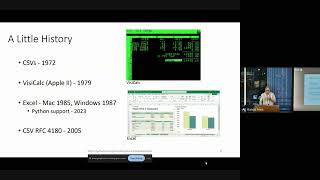
Spreadsheet Does What?! - Working with Spreadsheets in Python
Explore the intricacies of Python-based spreadsheet handling, from historical developments to common challenges and practical solutions for effective data management.
Building Professional Diagrams in Microsoft Visio 365 - A Beginner's Tutorial
Master the fundamentals of creating professional diagrams in Visio 365, from basic shape manipulation to connecting elements and applying custom styles for clear, visually effective business documentation.
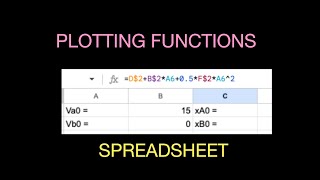
Calculating and Plotting Mathematical Functions with a Spreadsheet - Intro Tutorial
Learn to harness spreadsheet power for plotting equations efficiently. Master quick techniques to visualize mathematical functions graphically.

What's Next for React Native for Desktop - New Architecture and Future Developments
Explore the future of React Native for Desktop, focusing on the new architecture's benefits for desktop development and its potential impact on 1.5+ billion devices.
Creating and Managing Multilevel Lists in Microsoft Word
Master multilevel lists in Word: Create, customize, and manage hierarchical structures for organized and professional documents. Enhance your formatting skills efficiently.
Creating PivotTables and PivotCharts Dashboards with Slicers in Excel
Learn to create interactive Excel dashboards using PivotTables, PivotCharts, and Slicers. Master data visualization techniques, customize slicer appearance, and integrate timeline slicers for date-based filtering.
The Excel Help Tab and Ribbon in Depth
Explore Excel's Help Tab and Ribbon for comprehensive support, training resources, and community connections. Enhance your skills and stay updated on the latest Excel features.
Excel View Tab and Ribbon in Depth
Explore Excel's View tab features like zoom, freeze panes, and Page Break Preview to enhance productivity and streamline your workflow in this comprehensive tutorial.
The PowerPoint Home Tab and Ribbon In Depth - Comprehensive Tutorial
Explore essential PowerPoint Home Tab features to enhance graphic design and streamline slide management. Learn to use ribbon tools effectively for improved presentations and workflow.
The PowerPoint Insert Tab and Ribbon In Depth
Master PowerPoint's Insert Tab: Add graphics, images, tables, and 3D models to create engaging presentations. Learn to enhance your slides with various multimedia elements for impactful visual communication.

How to Make Videos Using Only PowerPoint - No Extra Software Needed
Transform PowerPoint presentations into professional videos with animations, transitions, and voiceovers. Learn to create engaging content without extra software, perfect for educators and businesses.

Getting Started with Microsoft OneNote - Organize Your Life, Work, and Study
Comprehensive guide to Microsoft OneNote: Learn to create notebooks, organize content, use tags, and collaborate effectively for improved productivity in work, study, and personal life.
Excel 365 for Beginners - Navigating Workbooks and Ribbons - Lecture 5
Learn to navigate Excel 365's interface, create workbooks, and understand key elements like ribbons, tabs, and toolbars. Master the basics of Excel's structure for efficient spreadsheet management.
How to Use the PMT Function to Calculate Loan Repayments in Excel
Learn to calculate loan repayments using Excel's PMT function. Master What-If Analysis tools, build amortization schedules, and enhance financial analysis skills for efficient loan management.
Excel 365 for Beginners - AutoFill and Flash Fill Techniques - Lecture 21
Explore AutoFill options and Flash Fill in Excel 365 to automate data entry, recognize patterns, and boost productivity. Learn time-saving techniques for efficient spreadsheet management.
Excel 365 for Beginners - Streamline Your Data with Correct Number Format - Part 27
Learn to enhance data readability in Excel 365 by mastering Number Formatting. Explore various formats like currency, dates, and percentages using the Number group on the Home Ribbon.
Excel 365 for Beginners - Formatting Cells, Rows, and Columns Manually - Part 28
Learn to enhance Excel worksheets by manually formatting cells, columns, and rows, exploring various options on the Home Ribbon to create visually appealing and organized data presentations.