
Pivot Table Excel Tutorial
Learn to create, analyze, and visualize data with Excel Pivot Tables. Master data cleaning, formatting, grouping, and advanced features like Pivot Charts and Slicers in this comprehensive tutorial.

Microsoft Project for Beginners
Learn to plan, run, and track projects using Microsoft Project. Master work breakdown structures, durations, resources, and tracking techniques for efficient project management.
SharePoint Online Basics Tutorial
Comprehensive introduction to SharePoint Online, covering navigation, collaboration tools, site creation, and customization within the Microsoft 365 ecosystem. Ideal for beginners and teams implementing SharePoint.
Fast & Professional Emails - Business Writing with Outlook to Reduce Stress & Anxiety
Enhance email efficiency, reduce stress, and master Outlook features. Learn to write clear, concise, and professional business emails while addressing conflicts and misunderstandings effectively.

Introduction to Excel VBA Programming
Learn Excel VBA programming essentials: macros, variables, functions, loops, and user forms. Master data manipulation and automation techniques for enhanced spreadsheet functionality.
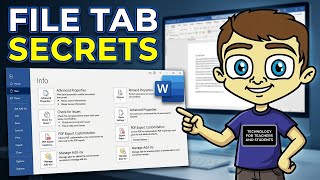
The Microsoft Word File Tab in Depth
Explore essential options and features of the Microsoft Word File Tab to enhance your productivity and document management skills.

Excel Shortcuts for Beginners - Essential Tips to Boost Productivity
Master essential Excel shortcuts to boost productivity and streamline your workflow. Learn navigation, data manipulation, formatting, and advanced features for efficient spreadsheet management.

How to Build and Design Charts and Dashboards in Excel
Master Excel data cleaning, custom formatting, and chart creation to transform raw information into visually impactful dashboards and presentations.

Connecting Plotly Graphs to Dash Components
Learn to create interactive data visualizations by connecting Plotly graphs with Dash components. Master various chart types and enhance user interaction in your Python-based dashboards.

Plotly Dashboards
Learn to create interactive dashboards and data visualizations using Plotly and Dash. Master various chart types, components, and styling techniques for building powerful web applications with Python.

Excel Tips and Tricks
Enhance Excel proficiency with time-saving tips and tricks for data analysis, visualization, and efficient spreadsheet management. Learn essential features to boost productivity.

Excel Tutorial for Beginners
Comprehensive tutorial covering essential Excel skills, from basic functions to advanced features like pivot tables and conditional formatting. Learn to analyze and visualize data effectively.
Pivot Table in Excel
Learn to create, customize, and utilize Pivot Tables in Excel for efficient data summarization and analysis. Master various tools and techniques for powerful data insights.

Beginner's Guide to Microsoft PowerPoint
Comprehensive guide to Microsoft PowerPoint, covering basics to advanced features. Learn to create engaging presentations with animations, SmartArt, charts, and data visualization techniques.
Conditional Formatting in Excel - Excel Training - Excel Tutorial for Beginners
Learn to enhance Excel data visualization with conditional formatting, including color scales, data bars, and icon sets. Master techniques for highlighting cells based on specific conditions.
Excel Formulas and Functions - Excel Tutorial for Beginners in 2021 - Great Learning
Learn essential Excel formulas and functions for data analysis and visualization. Master basic concepts, explore top functions, and gain practical skills to enhance your spreadsheet proficiency.
Using Excel in Statistics
Learn to leverage Excel for statistical analysis, from data display to hypothesis testing and regression, enhancing your data interpretation skills.
Using Microsoft Office 365 for Schools - A Teacher's Guide
Comprehensive guide for educators on leveraging Office 365 tools to enhance teaching, streamline workflows, and create engaging digital learning environments.
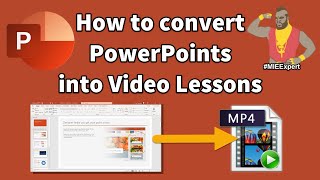
Remote Learning with Office 365 - A Teacher's Guide
Comprehensive guide for teachers on leveraging Office 365 tools for effective remote learning, covering Teams, OneNote, Forms, and more.
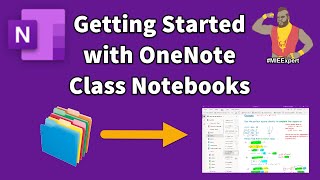
OneNote Class Notebooks - Teachers Guide
Comprehensive guide for teachers on using OneNote Class Notebooks, covering setup, student engagement, integration with Microsoft Teams, and device-specific tips for effective digital classroom management.
Word 2016 Tutorial
Learn to create professional documents with Word 2016, from basic formatting to advanced features like templates, mail merge, and interactive forms. Master essential skills for modern business communication.