Microsoft 365 Basics - Outlook and Teams Tutorial
Learn essential skills for Outlook and Teams, including message management, scheduling, chat, and collaboration features to boost productivity and communication in Microsoft 365.
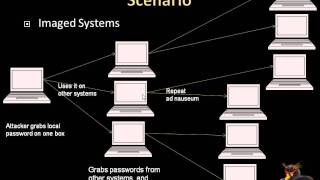
Pilfering Local Data - Attacker Strategies for Short-Term Local Access
Explore techniques for extracting sensitive data during brief local access, covering tools, targets, and strategies for unauthorized data acquisition.

How to Use the New Microsoft Outlook - Beginner's Guide
Comprehensive guide to the new Microsoft Outlook: setup, interface, email composition, contact management, and inbox organization for efficient communication and productivity.

PowerPoint Essentials: A Beginner's Step-by-Step Tutorial
Learn to create impressive presentations: from basics to advanced features, including design, images, charts, animations, and effective delivery techniques.

Excel 365 for Beginners: Learn the Basics to Boost Your Spreadsheet Skills
Comprehensive guide to Excel 365 basics: interface navigation, data entry, formulas, formatting, tables, and more. Boost productivity with practical exercises and essential spreadsheet skills.

Accelerate Your Zero Trust Journey with Unified Access Controls
Simplify Zero Trust architecture with universal policies for any access point. Learn about Microsoft Entra's identity-centric Security Service Edge solution, extending Conditional Access to protect all network destinations with granular controls.

Creating Personal Budget with Microsoft Excel
Learn to create and manage a personal budget using Microsoft Excel, covering budgeting basics, financial goal-setting, and practical Excel skills for effective money management.

Excel Ninja Skills - 10 Essential Tips and Tricks for Beginners
Learn essential Excel skills including Venn diagrams, funnel charts, cell counting, find and replace, merging cells, formula conversion, random lists, cell styles, and page numbering in this comprehensive tutorial.

Beginner's Guide to Publisher 365 - Interface, Customization, and Document Design
Learn to create professional publications with Publisher 365. Master interface customization, document design, text formatting, and organization techniques for visually appealing and effective content.

The New Microsoft Planner: Bringing Together To-Dos, Plans, and Projects
Discover the new Microsoft Planner's AI-powered features for seamless task and project management, from simple to-dos to enterprise-grade projects, integrated within Microsoft 365.
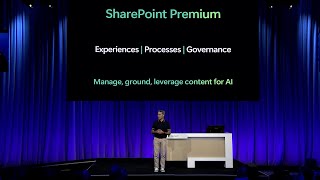
Transform Your Cloud Content Experiences - Introducing Microsoft SharePoint Premium
Discover Microsoft SharePoint Premium: AI-powered platform for content intelligence, process optimization, and governance. Learn how it prepares your content for Copilot and transforms cloud experiences.

Excel Pivot Tables Tutorial - From Basics to Advanced Techniques
Master Excel Pivot Tables: Analyze complex data, create insightful charts, and leverage advanced features like Power Pivot and DAX expressions for powerful data manipulation and visualization.

Excel Copilot Tutorial - Boosting Productivity with Microsoft's AI Assistant
Learn to leverage Microsoft Copilot in Excel for data analysis, visualization, and task automation. Boost productivity with AI-powered insights, formulas, and problem-solving capabilities.
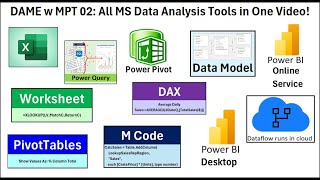
Microsoft Data Analysis Tools: Excel, Power Query, Power BI, Dataflow, DAX and M Code
Comprehensive tutorial on Microsoft data analysis tools, covering Excel, Power Query, Power BI, and more. Learn formulas, data modeling, and visualization techniques for effective data analysis.

Excel Full Course Tutorial - From Basics to Advanced (4+ Hours)
Comprehensive Excel tutorial covering basics to advanced features, including formulas, data analysis, pivot tables, charts, and VBA macros for improved productivity and data management skills.
PivotTables for Quick and Easy Reports - 34 Advanced Techniques
Master PivotTables with 34 advanced techniques for efficient data analysis and reporting. Learn to handle large datasets, create custom calculations, and generate insightful visualizations in Excel.
Microsoft Word Mastery: Essential Tips and Techniques - Training Tutorial
Master essential Word features: track changes, text wrapping, find and replace, watermarks, table-to-image conversion, page orientation, curved text, and page splitting. Boost productivity with these time-saving techniques.

Excel for Finance and Accounting: Expert Tutorial
Master Excel for finance: NPV, IRR, charts, Pivot Tables. Create income statements, balance sheets, cash flow statements. Practical exercises for real-world financial data analysis and presentation.

Excel Advanced Tutorial - From Named Ranges to VBA
Master advanced Excel techniques: named ranges, XLOOKUP, database functions, macros, and VBA coding. Enhance data analysis, automate tasks, and create efficient spreadsheets for improved productivity.
PowerPoint 365 for Beginners - Comprehensive 4-Hour Tutorial
Comprehensive tutorial covering PowerPoint 365 essentials and advanced techniques, from interface basics to AI features, enabling creation of professional presentations with engaging design and efficient workflows.

5 Best PowerPoint Animation Tips for Looping
Learn 5 powerful techniques for creating dynamic looping animations in PowerPoint, enhancing slide presentations with engaging visual effects and seamless motion graphics.