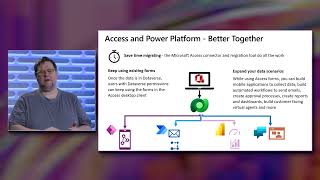
Access Connector for Dataverse and Power Platform GA Launch
Explore the integration of Microsoft Access with Power Platform, enabling hybrid solutions and mobile scenarios through Dataverse connectivity. Learn about migration, data export, and creating mobile apps.

Building Employee Experiences with Microsoft Viva Connections and SharePoint Framework
Learn to create engaging employee experiences using Microsoft Viva Connections and SharePoint Framework. Explore dashboard cards, implementation models, and advanced capabilities for tailored enterprise solutions.

Mathematical Typing in Word - MS Word Tutorials for Actuaries Online Exam
Mathematical Typing in WORD | IFoA 2020 | MS Word Tutorials for Actuaries Online Exam

Excel Power Query - Get & Transform
Simplify data transformation and analysis with Power Query. Learn to import, clean, and combine data from various sources, automate repetitive tasks, and create dynamic reports effortlessly.
Excel Charts
Learn to create dynamic, visually appealing Excel charts and graphs. Master techniques for Gantt charts, map charts, variance analysis, and data visualization to enhance your reporting and analysis skills.

Excel Hacks - Tips & Tricks
Boost Excel productivity with time-saving hacks, advanced formulas, and hidden shortcuts. Learn dynamic emails, custom formatting, data manipulation, and presentation techniques.

Excel Introduction
Learn essential Excel skills, from basic functions to advanced techniques like VLOOKUP and data validation. Master formatting, filtering, and efficient spreadsheet management for improved productivity.

Excel Lookup Formulas
Master Excel lookup formulas like VLOOKUP, INDEX MATCH, and XLOOKUP. Learn advanced techniques for complex data retrieval, multi-criteria searches, and cross-sheet lookups to enhance your spreadsheet skills.
Drop Down Lists in Excel - Dependent, Unique Lists and Other Data Validation Lists
Master dynamic drop-down lists in Excel for efficient data validation, including dependent lists, unique item extraction, and custom validation techniques. Enhance spreadsheet functionality and user experience.
Excel Infographic Chart Templates
Learn to create eye-catching infographics and unique visualizations in Excel, from dynamic maps to sales funnels, using creative chart techniques and templates for impactful data presentation.

Excel VBA & Macros Tutorials
Master Excel VBA and macros to automate tasks, manipulate data, and enhance spreadsheet functionality. Learn key concepts like objects, loops, and custom functions for efficient workflow.

Excel Intermediate Functions & Features
Master advanced Excel functions like IF, VLOOKUP, IFS, and custom formatting. Learn time-saving techniques, data manipulation, and presentation skills to enhance productivity and analysis capabilities.

Excel - What If Analysis
Learn powerful Excel tools for data analysis, including sensitivity analysis, goal seek, scenario manager, and Solver add-in for optimizing complex problems.

Excel VBA Macro
Learn to automate Excel tasks using VBA macros. Master cell manipulation, formatting, workbook operations, loops, error handling, and create custom functions and user forms.

Essay Writing
Comprehensive guide to academic writing, covering research, organization, structure, style, and formatting. Develop critical skills for crafting well-argued essays and improving your writing process.
Creo Parametric Tutorials for Beginners with Training Guide
Comprehensive tutorials for Creo Parametric versions 8.0, 7.0, and 6.0, covering basic design, solid modeling, assemblies, detailing, and sheet metal, with midterm and final exam reviews included.
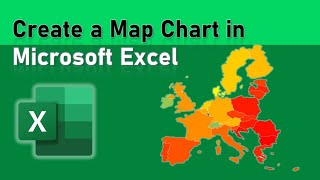
Microsoft Excel
Learn to create dynamic map visualizations using Excel's powerful mapping features, including Map Charts, X-Y coordinate plotting, and 3D Maps.

Project Advanced Tutorial
Master advanced Microsoft Project techniques for efficient planning, tracking, and reporting. Learn custom fields, views, and reports to enhance project management and resource allocation.

Project Beginner Tutorial
Comprehensive tutorial on Microsoft Project, covering project planning, task management, resource allocation, and optimization techniques for effective project management.
Outlook Advanced Tutorial
Unlock Outlook's full potential: master advanced features for efficient email management, calendar optimization, contact organization, and collaborative workspaces.
Access Expert Tutorial
Comprehensive tutorial on advanced Microsoft Access features, covering form design, automation with macros and VBA, database security, and customization options for improved efficiency and functionality.