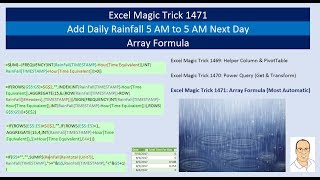
Array Formula - Add Daily Rainfall 5 AM to 5 AM Next Day - Most Automatic
Learn advanced Excel array formulas to automate rainfall reporting with custom time periods. Master FREQUENCY, AGGREGATE, and SUMIFS functions for efficient data analysis and unique date extraction.

Excel Basics - Power Query (Get & Transform) to Clean & Transform Data into Proper Data Set
Learn to use Power Query in Excel for data cleaning, transformation, and analysis. Master importing, combining, and refreshing data from various sources to create proper datasets and pivot tables.
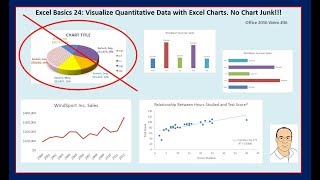
Excel Basics - Excel Charts & Graphs to Visualize Quantitative Data
Learn to create effective Excel charts and graphs for data visualization, focusing on best practices and avoiding chart junk. Explore various chart types and their applications in data analysis.
Excel Basics - Data Analysis Features: Sort, Filter, Flash Fill to Organize & Clean Data
Learn essential Excel data analysis techniques: sorting, filtering, and Flash Fill. Master organizing and cleaning data efficiently for improved productivity and insights.

Excel Basics - PivotTable Power - Amazing PivotTable Reporting Tricks - Slicers to Show Values As
Master advanced PivotTable techniques in Excel, including slicers, custom calculations, and data analysis. Learn to create powerful reports and gain insights from complex datasets.
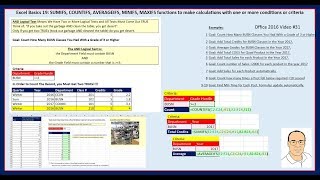
Excel Basics - SUMIFS, COUNTIFS, AVERAGEIFS Functions Calculations With One or More Criteria
Master advanced Excel functions like SUMIFS, COUNTIFS, and AVERAGEIFS for data analysis. Learn to apply multiple criteria, use logical tests, and leverage Excel tables for efficient calculations.

Excel Basics - Mixed Cell References - The Number One Trick to Creating Formulas Quickly
Master mixed cell references in Excel for efficient formula creation, with practical examples and time-saving techniques for various business applications.
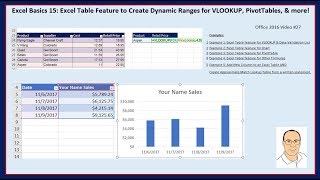
Excel Basics - Excel Table Feature & Dynamic Ranges for VLOOKUP, PivotTables, & More
Learn to leverage Excel's Table feature for dynamic ranges in VLOOKUP, PivotTables, charts, and more. Master efficient data management and analysis techniques for improved productivity.
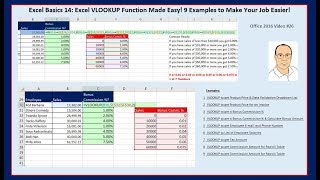
Excel Basics - Excel VLOOKUP Function Made Easy
Master Excel's VLOOKUP function with 9 practical examples, from exact matches for product pricing to approximate matches for commission calculations, enhancing your data analysis skills.
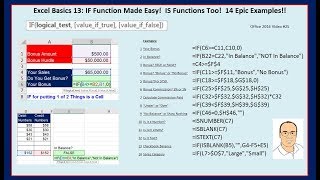
Excel Basics - IF Function Made Easy and IS Functions Too - Epic Examples
Master Excel's IF and IS functions with 14 practical examples, enhancing your data analysis and decision-making skills for various business scenarios.
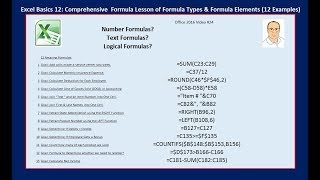
Excel Basics - Complete Formula Lesson of Formula Types & Formula Elements With Examples
Comprehensive guide to Excel formulas covering number, text, and logical operations with practical examples for data analysis and business calculations.
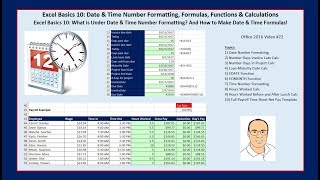
Excel Basics - Date & Time Number Formatting, Formulas, Functions & Calculations
Master Excel date and time formatting, calculations, and functions. Learn essential skills for efficient data handling, invoice management, and payroll processing in this comprehensive tutorial.
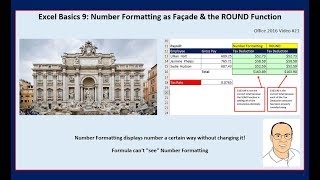
Excel Basics - Number Formatting as Façade & the ROUND Function
Learn essential Excel skills: number formatting techniques and the ROUND function for efficient data entry, accurate calculations, and practical applications in payroll, invoicing, and taxes.
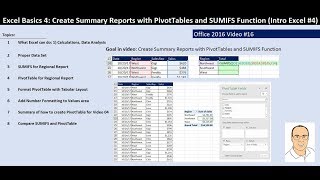
Excel Basics - PivotTables & SUMIFS Function to Create Summary Reports
Learn to create summary reports using PivotTables and SUMIFS function in Excel. Master data analysis techniques, proper data set creation, and efficient report formatting for regional, daily, and sales rep summaries.
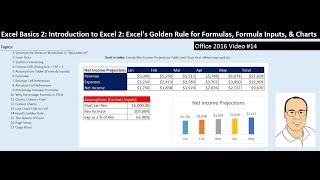
Excel Basics - Introduction to Excel - Excel's Golden Rule for Formulas, Formula Inputs, & Charts
Learn Excel's Golden Rule for formulas, create dynamic financial projections, and design effective charts. Master essential skills for data analysis and visualization in Excel.

Excel Add-Ins and Data Types
Explore Excel's enhanced extensibility options, including custom data types and functions. Learn to create add-ins with images, entities, arrays, and formatted values, backed by custom data sources.

Excel Power Query - Get & Transform
Simplify data transformation and analysis with Power Query. Learn to import, clean, and combine data from various sources, automate repetitive tasks, and create dynamic reports effortlessly.

Excel Charts
Learn to create dynamic, visually appealing Excel charts and graphs. Master techniques for Gantt charts, map charts, variance analysis, and data visualization to enhance your reporting and analysis skills.

Excel Hacks - Tips & Tricks
Boost Excel productivity with time-saving hacks, advanced formulas, and hidden shortcuts. Learn dynamic emails, custom formatting, data manipulation, and presentation techniques.

Excel Introduction
Learn essential Excel skills, from basic functions to advanced techniques like VLOOKUP and data validation. Master formatting, filtering, and efficient spreadsheet management for improved productivity.

Excel Lookup Formulas
Master Excel lookup formulas like VLOOKUP, INDEX MATCH, and XLOOKUP. Learn advanced techniques for complex data retrieval, multi-criteria searches, and cross-sheet lookups to enhance your spreadsheet skills.