Drop Down Lists in Excel - Dependent, Unique Lists and Other Data Validation Lists
Master dynamic drop-down lists in Excel for efficient data validation, including dependent lists, unique item extraction, and custom validation techniques. Enhance spreadsheet functionality and user experience.
Excel Infographic Chart Templates
Learn to create eye-catching infographics and unique visualizations in Excel, from dynamic maps to sales funnels, using creative chart techniques and templates for impactful data presentation.

Excel VBA & Macros Tutorials
Master Excel VBA and macros to automate tasks, manipulate data, and enhance spreadsheet functionality. Learn key concepts like objects, loops, and custom functions for efficient workflow.

Excel Intermediate Functions & Features
Master advanced Excel functions like IF, VLOOKUP, IFS, and custom formatting. Learn time-saving techniques, data manipulation, and presentation skills to enhance productivity and analysis capabilities.

Excel - What If Analysis
Learn powerful Excel tools for data analysis, including sensitivity analysis, goal seek, scenario manager, and Solver add-in for optimizing complex problems.

Excel VBA Macro
Learn to automate Excel tasks using VBA macros. Master cell manipulation, formatting, workbook operations, loops, error handling, and create custom functions and user forms.
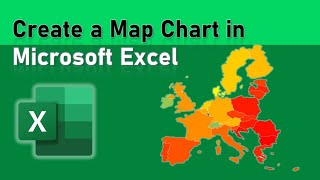
Microsoft Excel
Learn to create dynamic map visualizations using Excel's powerful mapping features, including Map Charts, X-Y coordinate plotting, and 3D Maps.

Excel 2021 - Intro to Data Analysis Tutorial
Learn essential Excel data analysis techniques: tables, conditional formatting, functions, charts, and pivot tables for effective data summarization, visualization, and insight extraction.
Excel 2021 XLOOKUP Tutorial
Discover XLOOKUP, Excel's powerful lookup function. Learn its advantages over VLOOKUP and INDEX/MATCH, and master techniques for faster, more efficient data retrieval and analysis in spreadsheets.
Excel 2021 Power User Tutorial
Advanced Excel techniques for power users, covering complex functions, data analysis, pivot tables, conditional formatting, charts, and macros to solve challenging problems and streamline workflows.

Excel Chart Animation in PowerPoint - Speedometer
Learn to create an animated gauge chart with spinning elements, scrolling numbers, and clickable buttons in PowerPoint using Excel data. Master advanced design and animation techniques for impactful presentations.

Excel 2021-365 Beginners & Intermediate Training
Comprehensive 10-hour tutorial covering Excel basics to intermediate skills, including functions, data manipulation, and formatting. Includes practical exercises for hands-on learning.

Microsoft Excel Advanced Excel Training Course
Comprehensive advanced Excel training covering dynamic arrays, advanced functions, data manipulation, and statistical analysis. Includes hands-on exercises for practical skill development.
Ten Excel Tips That Are Easy to Learn - Part 2
Learn 10 essential Excel skills including macros, named ranges, page breaks, heat maps, and pie charts to enhance your spreadsheet proficiency and productivity.

How to Build Interactive Excel Dashboards
Learn to create interactive Excel dashboards for effective data visualization. Master calculations, charts, graphs, and formatting techniques to design impactful dashboards. Includes practical exercises and downloadable files for hands-on learning.
Create Microsoft Excel Pivot Charts and Map Charts
Learn to create and format Pivot Charts and Map Charts in Excel 2021/365. Master data visualization techniques, explore chart types, and practice with downloadable exercise files.
Excel Tips and Tricks for Beginners
Learn essential Excel skills including dark mode, formatting, cell manipulation, error handling, and data protection in this comprehensive tutorial for beginners and intermediate users.
Microsoft Excel PivotTables Explained
Learn to create, manipulate, and format PivotTables in Excel 2021/365. Master data analysis techniques, including field pivoting, grouping, and custom layouts for effective data visualization.

Microsoft Excel Intermediate Training - Excel Tutorial Class
Expand Excel skills with advanced functions, data manipulation techniques, and time-saving features. Master logical operations, lookups, filtering, and date handling for improved productivity and analysis.

Microsoft Excel Tutorial - Getting Started in Microsoft Excel 2021
Comprehensive tutorial covering Excel 2021/365 basics: interface, formulas, functions, formatting, and data management. Includes practical exercises for hands-on learning and skill development.
Logical Functions in Excel Tutorial
Learn to use Excel's logical functions like IF, IFS, COUNTIF, and SUMIF. Master simple tests, nested statements, and error checking for efficient data analysis and decision-making.