Excel 365 for Beginners - Streamline Your Data with Correct Number Format - Part 27
Learn to enhance data readability in Excel 365 by mastering Number Formatting. Explore various formats like currency, dates, and percentages using the Number group on the Home Ribbon.
Excel 365 for Beginners - Formatting Cells, Rows, and Columns Manually - Part 28
Learn to enhance Excel worksheets by manually formatting cells, columns, and rows, exploring various options on the Home Ribbon to create visually appealing and organized data presentations.
Excel 365 for Beginners: Table Creation and Style Customization - Part 35
Learn to convert data into Excel tables, customize styles, rename tables, and efficiently format columns in this tutorial on table creation and customization in Excel 365.
Managing Rows and Columns in Excel 365 - Part 38 of 51
Learn efficient techniques for managing rows and columns in Excel 365, including auto-fitting widths and heights for large datasets, enhancing your spreadsheet organization skills.
How to Use IF, IFS, COUNTIFS, SUMIFS, IFERROR, and IFNA in Excel
Master Excel's logic functions: IF, IFS, COUNTIFS, SUMIFS, IFERROR, and IFNA. Learn to handle complex conditions, streamline formulas, perform conditional counting and summing, and manage errors effectively.

Top Excel Tips for Efficiency - Troubleshooting Common Errors
Master Excel error handling, data validation, and formula auditing to boost spreadsheet reliability and efficiency. Tackle common errors, protect data, and troubleshoot with confidence.
How to Build Interactive Spreadsheets in Excel
Enhance Excel spreadsheets with interactive form controls. Learn to create combo boxes, checkboxes, spin buttons, and option buttons for dynamic data entry, filtering, and visualization.

How to Clean Data in Excel
Learn essential techniques for cleaning and managing large datasets in Excel, including removing duplicates, identifying attributes, and ensuring data quality for efficient processing.

Become a Power Query Master in Excel in Less Than One Hour
Master Power Query in Excel: Learn to gather, clean, and transform data efficiently. Streamline your workflow, automate tasks, and optimize data preparation for analysis.
Ultimate PivotCharts Tutorial in Excel 365
Master Excel data visualization with PivotCharts and Map Charts. Learn creation, formatting, and practical application through hands-on exercises. Elevate your skills for clear, dynamic data representation.

Excel Automation Essentials - Streamlining Workflows and Boosting Productivity
Master Excel automation: functions, conditional formatting, AI tools, PivotTables, and Power Query. Boost productivity with advanced techniques like Excel Bot and GPT Excel.

Microsoft 365 Excel Fundamentals: Formulas, Functions, Formatting and Page Setup - Part 1
Master essential Excel skills from formulas and functions to formatting and cell references. Includes hands-on projects, time-saving shortcuts, and practical techniques for efficient spreadsheet creation and data analysis.

Introduction to Data Exploration Using Microsoft Excel
Explore data using Excel: Learn importing, cleaning, basic functions, and statistical analyses for valuable insights from a Mars Petcare Data Engineer.
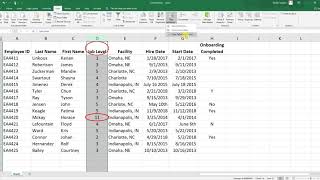
Excel Tutorials
Learn essential Excel techniques for HR data analysis, including data cleaning, statistical tests, and data visualization for effective decision-making.

Advanced Excel Techniques for HR Data Management and Analysis
Master advanced Excel techniques for HR data management, from pivot tables and conditional formatting to data validation and interactive reporting - all designed to streamline HR analytics and decision-making processes.
Mastering Conditional Formatting in Excel - Data Visualization and Analysis
Master Excel's conditional formatting features to enhance data visualization through highlight rules, data bars, color scales, and custom formulas for more impactful spreadsheet analysis and presentation.
Microsoft Excel Express Tutorial for Beginners - From Basics to Advanced Features
Master essential Excel skills from navigation and data entry to PivotTables and advanced functions in a fast-paced, practical tutorial designed for immediate productivity gains.
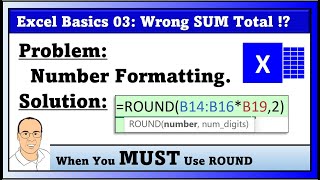
Number Formatting and ROUND Function in MS 365 Excel - Part 3
Master essential Excel number formatting concepts and ROUND function applications for accurate financial calculations, including payroll, invoicing, and tax computations.

Excel for HR Professionals - Data Management and Analysis Fundamentals
Master essential Excel functions and tools specifically designed for HR tasks, from data organization and calculations to creating dynamic visualizations for workforce analytics and reporting.

Data Models, PivotTables, and Power Query in Excel - Advanced Data Analysis Techniques
Master advanced Excel data analysis by combining PivotTables, data models, and Power Query to transform complex datasets into meaningful insights. Learn to create relationships, clean data, and generate powerful analytical reports.
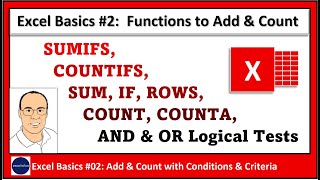
Excel Formulas for Counting and Adding: COUNT, COUNTA, ROWS, SUM, SUMIFS, COUNTIFS and IF Functions - Part 2
Master essential Excel formulas and functions for counting and adding data, including COUNT, COUNTA, SUMIFS, and advanced logical tests for analyzing business data with multiple conditions.