
Excel Introduction to Data Analysis Tutorial
Learn essential Excel data analysis techniques: formatting, conditional functions, charting, and Pivot Tables. Gain skills to summarize, visualize, and extract insights from your data effectively.
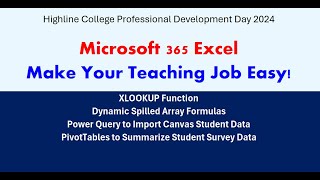
Excel 365 for Teaching: Dynamic Arrays, XLOOKUP, Power Query and PivotTables
Streamline teaching tasks with Excel 365: master dynamic arrays, XLOOKUP, Power Query, and PivotTables for efficient gradebooks, budgets, and data analysis.
Top 10 Excel Formulas for Beginners - Essential Functions Tutorial
Master essential Excel formulas with step-by-step guidance. Learn VLOOKUP, IF statements, COUNTIF, and more. Practical examples and timestamps for easy navigation make this tutorial perfect for beginners.

Excel Tips and Tricks - 10 Time-Saving Tutorials for Beginners and Intermediate Users
Learn 10 time-saving Excel techniques, from inserting hyperlinks to creating gauge charts. Enhance productivity with step-by-step tutorials suitable for beginners and intermediate users alike.

Microsoft Excel 365 Intermediate Training - 4-Hour Tutorial
Enhance spreadsheet skills with advanced functions, data validation, lookups, sorting, and formatting. Master logical operations, statistical analysis, and efficient data organization techniques.
Excel Spreadsheet Design Tips and Tricks
Learn advanced Excel techniques to enhance spreadsheet design, improve readability, control data input, add navigation, create summaries, and use forms for quick data entry.

Bringing LAMBDA to Excel
Explore the journey of integrating functional programming into Excel, showcasing new capabilities and future research directions in spreadsheet technology.

Once Upon a File - Navigating Data Import and Export Challenges
Explore common file format challenges and solutions in data import/export, covering plain text, CSV, XML, and Excel files. Learn to handle encoding, formatting, and regional setting issues.
How to Use LAMBDA: Create New Formulas in Excel
Master LAMBDA functions in Excel to create custom, reusable formulas tailored to your specific needs. Learn to define variables, structure formulas, and enhance workflow efficiency.

Redefining User Experience with Large Language Models - From Chat to Voice Interactions
Explore Microsoft Copilot's integration across apps, from PowerPoint to Excel, and discover how AI-powered tools are transforming user interactions through chat, voice, and adaptive interfaces.

Advanced Excel 365 Training: Dynamic Arrays, Complex Lookups, and Power Tools
Boost data analysis skills with advanced Excel 365 features. Master dynamic arrays, complex lookups, custom functions, Power Pivot, and Power Query for efficient data manipulation and management.

Evading Microsoft ATA for Active Directory Domination
Explore techniques to bypass Microsoft ATA's threat detection in Active Directory, covering reconnaissance, credential attacks, lateral movement, and persistence methods.
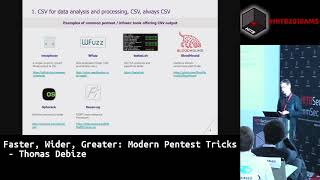
Faster, Wider, Greater - Modern Pentest Tricks
Explore modern pentesting techniques, tools, and procedures for efficient data processing and analysis. Learn about Jython, PyInstaller, CSVKit, Impacket, Frida, and GNU Parallel to enhance your security auditing skills.

48 Dirty Little Secrets Cryptographers Don't Want You to Know
Explore 48 cryptographic attacks through hands-on challenges, covering block ciphers, public key algorithms, and real-world vulnerabilities. Gain practical insights into crypto exploitation across multiple programming languages.
Business Analytics 2013 - Visualizing Data with Power View
Explore data visualization techniques using Power View to create interactive reports and enhance business analytics capabilities.

Visualizing Data - The Good, the Bad, and the Ugly
Explore effective data visualization techniques, from time series to deviations, using Excel, Power BI, and other tools. Learn to create impactful charts and avoid common pitfalls in data presentation.
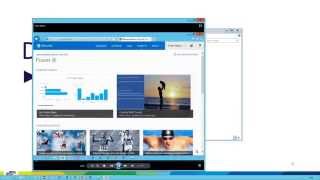
Past to Future - Self-service Forecasting with Microsoft BI
Explore time series forecasting with Microsoft Self-Service BI tools. Learn fundamentals, Excel capabilities, and Power View's predictive analytics for visually impressive forecasts and hindcasts.
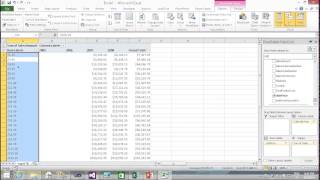
Create Your First SSAS Tabular Model
Learn to create your first Analysis Services Tabular model using Visual Studio. Import tables, establish relationships, and write formulas for data browsing with Excel and Power View.

Ultimate Guide to the FILTER Function in Excel 365
Master Excel 365's FILTER function with logic operators. Refine data filtering using OR, AND, Both/Neither, and One/Not Both criteria for precise results. Enhance spreadsheet analysis skills.
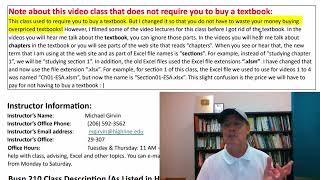
Excel Statistical Analysis - Introduction
Explore Excel's statistical analysis tools for business applications in this comprehensive introduction to Highline College's Busn 210 course.
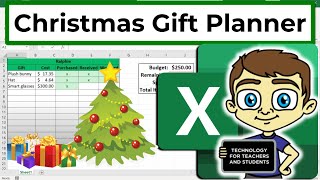
Creating a Christmas Gift Planner in Microsoft Excel
Master Excel organization by creating a practical gift planner - track recipients, budgets, and purchases efficiently while learning essential spreadsheet skills for holiday planning.