Lightroom, Photoshop, and Luminar 4 Workflow Tutorial - Sky Replacement in Cityscape Photography
Comprehensive photo editing workflow using Lightroom, Photoshop, and Luminar 4, featuring sky replacement techniques for cityscape images and tips for achieving optimal results.

Luminar 4 Tutorial - Black and White Conversion Tool
Explore Luminar 4's Black and White Conversion Tool to transform color images into stunning monochrome masterpieces, with additional techniques for enhancing your final result.
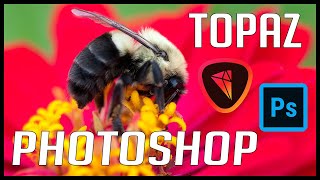
Photoshop and Topaz Photo Editing Tutorial: Full Edit of a Bee on Flower
Comprehensive macro photo editing tutorial using Lightroom, Photoshop, and Topaz plugins to enhance a bee on flower image, featuring noise reduction, sharpening, and vignette techniques.
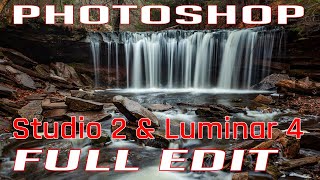
Photoshop Waterfall Editing Tutorial - Full Workflow with Multiple Software
Comprehensive waterfall photo editing tutorial using multiple software tools, covering advanced techniques for enhancing landscape images and improving overall workflow.
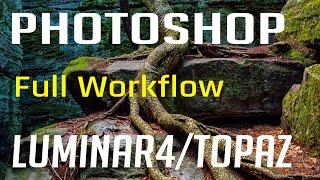
Photoshop, Lightroom, Topaz Studio 2, and Luminar 4 - Full Image Editing Tutorial
Comprehensive photo editing workflow using Lightroom, Photoshop, Topaz Studio 2, and Luminar 4. Learn advanced techniques to enhance images from raw format to polished final product.
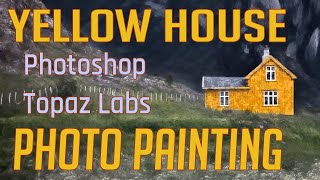
Photo Painting Tutorial: Yellow House with Photoshop and Topaz Labs Plugins
Transform a photo into a stunning painting using Photoshop and Topaz Labs plugins. Learn techniques like dodging, burning, and applying artistic filters to create a unique masterpiece from a simple image.
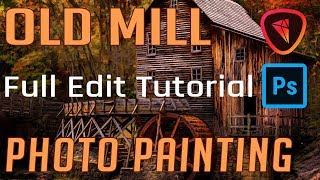
Old Mill Photo Painting - Full Editing Tutorial
Transform a photo of an old mill into a painting using Photoshop and Topaz Studio 2. Learn various editing techniques in this comprehensive tutorial that guides you through every step of the process.

Topaz ReStyle Tutorial - Color Grading and Mood Alteration for Images
Learn to enhance image mood and color grading with Topaz ReStyle. Discover techniques to add flavor and alter the atmosphere of your photos in this practical editing tutorial.

Topaz Studio 2 Tutorial - Texture Filter
Explore the Texture Filter in Topaz Studio 2 to enhance your images with creative textures. Learn techniques for adding depth and visual interest to your photographs through this powerful editing tool.

Topaz Studio 2 - The Radiance Filter Tutorial
Explore the unique Radiance Filter in Topaz Studio 2 to transform images by adding luminous effects to edges and contours, creating distinctive artistic results.

Topaz Studio 2 - AI Remix Filter Tutorial
Explore the AI Remix Filter in Topaz Studio 2 to transform photos into painterly artworks using artificial intelligence. Learn detailed usage for confident application.

Topaz Studio 2 Tutorial - Motion Blur Filter
Learn to create dynamic motion effects in photos using Topaz Studio 2's Motion Blur Filter. Discover techniques to enhance images with realistic movement and artistic blur.

Photoshop Tutorial - Adding Creative Blur to Flower Images
Learn to enhance flower photos with ethereal blurs using Photoshop's Blur Gallery and NIK Vignette Filter, creating a dreamy and artistic effect in your images.
DXO Film Pack 5 in PhotoLab 4 - Creative Film Rendering Tutorial
Explore creative film rendering techniques using DXO FILM PACK 5 within DXO PHOTOLAB 4. Learn to apply vintage and modern film effects to enhance your digital photography.

Luminar AI - Working with Lightroom
Seamlessly integrate Luminar AI with Lightroom for enhanced RAW image editing, combining powerful asset management with advanced AI-driven tools to elevate your photo editing workflow.

Working with Topaz Plug-ins Inside Topaz Studio 2
Tutorial on accessing and using Topaz Software plug-ins within Topaz Studio 2, enhancing photo editing capabilities and workflow efficiency for photographers and digital artists.

DXO PhotoLab 4 - Exploring the HSL Color Wheel and Hue Picker Tool
Explore DXO PhotoLab 4's HSL Color Wheel and Hue Picker for precise color adjustments in photo editing. Learn to enhance images with powerful, accurate color control tools.

Autumn Leaves on Water - Full Photo Editing Tutorial
Full editing tutorial for autumn leaves on water photo, from Lightroom to Photoshop and Topaz Studio 2. Includes vignetting technique and showcases fall colors in Pennsylvania.

Photoshop Tutorial: Enhancing Skies with Luminosity Masks
Learn to enhance sky colors in photos using Photoshop's luminosity masking technique. Discover how to create, apply, and adjust masks for stunning results in landscape photography.
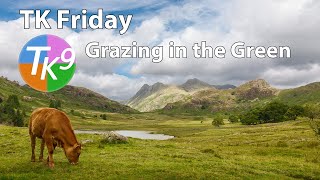
Full Edit Tutorial: Grazing in the Green - TK Friday
Comprehensive Photoshop editing tutorial using TK9 plugin, demonstrating advanced techniques on a landscape image. Includes downloadable resources for hands-on practice.

TK Friday: Full Edit of Elegance in Flight - Great Blue Heron
Detailed Photoshop editing tutorial for enhancing a Great Blue Heron image using TK9 plugin, covering advanced techniques to improve color, contrast, and overall visual impact.