
Authenticate Google Sheet API Using Python
Learn to authenticate and interact with Google Sheets API using Python. Covers creating, modifying, reading, and formatting spreadsheets, as well as advanced features like conditional formatting and scripting.

How to Make a Free Website on Google Sites
Learn to create a free website using Google Sites in 5 simple steps. Customize themes, add content, publish online, and even set up a contact form with email notifications. Perfect for beginners looking to establish an online presence quickly.

Google Slides Advanced Tutorial
Master advanced Google Slides techniques: create custom layouts, themes, and animations; import data; automate slideshows; and enhance presentations with interactive elements for engaging, professional-quality decks.

Google Slides Beginner Tutorial
Master Google Slides essentials: create engaging presentations with text, images, videos, animations, and more. Learn to format, customize, and share your work effectively for impactful communication.

Google Sheets Beginner Tutorial
Master Google Sheets essentials: navigation, data entry, formulas, formatting, and advanced features. Gain practical skills for efficient spreadsheet creation, analysis, and sharing in this comprehensive tutorial.

Building Custom YouTube Analytics with AI and Google Sheets
Master building a custom AI-powered YouTube analytics system using Google Sheets, OpenAI API, and YouTube API to generate personalized insights and growth strategies for your channel.

Dialogflow CX Tutorial
Tutorial práctico sobre Dialogflow CX: aprende a crear chatbots avanzados usando entidades, intenciones, páginas y flujos. Incluye ejemplos e integraciones con plataformas populares.

Curso Chatbot Dialogflow Tutoriales Paso A Paso Integrado A Google Calendar Google Sheets, Whatsapp
Aprende a crear chatbots inteligentes con Dialogflow, integrando Google Calendar, Sheets y WhatsApp. Domina técnicas avanzadas para mejorar la interacción y automatizar tareas.

Google Workspace Forensics - Insights from Real-World Hunts and Incident Response
Insights on threat hunting and incident response in Google Workspace, focusing on data exfiltration from Google Drive. Learn forensic investigation techniques for GWS logs from real-world cases.

Automated Incident Response - Streamlining Processes and Enhancing Efficiency
Explore innovative Slack-based tools for streamlining incident response processes, reducing overhead, and enhancing efficiency through automation and integration with critical cloud-based systems.
Google Drive for Beginners - Including Docs, Sheets, Forms, and Slides
Master Google Drive essentials: create, manage, and collaborate on files using Docs, Sheets, Forms, and Slides. Learn practical skills for efficient file organization, sharing, and presentation.
Google Sheets Tutorial for Beginners - 2022 Edition
Comprehensive guide to Google Sheets basics: creating spreadsheets, importing data, formatting, sorting, using functions, filtering, data visualization, and collaboration features.

Element Visibility Trigger in Google Tag Manager
Learn to track element visibility and DOM changes using Google Tag Manager's new trigger, enhancing your ability to monitor user interactions and page elements dynamically.

Notion API Guide - How to Integrate with 200+ Apps Without Coding
Learn to integrate Notion with 200+ apps using Automate.io, no coding required. Connect to Google Calendar, Gmail, Typeform, and more using the Notion API for enhanced productivity and workflow automation.
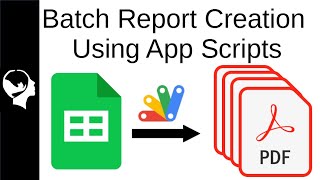
Batch Create Reports with App Scripts
Learn to automate report generation in Google Sheets using Apps Script. Create tables, graphs, and text replacements without add-ons, streamlining data processing from raw CDC EU information.

How to Create a Budget and Pay Off Debt as a Digital Artist
Learn to create and manage a budget as a digital artist, with practical tips on tracking expenses and gaining control of your finances.
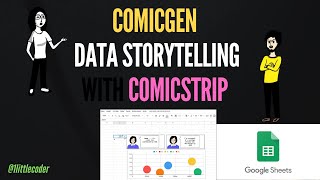
Data Storytelling with ComicStrips - Using ComicGen and Google Sheets
Create engaging data comic strips using Gramener's ComicGen and Google Sheets, enhancing your storytelling skills with visual narratives.

Gmail Basics Tutorial
Master Gmail's features, from basic messaging to advanced tools like filters and integrations. Enhance productivity with chat, calendar, and task management functionalities.

Google Slides Tutorial
Comprehensive tutorial on creating engaging presentations with Google Slides, covering basics to advanced features like slide masters, animations, and data integration for effective visual communication.

Let It Flow: Leveraging Your Run of Show for an Unforgettable Attendee Experience
Discover strategies to create unforgettable virtual events using Run of Show techniques. Learn essential elements, live coordination, and audience engagement tips from industry experts.

Google Docs Full Course Tutorial
Comprehensive tutorial on creating, formatting, and collaborating with Google Docs. Learn essential features, from basic text editing to advanced functions like charts, images, and real-time co-authoring.