
Google Sheets Advanced Tutorial
Master advanced Google Sheets techniques: data sorting, filtering, charts, pivot tables, functions (IF, VLOOKUP, SUMIF), macros, and more. Enhance your spreadsheet skills for efficient data analysis and visualization.
Cartography
Learn techniques for creating diverse maps, from animated routes to historical visualizations, using various tools like Photoshop, QGIS, and Google Sheets. Explore cartography concepts and unique map styles.

Google Sheets Tutorial for Beginners 2024 - Step-by-Step
Master Google Sheets essentials: create spreadsheets, import data, format cells, use functions, apply filters, visualize data, and collaborate effectively in this comprehensive beginner's guide.
Conditional Formatting in Excel - Excel Training - Excel Tutorial for Beginners
Learn to enhance Excel data visualization with conditional formatting, including color scales, data bars, and icon sets. Master techniques for highlighting cells based on specific conditions.

How to Use Formulas and Functions in Google Sheets
Learn essential Google Sheets formulas and functions, from basic math to advanced operations like VLOOKUP and conditional functions, to enhance your data analysis and spreadsheet skills.

Google Sheets Tutorial - Designed for Beginners
Comprehensive beginner's guide to Google Sheets, covering layout, formatting, functions, charts, sharing, and protection. Learn essential skills for efficient spreadsheet management and data analysis.
Google Sheets Basics Tutorial - Beginner Course
Comprehensive tutorial covering Google Sheets fundamentals, including spreadsheet creation, formatting, and inserting various elements. Ideal for beginners seeking hands-on practice with downloadable exercise files.
Google Sheets for Excel Users Tutorial
Accelerated training for Excel experts to master Google Sheets, covering advanced features like conditional formatting, real-time collaboration, interactive forms, financial data integration, and automation through macros.

Authenticate Google Sheet API Using Python
Learn to authenticate and interact with Google Sheets API using Python. Covers creating, modifying, reading, and formatting spreadsheets, as well as advanced features like conditional formatting and scripting.

Google Sheets Beginner Tutorial
Master Google Sheets essentials: navigation, data entry, formulas, formatting, and advanced features. Gain practical skills for efficient spreadsheet creation, analysis, and sharing in this comprehensive tutorial.

Building Custom YouTube Analytics with AI and Google Sheets
Master building a custom AI-powered YouTube analytics system using Google Sheets, OpenAI API, and YouTube API to generate personalized insights and growth strategies for your channel.

Dialogflow CX Tutorial
Tutorial práctico sobre Dialogflow CX: aprende a crear chatbots avanzados usando entidades, intenciones, páginas y flujos. Incluye ejemplos e integraciones con plataformas populares.

Curso Chatbot Dialogflow Tutoriales Paso A Paso Integrado A Google Calendar Google Sheets, Whatsapp
Aprende a crear chatbots inteligentes con Dialogflow, integrando Google Calendar, Sheets y WhatsApp. Domina técnicas avanzadas para mejorar la interacción y automatizar tareas.
Google Sheets Tutorial for Beginners - 2022 Edition
Comprehensive guide to Google Sheets basics: creating spreadsheets, importing data, formatting, sorting, using functions, filtering, data visualization, and collaboration features.

Element Visibility Trigger in Google Tag Manager
Learn to track element visibility and DOM changes using Google Tag Manager's new trigger, enhancing your ability to monitor user interactions and page elements dynamically.
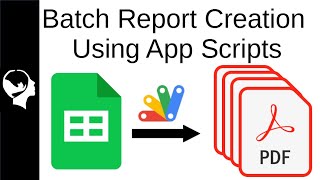
Batch Create Reports with App Scripts
Learn to automate report generation in Google Sheets using Apps Script. Create tables, graphs, and text replacements without add-ons, streamlining data processing from raw CDC EU information.
How to Create a Budget and Pay Off Debt as a Digital Artist
Learn to create and manage a budget as a digital artist, with practical tips on tracking expenses and gaining control of your finances.
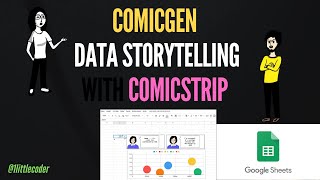
Data Storytelling with ComicStrips - Using ComicGen and Google Sheets
Create engaging data comic strips using Gramener's ComicGen and Google Sheets, enhancing your storytelling skills with visual narratives.

Let It Flow: Leveraging Your Run of Show for an Unforgettable Attendee Experience
Discover strategies to create unforgettable virtual events using Run of Show techniques. Learn essential elements, live coordination, and audience engagement tips from industry experts.
Google Sheets Advanced Tutorial
Master advanced Google Sheets techniques including data manipulation, complex functions, pivot tables, charts, and collaborative features to enhance your spreadsheet skills and boost productivity.

Google Sheets Full Course Tutorial
Comprehensive tutorial covering Google Sheets essentials: navigation, formulas, data manipulation, charts, pivot tables, functions, collaboration, and more. Perfect for beginners and intermediate users seeking to enhance spreadsheet skills.