
Exploring Generative AI with Adobe Firefly
Discover Adobe Firefly's unique AI capabilities for creative workflows. Learn to generate content with text prompts and integrate Firefly across design software like Photoshop and Illustrator.
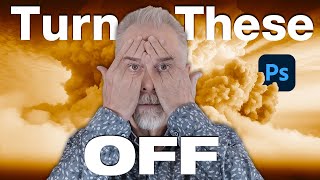
10 Essential Photoshop Settings to Turn Off for Improved Workflow
Discover 10 essential Photoshop settings to disable for a streamlined workflow, enhancing productivity and reducing visual clutter in your interface.

Why You Can't Make Cinematic AI Video - Limitations and Solutions
Explore techniques for creating cinematic AI videos, from composition and lighting to color grading and editing, while understanding the limitations and potential of AI-generated content.

Creating Infinite AI Videos with LUMA - Techniques and Applications
Explore infinite possibilities with looping videos using Luma AI. Learn to create seamless cinemagraphs, extend footage, and craft ambient loops for various creative applications.

Introduction to Camera Raw in Photoshop - Lesson 11
Comprehensive guide to Camera Raw in Photoshop, covering essential tools, techniques, and best practices for processing photos. Learn to enhance images with professional-grade editing capabilities.
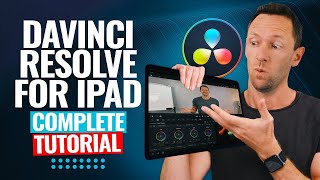
DaVinci Resolve iPad Tutorial - Video Editing Fundamentals
Comprehensive guide to video editing on iPad using DaVinci Resolve, covering importing, timeline editing, effects, text, audio, color correction, and exporting for both beginners and advanced users.
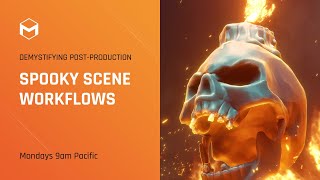
Spooky Scene Workflows - Lighting, Rendering, and Atmosphere - Week 4
Learn advanced lighting, rendering, and post-production techniques to create a spooky Halloween scene using ZBrush, Cinema 4D, and Photoshop. Master atmosphere, composition, and creative effects for stunning visuals.
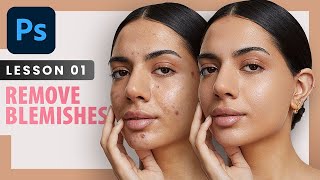
Remove Blemishes - Professional Photoshop Retouching Techniques - Lesson 1
Learn professional techniques for high-end skin retouching in Photoshop, including spot healing, healing brush, patch tool, and dodge and burn. Discover when to remove blemishes and how to achieve natural-looking results.
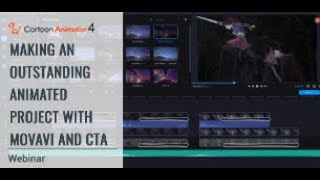
Making an Outstanding Animated Project with Movavi and Cartoon Animator
Learn to transform video references into captivating animations using Movavi Video Suite and Cartoon Animator 4. Master essential techniques for planning, creating, and enhancing your animated projects.
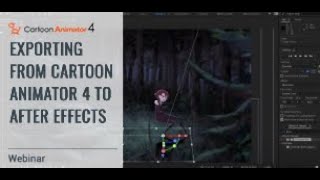
Exporting from Cartoon Animator 4 to After Effects - Professional Finishing Techniques
Learn to seamlessly export Cartoon Animator 4 projects to After Effects for professional finishing. Master animation techniques, scene effects, and compositing to elevate your 2D animation skills.
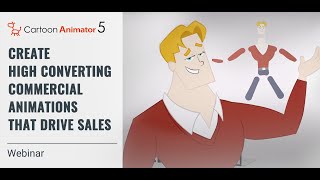
Create High Converting Commercial Animations that Drive Sales
Learn to create impactful animated commercial trailers using Cartoon Animator 5. Discover planning strategies, basic functions, concept visualization, and advanced animation techniques to boost sales and engagement.
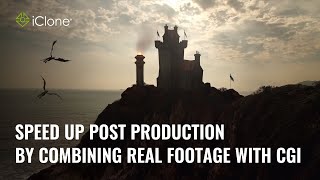
Speed up Post Production by Combining Real Footage with CGI - Master Class
Learn to combine real footage with CGI in iClone to enhance realism and efficiency. Techniques include using videos as textures, integrating transparent elements, and mimicking camera motion for seamless compositing.
Rethinking 3D Printer Infill - Patterns, Density, and Structural Considerations
Explore innovative approaches to 3D printer infill, optimizing structural integrity and material usage. Learn about infill patterns, density, and their impact on print quality and strength.

Creative Hand Lettering - Adobe Fresco Tutorial
Learn hand lettering with pro illustrator Chris Piascik using Adobe Fresco. Master sketching, refining, coloring, and texturing techniques to create stunning lettering designs on your iPad or preferred setup.

Advanced Photoshop Techniques
Elevate your Photoshop skills with advanced techniques for photo manipulation, visual effects, and professional artwork. Master underwater scenes, color grading, texture blending, and creative LUTs to produce stunning visuals.

Create Easy Drag and Drop Mockup in Photoshop
Master easy drag & drop mockup creation in Photoshop. Learn to design realistic templates for t-shirts, mugs, and more using smart objects, blend modes, advanced masking, and layer styles.
Hands On with Adobe’s New Groundbreaking AI
Explore Adobe Firefly's Text to Image module: Generate custom images, adjust lighting, composition, and style. Learn to create unique visuals with this groundbreaking AI tool for creative professionals.
Hands On with Adobe’s New Groundbreaking AI, Part 2
Explore Adobe Firefly's prompt parameters to enhance AI-generated images. Learn about iterations, style, guidance, avoidance, and face-fixing tags for improved results in this hands-on tutorial.
Hands On with Adobe’s New Groundbreaking AI
Explore Adobe Firefly's groundbreaking AI image generator, featuring unique type effects and custom text-to-image capabilities. Learn to create vivid, one-of-a-kind designs using presets and custom prompts.
What Is Adobe Firefly and How to Use It for Web Designs
Explore Adobe Firefly's AI-powered design capabilities for web and graphic design, including text generation, image creation, and customization options. Compare its features to other AI art tools.
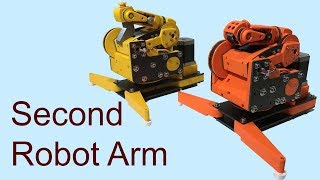
DoF Mostly 3D Printed Robot Arm
Learn to build an affordable 3D-printed 6DoF robot arm using Arduino. This video covers hardware assembly for axes 1 and 2, with future plans for motor connections and movement.