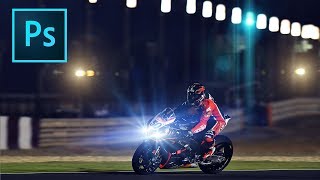
How to Add Lens Flares in Photoshop
Learn to enhance photos with realistic lens flares in Photoshop, adding depth and atmosphere to your images. Master techniques for creating stunning visual effects in digital photography.
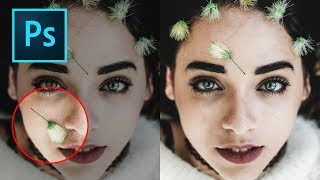
How to Remove Objects in Photoshop Using Content-Aware Fill
Master the updated Content-Aware Fill tool in Photoshop 2019 to seamlessly remove unwanted elements from images. Learn comprehensive settings, toggles, and buttons for optimal results.
Photoshop Shortcuts - The 30 Most Useful Ones to Get You Started
Learn 30 essential Photoshop shortcuts for efficient workflow, including tool selection, layer manipulation, color filling, and canvas navigation. Master these time-saving techniques to enhance your design skills.
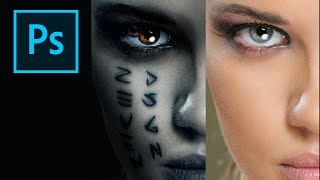
How to Create the Mummy Poster in Photoshop
Learn to recreate the iconic Mummy movie poster using Photoshop techniques. Master digital art skills and enhance your graphic design abilities in this step-by-step tutorial.
Creating Animatics with Storyboarder and Davinci Resolve
Learn to create professional animatics using free software, exploring techniques for camera movement, voiceover, and music integration while understanding their importance in film and animation production.
Photoshop and Topaz Labs Workflow Tutorial - Floral Edit
Enhance floral photos with expert techniques using Lightroom, Photoshop, and Topaz Labs tools. Learn sharpening, stabilizing, and masking for stunning results.
Topaz Mask AI Tutorial: Replacing Backgrounds
Learn to replace image backgrounds using Topaz Mask AI. This tutorial demonstrates the software's standalone and plugin capabilities, offering step-by-step guidance for seamless background swapping.
Topaz Studio 2 Creative Toolbox - Episode 1
Explore creative editing techniques using Topaz Studio 2's filters and tools to enhance your photography and achieve unique visual effects.
Master the Art of Dodge and Burn in Photoshop - Brush Opacity and Flow Techniques
Enhance your photo editing skills with advanced Dodge and Burn techniques in Photoshop, focusing on brush opacity and flow for precise image adjustments and professional results.
TK8 Dodge and Burn Workshop - Photoshop Techniques with Downloadable PDF Notes
Comprehensive workshop on dodging and burning techniques using TK8 plugin for Photoshop, with downloadable PDF notes for reference. Explores various methods to enhance image quality and contrast.
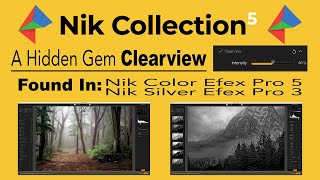
Nik Collection 5 - CLEARVIEW Filter Deep Dive and Comparison
Explore CLEARVIEW filter in Nik Collection 5, comparing it with Photoshop's DEHAZE. Learn how to enhance image clarity and contrast across various photographs using advanced editing techniques.
The Art of Color Grading - TK Friday Tutorial
Explore color grading techniques for enhancing images using TK8 plugin. Practice on provided stock photos to develop your artistic eye and create stunning visual effects.

Full Edit of Sarus Cranes Image - TK Friday
Step-by-step tutorial on advanced photo editing techniques for enhancing wildlife photography, focusing on Sarus Cranes image using TK8 plugin and various software tools.
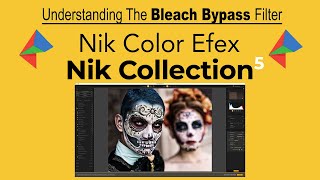
Understanding the Bleach Bypass Filter in Nik Collection 5 - Color Efex Pro
Explore the Bleach Bypass filter in Nik COLOR EFEX PRO 5, learning its high-contrast, low-saturation effects through four unique examples to enhance your photo editing skills.
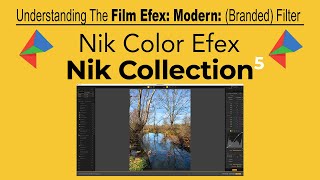
Nik Collection 5: Understanding the Film Efex Modern Filter
Explore the Film Efex: Modern filter in Nik COLOR EFEX PRO 5 to achieve authentic film-like effects in your digital photographs, with customizable options for various film styles.
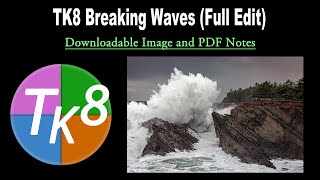
TK Friday: Breaking Waves Image Full Edit - Downloadable Resources Included
Comprehensive tutorial on editing a breaking waves image using TK8 plugin for Photoshop. Includes downloadable materials and step-by-step guidance for enhancing coastal photography.
Precision Adjustments Beyond AI - Part 3
Learn advanced precision adjustment techniques in Photoshop using the TK8 plugin, with downloadable resources for hands-on practice. Enhance your photo editing skills beyond AI-powered tools.
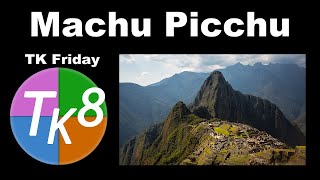
Full Edit of Machu Picchu Image - TK Friday
Comprehensive Photoshop editing tutorial for Machu Picchu image using TK8 plugin, with downloadable resources and step-by-step guidance for enhancing landscape photography.
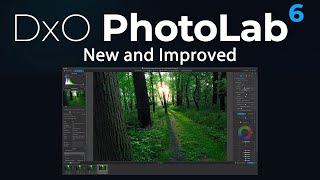
DxO PhotoLab 6 First Look - Deep PRIME XD Noise Reduction and New Features
Explore DxO PhotoLab 6's new Deep PRIME XD noise reduction, enhanced features, and seamless integration with Photoshop for improved RAW editing and photo processing workflows.
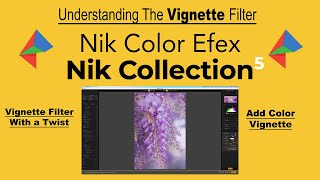
Understanding the Vignette Filter in Nik Collection 5 - Creative Color Effects
Explore the versatile Vignette Filter in Nik Collection 5, including color vignettes for creative effects on flower photography and other subjects.

TK7 GO Panel - Zone Masks for Image Finessing
Explore subtle image adjustments using Zone Masks in TK7 GO PANEL. Learn techniques to enhance your photos with precision and finesse for impactful improvements.