Illustrator Masterclass - New Features and Pro Tips
Explore the latest Illustrator features for desktop and iPad with Adobe Evangelist Paul Trani. Learn pro tips, create illustrations, and discover time-saving techniques in this comprehensive masterclass.

Photography Masterclass - Lightroom vs. Lightroom Classic Comparison
Explore the differences between Lightroom and Lightroom Classic with Adobe expert Terry White. Learn about cloud syncing, features, and advantages to choose the best option for your photography workflow.

Designing a Graphic Apparel Collection with Illustrator on iPad - Part 1
Graphic designer Jennet Liaw demonstrates creating an apparel collection using Illustrator on iPad, covering sketching, moodboarding, text manipulation, and bold graphics to convey a message.

Creating Your Personal Brand Identity - Part 2
Learn to create a personal brand identity using Adobe tools. Explore branding strategies, design Instagram templates, and create animated social media assets with expert guidance.
Exploring Adobe Stock: Asset Discovery and Usage in Creative Projects
Explore Adobe Stock's vast asset library and learn to efficiently find, preview, and utilize templates, photos, videos, and more for your creative projects using Creative Cloud apps.
Creating a Brand Identity in Adobe Spark
Learn to create a cohesive brand identity using Adobe Spark. Design logos, websites, and social media content while exploring features like AI color selection, animations, and photo reels for effective visual storytelling.

The Basics of Digital Painting in Fresco - Using Live Brushes
Explore digital painting techniques in Fresco, including live brushes for oils and watercolors, composition, and color theory. Learn to create art on iPad that mimics traditional painting methods.

Making the Most of Creative Cloud Resources
Explore Creative Cloud's resources beyond apps: access colors, fonts, templates, tutorials, community support, and tools like Adobe Capture to enhance your creative workflow and productivity.

Adobe MAX Sneaks - Future Technologies in Adobe Research
Explore potential future Adobe technologies with demos by engineers, co-hosted by Chelsea Handler and Paul Trani. Discover innovative features that may shape upcoming Adobe products.
Adobe XD New Features: UI/UX Design Workflow Enhancements
Explore Adobe XD's latest features with UI/UX designer Rachel Smith, showcasing 3D presentations, auto-animate, scroll groups, and plugins to enhance your design workflow.
Illustrator's Newest Features: First Takes from Professional Designers
Explore Illustrator's latest features with professional designers, showcasing real-time workflows, iPad integration, and community interaction for enhanced graphic design skills.

Editorial Illustrations for Magazine - Creating a Bookshop Piece with Kimberly Morris - Part 1
Explore editorial illustration with Kimberly from Inku Design as she creates a magazine piece about local bookshops, covering moodboards, color palettes, typography, sketching, shading, and texture techniques.
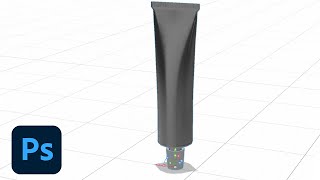
Designing Product Mockups in Adobe Dimension - Part 1
Learn to create stylized product mockup scenes using Adobe Dimension and Photoshop. Explore techniques for adding assets, finding inspiration, and mastering tools to design realistic and visually appealing mockups.

Adobe XD Masterclass - Designing a Coffee App UI
Discover advanced Adobe XD techniques for designing a coffee app, including stacks, auto-animate, masks, and plugins, to enhance your UI/UX workflow and create engaging interfaces.
Creating Custom Icons in Illustrator on iPad - Part 1
Learn to design custom mobile app icons using Illustrator on iPad with Sarah Kuehnle. Explore shape-building tools, artboards, mirroring, gradients, and gestures while incorporating real-time viewer feedback.

Adobe XD Masterclass - Designing a Coffee App UI
Learn Adobe XD techniques for designing a coffee app, including image handling, text formatting, accessibility checks, interactive elements, and responsive design adjustments.

Designing an Online History Class Portal with Drag and Drop - XD Daily Creative Challenge
Design an interactive history class portal with drag-and-drop functionality for student profiles, syllabus access, and homework management using Adobe XD.

Designing a Food Festival Brochure - Part 2: Layout and Print Preparation
Learn to design a food festival brochure with Mercedes Bazan. Create custom layouts, illustrations, and print-ready publications using Adobe tools. Gain practical tips for efficient, high-quality design work.

Designing a Food Festival Brochure - Part 1
Learn to design a food festival brochure with Mercedes Bazan. Explore research, moodboarding, branded illustrations, custom layouts, and pro tips for creating high-quality print-ready publications.

Graphic Design Basics: Creating a Paul Rand Inspired Logo - Illustrator Challenge
Learn to create a Paul Rand-inspired logo using shape and line tools, exploring graphic design basics and enhancing your Illustrator skills through daily creative challenges.
Digital Inking Masterclass - Techniques for Photoshop and Fresco
Learn digital inking techniques, custom brush creation, and special effects in Photoshop and Fresco. Master various styles, textures, and patterns for professional illustrations.