Logic Pro 11 Essentials: Editing on the Grid - Part 7
Master essential grid editing techniques in Logic Pro 11, from region colorization to grid snap modes and understanding absolute vs. relative grid functionality for precise music production.
Logic Pro 11 Essential Edit Functions: Join, Bounce in Place and Remove Silence - Part 22
Master essential audio editing techniques in Logic Pro 11, from joining and reversing regions to bouncing MIDI tracks and using Remove Silence for efficient audio trimming.
Logic Pro 11 Drag Modes: X-Fade, Overlap, No Overlap and Shuffle Editing - Part 23
Master essential drag modes in Logic Pro 11 - from creating crossfades and managing region overlaps to using shuffle editing for seamless audio arrangements and voiceover editing.
Markers, Arrangement Markers and Time Editing in Logic Pro 11 - Part 24
Master essential marker tools and time editing features in Logic Pro 11 to streamline your music production workflow, including navigation, arrangement markers, and cut/insert time functions.
Making Music with Loops in Logic Pro - Part 7
Master the fundamentals of working with loops in Logic Pro, from searching and importing to building arrangements, editing regions, and managing project keys for dynamic music production.
Take Folders and Quick Swipe Comping in Logic Pro - Lesson 14
Master essential recording techniques in Logic Pro with take folders, quick swipe comping, and region editing tools to create professional-quality composite takes and seamless audio arrangements.
Logic Pro Edit Tools: Scissors, Fades, Gain Tool and Other Essential Functions - Part 21
Master essential Logic Pro editing tools including scissors, fades, batch processing, and gain adjustments to enhance your audio production workflow and achieve professional-quality results.
Importing Loops to Logic Pro's Loop Browser - A Comprehensive Guide
Master the process of importing and managing both tagged and untagged loops in Logic Pro's Loop Browser, including techniques for sample libraries and batch importing with proper tempo and key settings.
What's New in Logic Pro 10.8 - Master Assistant, Sample Alchemy, and Beat Breaker Features
Discover the major updates in Logic Pro 10.8, including new mastering tools, Sample Alchemy features, Beat Breaker plugin, enhanced editing capabilities, and improved drummer functionality for music production.
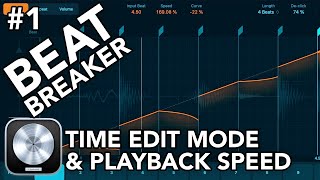
Beat Breaker Time Edit Mode and Playback Speed Tutorial in Logic Pro 10.8 - Part 1
Master the Beat Breaker plugin's time editing features in Logic Pro 10.8, including loop manipulation, de-clicking, beat snapping, and playback speed control for enhanced rhythm production.
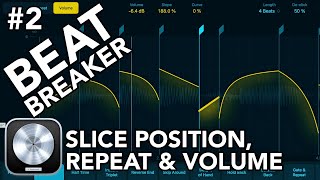
Beat Breaker: Slice Position, Repeat, and Volume Edit Modes in Logic Pro 10.8
Master Beat Breaker's advanced features in Logic Pro 10.8, including slice positioning, repeat modes, volume editing, and pattern presets for enhanced beat manipulation and creative rhythm design.
Quick Swipe Comping, Edits and Fades in Logic Pro 11 - Part 14
Master Quick Swipe Comping techniques in Logic Pro 11 to create perfect vocal and guitar takes, navigate take folders efficiently, and learn essential editing and fading workflows.
Edit Tools in Logic Pro 11: Pointer and Marquee Tools Guide - Part 19
Master essential editing techniques in Logic Pro 11 with pointer and marquee tools, including shortcuts, configurations, and advanced functions for efficient music production workflow.
Logic Pro 11 Essential Edit Tools - Part 20
Master essential Logic Pro 11 editing tools including scissors, join, fade, gain, slip, and rotate functions. Learn time-saving techniques for audio manipulation and region editing to enhance your music production workflow.
Optimizing AEM Performance and User Experience with Single Page Applications
Discover how to enhance Adobe Experience Manager performance through Single Page Applications, comparing traditional and modern approaches while addressing implementation challenges and solutions.

Gling AI Video Editor Tutorial - Features and Workflow Guide 2024
Discover how to streamline video editing with Gling AI's automated features - from removing filler words and generating captions to creating titles and chapters, all while maintaining professional quality output.

Scary Write Text on Mirror Effect in After Effects
Master the spooky mirror text effect technique in After Effects through step-by-step guidance on creating eerie writing animations for horror-style visual content.

One-Minute Skin Retouching Action Tutorial in Photoshop
Master professional skin retouching in Photoshop with a custom action that creates smooth, natural-looking results while preserving texture. Learn to build and apply automated workflows for efficient photo editing.
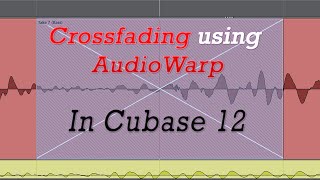
How to Crossfade Comped Audio Using AudioWarp in Cubase 12
Master the technique of seamlessly joining comped bass lines in Cubase 12 through AudioWarp and crossfade features for professional-quality audio production.
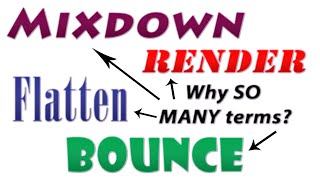
Making Audio Edits Permanent in Cubase 13 - Bounce, Flatten, Render, and Mixdown
Master the essential audio rendering techniques in Cubase 13, including bounce, flatten, render, and mixdown functions to create permanent audio files from your project's source material.
Using the Process Logical Editor in Cubase 12
Master the Process Logical Editor in Cubase 12 with hands-on guidance for automating MIDI editing tasks and streamlining your music production workflow.