
Premiere Pro Beginner Tutorial
Learn to edit digital videos with Adobe Premiere Pro. Master importing, organizing, editing techniques, effects, audio, text, and exporting. Ideal for beginners seeking to create professional-quality video projects.
Premiere Pro Advanced Tutorial
Master advanced Premiere Pro techniques including masking, keyframing, color correction, effects, text animation, and green screen. Enhance your video editing skills with professional tools and creative techniques.
JSON Data in VS Code with Depot Extension
Explore Depot, a VS Code extension for editing JSON data like spreadsheets. Learn its functionality and use cases for projects of all sizes.

PowerPoint 2019 Advanced Tutorial
Master advanced PowerPoint 2019 features like slide masters, SmartArt, transitions, and animations. Learn time-saving techniques, create professional templates, and enhance presentations with screen recordings and sharing options.

PowerPoint 2019 Beginner Tutorial
Learn essential PowerPoint 2019 skills to create impressive presentations. Master slide design, text formatting, image manipulation, transitions, animations, and organization techniques for standout results.
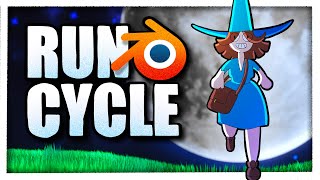
How to Animate a Run Cycle with Grease Pencil in Blender
Learn to create a 2D run cycle animation in a 3D Blender scene. Master techniques for modeling, texturing, and rendering while exploring run cycle theory and practical application.
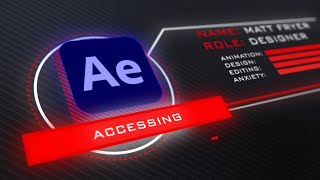
How to Make a Heads Up Display - After Effects Tutorial
Learn to create a stylish 3D Heads Up Display UI in After Effects using shape layers and null objects. Master beginner-friendly techniques for motion graphics and enhance your UI design skills.
How to Create the Squid Game Title Sequence in After Effects - Tutorial
Learn to recreate Squid Game's iconic title sequence using After Effects. Master shape animation, transitions, trim paths, and screen effects to achieve the show's distinctive visual style.
Principles of Animation - The Complete Series
Explore 12 animation principles to enhance realism and engagement in your projects. Learn techniques for creating compelling motion graphics using Adobe tools.
How to Animate a Still Image with After Effects and Photoshop - Tutorial ft. METROID DREAD
Learn to animate still images using Photoshop and After Effects. Master techniques like layer separation, keyframe animation, and particle effects to bring artwork to life with professional motion graphics.
How to Animate a Run Cycle
Learn to create a basic run cycle animation using Adobe Animate, covering key poses, fluid movement, and secondary animation techniques for a polished character animation.
Intro to Adobe Animate 2021 - Beginners Complete Tutorial
Comprehensive guide to Adobe Animate 2021, covering basics to advanced techniques. Learn frame-by-frame animation, tweening, color theory, rigging, sound integration, camera work, and exporting for various platforms.
Adobe Animate 2021 - Symbols and Tweens - Beginners Tutorial
Learn to create dynamic animations using symbols and tweens in Adobe Animate 2021. Master essential techniques like movie clips, classic tweens, and frame picking for professional-looking results.
Adobe Animate 2021 - Frame by Frame Animation - Beginners Tutorial
Comprehensive tutorial on frame-by-frame animation in Adobe Animate 2021, covering character body, head, limbs, and facial animation techniques for beginners.
How to Make Spooky Pumpkin Motion Graphics for Halloween
Create spooky pumpkin motion graphics using CC Particle World, image sequences, and various effects. Learn techniques for animating, adding textures, and creating a Halloween-themed visual masterpiece.
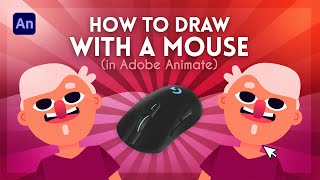
How to Draw With a Mouse in Adobe Animate
Learn effective techniques for creating artwork in Adobe Animate using a mouse, including shape building, masking, gradients, and detailing. Discover how to achieve professional results without a graphics tablet.
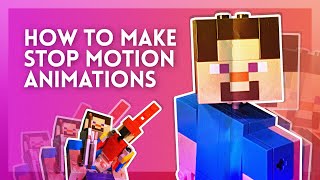
How to Make a Stop Motion Animation
Learn to create stop motion animations using Minecraft Lego figures, a smartphone, and free tools. Covers setup, shooting, editing, visual effects, and wire removal techniques for beginners on a budget.
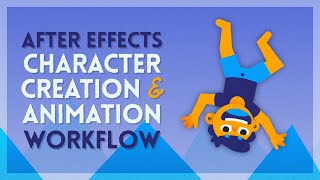
After Effects Character Animation Workflow
Comprehensive After Effects tutorial covering character creation, rigging, and animation techniques. Learn to use native tools, set mattes, nested comps, and apply primary/secondary animation for efficient workflows.

Adobe XD Crash Course - Design a Real Layout
Learn to design and prototype a website using Adobe XD. Covers interface overview, layout design, animations, and prototyping. Perfect for aspiring UI/UX designers seeking hands-on experience.
Using FFmpeg on Linux and in the Cloud - Cloud Video Editing and Transcoding
Learn to install, use, and master FFmpeg for video editing and transcoding on Linux systems. Covers installation, basic commands, file manipulation, and advanced transcoding techniques.

How to Use Microsoft's Free Video Editor - Clipchamp Beginners Tutorial
Learn to create professional-looking videos with Microsoft's free Clipchamp editor. Master importing media, editing clips, adding effects, and exporting your finished project in this comprehensive tutorial.