
Affinity Photo - Angel Wings Tutorial
Learn to add realistic angel wings to photos using masking, perspective, and adjustment techniques in Affinity Photo.
Affinity Photo - How to Remove Things From a Photo
Learn techniques to remove unwanted elements from photos using Affinity Photo. Master the Healing Brush Tool, Freehand Selection Tool, and other methods to clean up and enhance your images.
Mastering Removing Things from Photos - Affinity Photo Beginners Tutorial
Learn to expertly remove objects from photos using Affinity Photo. Understand key elements like patterns, textures, and perspective to achieve seamless results in photo editing.
Realistic Grain - Noise Effect Techniques - Affinity Photo Tutorial
Learn three realistic techniques for adding grain and noise effects in Affinity Photo, including customizable methods for adjusting grain size and creating luminosity-sensitive noise using blend ranges.
Why You Are Bad at Photo Editing - Affinity Photo Tutorial
Discover why photo editing challenges you and learn to rethink your approach. Gain insights on storytelling, color harmony, composition, and equipment to elevate your photo artistry skills.

Slice Fruit in Affinity Photo - Tutorial
Learn to digitally slice fruit and create floating effects in Affinity Photo for eye-catching ads, designs, and photo composites using simple techniques.

Selection Tool Tricks You Need to Know - Affinity Photo Beginner Tutorial
Master essential selection techniques in Affinity Photo, from basic shapes to advanced refinements. Enhance your photo editing skills with time-saving tricks for precise and efficient selections.
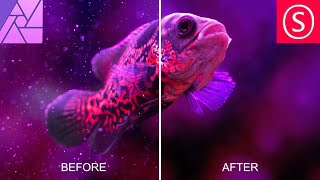
Remove Dust & Specks - Affinity Photo Tutorial
Learn effective techniques to remove dust and specks from photos using Affinity Photo, including filters, masks, and noise addition for a clean, professional result.

Powerful Ways to Brighten Up Shadows - Affinity Photo Tutorial
Discover three powerful techniques to enhance shadow details in Affinity Photo, including custom luminance masks, blend ranges, and dodge and burn tools for precise photo editing.
Sunset Magic - Gradients for Affinity Photo
Learn techniques to enhance sunset photos using Affinity Photo, including color adjustments, gradient application, and emotional fine-tuning for stunning, evocative results.
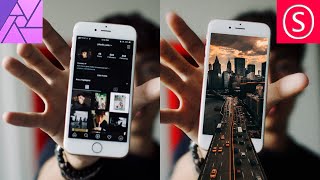
Phone Popout Effect - Affinity Photo Tutorial
Create a convincing 3D phone popout effect in Affinity Photo for eye-catching social media posts with this step-by-step tutorial on photo manipulation techniques.
Adobe Illustrator CC Tutorial - Creating a Recycling Logo
Learn to create a precise recycling logo in Adobe Illustrator CC while mastering essential tools and techniques for document setup, shape creation, layering, and precise art manipulation.

How to Make a Hypnotic Amapiano Track With MASCHINE - Native Instruments
Learn to create hypnotic Amapiano tracks using MASCHINE, from editing mobile recordings to adding signature percussion, log drum patterns, and euphoric samples. Master the South African style with expert guidance.

DannyBoyStyles Builds a Soulful RnB Banger With MASCHINE - Native Instruments
Grammy-winning producer DannyBoyStyles demonstrates creating a soulful R&B track using MASCHINE+, showcasing sampling, beat-making, and arrangement techniques with Native Instruments hardware and software.

Building a Large Format 3D Printer - Printing
Explore large-scale 3D printing with pellet extruders, including complex geometries, operating costs, and a pellet conveyance system. Learn about recycling failed prints and overcoming challenges in massive-scale additive manufacturing.

Building a Large Format 3D Printer - Part 2: Motion
Detailed guide on assembling and installing linear actuators for a large-format 3D printer, focusing on high-temperature operation and precise positioning of a heavy pellet extruder.

Building a Large Format 3D Printer - Part 1: Pellet Extruder
Learn to build a large-format 3D printer with a pellet extruder, exploring components like the MDPH2 extruder, OpenBuild's linear motion system, and Duet 3 controller. Discover pellet extrusion benefits and custom part fabrication.
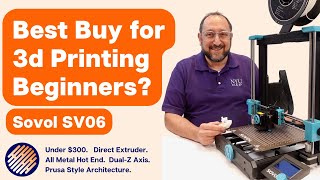
Is the Sovol SV06 the Best 3D Printer for Beginners?
Comprehensive review of Sovol SV06 3D printer, covering features, assembly, calibration, and print quality. Evaluates suitability for beginners and compares to Prusa Mk3.
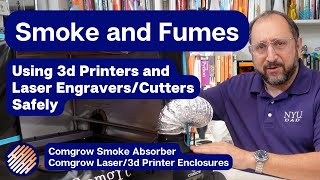
Smoke and Fumes from 3D Printers and Lasers - What You Need to Know
Explore safety measures for 3D printing and laser cutting fumes, including smoke absorbers and enclosures. Learn about testing methodologies and effective solutions for a safer workshop environment.

Xtool D1 Review and Setup
Comprehensive review and setup guide for the Xtool D1 dual diode laser, covering engraving, cutting, and practical applications for makers. Includes product recommendations and purchasing advice.
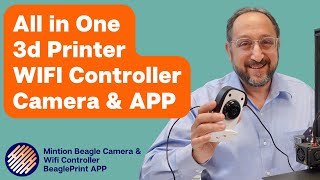
How to Add Wifi, a Camera, and an App to Your 3D Printer
Comprehensive guide on adding WiFi, camera, and app functionality to 3D printers using the Mintion Beagle Camera. Covers installation, security, mobile app usage, and browser interface, with pros and cons of timelapse features.