
Photoshop Generative Fill - Epic Uses, Superfast
Discover 20 innovative uses of Photoshop's Generative Fill, from expanding images and removing distractions to creating impossible scenarios, in this comprehensive guide to AI-powered photo editing.
How to Shoot Manual and the Benefits of RAW with an iPhone
Learn to use iPhone as a professional camera with manual settings and RAW capture. Discover key techniques, recommended settings, and processing tips for high-quality mobile photography.

Create Beautiful Metal Buildings in Photoshop
Learn advanced Photoshop techniques to clean and enhance metal surfaces in architectural photos. Master Surface Blur, masking, and noise restoration for stunning results in cityscape imagery.
How to Use Overlays in Photoshop - Enhancing Images with Blending Modes and Effects
Learn to enhance photos using Photoshop overlays, blending modes, and color grading. Transform ordinary images into stunning visuals with easy-to-follow techniques and free tools.
Make Your Photos Pop Using Color Grading in Photoshop
Discover powerful color grading techniques in Photoshop to enhance your photos. Learn about gradient maps, blending modes, and masking to create stunning visual effects and improve image colors.
How to Remove Backgrounds in Photoshop - Top Ways to Cut Out Object, Person or Hair
Master Photoshop background removal techniques for objects, people, and hair using various tools and methods to achieve professional-quality results.

Midjourney Prompt Tips- Codes & Tricks - What Still Works?
Discover effective Midjourney prompt tips, codes, and tricks for AI art creation. Learn what still works in Version 4 and how to enhance your AI-generated images.
How to Crop and Save for Web Using Photoshop
Master Photoshop techniques for cropping, resizing, and optimizing web images without quality loss. Enhance your design skills for social media and online content creation.
Introduction to Photoshop for Beginners - Basics on How to Use Photoshop
Learn Photoshop basics: tools, layers, effects, and essential techniques for image editing. Ideal for beginners seeking to master this powerful design software.
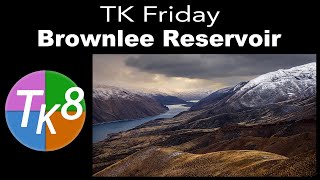
TK Friday: Full Edit of Brownlee Reservoir - Image Processing Tutorial
Comprehensive Photoshop editing tutorial using TK8 Plugin, featuring advanced techniques for color grading, masking, and contrast enhancement on a landscape image.

Full Edit of Craven Arms in Yorkshire, England - TK Friday Tutorial
Comprehensive Photoshop editing tutorial for landscape photography, featuring TK8 plugin techniques, masking, and color adjustments. Includes downloadable image and notes for hands-on practice.
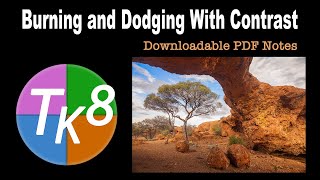
Burning and Dodging with Contrast - Full Edit Tutorial
Learn advanced Photoshop techniques for enhancing images using the TK8 plugin, focusing on burning and dodging with contrast. Includes step-by-step guidance, downloadable resources, and expert tips for achieving professional-quality edits.
Understanding the Detail Extractor Filter in NIK Collection 5
Explore the Detail Extractor filter in NIK COLOR EFEX PRO to enhance local image details. Learn tips for optimal use through three practical examples.
ON1 Photo RAW 2022 - Exploring Filter Effects Part 1
Explore filter effects in ON1 Photo RAW 2022, including LUT, Glow, Luminosity Mask, Dynamic Contrast, and Blur, with practical demonstrations on various images to enhance your photo editing skills.

New Tips and Techniques for TK8 Plugin in Photoshop - Linear Profiles and Image Editing
New tips and techniques for photo editing using TK8 plugin, including color grading, chromatic aberration correction, and object selection. Includes practice image and linear profile downloads.

Topaz Studio 2 - Black and White Workflow Tutorial
Learn to create stunning black and white images using Topaz Studio 2. Explore filters, conversion techniques, and workflow tips to enhance your monochrome photography skills.
Topaz Studio 2 Creative Toolbox - Episode 7: Smudge and Impression Filters
Explore creative photo editing techniques using Topaz Studio 2, including Photoshop filters, smudge effects, and digital framing for unique and artistic image transformations.
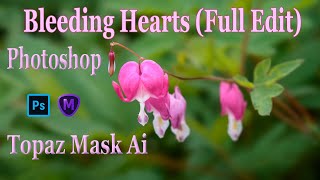
TOPAZ MASK AI and Photoshop: Bleeding Hearts Full Edit Tutorial
Enhance bleeding heart photos using Topaz Mask AI and Photoshop techniques. Learn sharpening, masking, compositing, and painting for stunning floral edits.
TOPAZ STUDIO 2 - Layer Masking 101 - Episode 4
Learn essential layer masking techniques in Topaz Studio 2, including edge wear adjustments, brush masking, dodging, and burning, to enhance your photo editing skills.
Photoshop Tutorial - Color Range Selection Tool
Explore the powerful Color Range Selection Tool in Photoshop to enhance image editing skills, remove color tones, adjust contrast, and create precise masks for professional-looking results.
Re-Discovering Analog Efex Pro 2 - NIK Collection Tutorial
Explore Analog Efex Pro 2's creative filters to transform digital images into unique, vintage-style photographs. Learn to build custom cameras and save presets for efficient editing workflows.