Make Shinier, Faster Mobile Games with Vulkan
Explore Vulkan's high-efficiency graphics API for mobile games. Learn porting techniques, performance optimization, and how to leverage Vulkan's unique features for enhanced mobile gaming experiences.
Android Emulator Deep Dive - Recent Features and Technical Internals
Explore recent Android Emulator features including snapshots, OpenGL ES 3.x graphics, and ARCore support. Learn technical internals and how these features interconnect for improved development experience.
GAPID: Graphics API Debugger for Android Games - Android Game Developer Summit 2018
Explore GAPID, Google's graphics debugger for Android games. Learn to capture, analyze, and optimize API calls for OpenGL and Vulkan, enhancing game performance and visual quality.
Building AR Apps with the Sceneform SDK - Google I/O 2018
Learn to create AR experiences using Sceneform SDK, combining ARCore and 3D rendering. Explore material systems for seamless virtual object integration in Android apps.
High Performance Games and VR with FPL Technologies
Explore efficient 3D and VR game development using FPL Technologies. Learn cross-platform C++ APIs for smooth, battery-friendly experiences on Android and beyond, covering topics from text recognition to entity identification.
Unity TextMesh Pro - Customizing Text in Games
Learn to enhance game text using Unity TextMesh Pro: create custom fonts, apply effects like glow and shadows, and master text styling for both 2D and 3D environments.
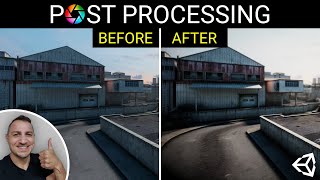
Unity Post-Processing - Every Effect and Technique
Comprehensive guide to Unity's post-processing effects, covering every available option from bloom to motion blur. Learn to enhance your game's visual quality through step-by-step demonstrations.
Create Color Bump 3D - Unity Game Tutorial
Learn to build Color Bump 3D from scratch in Unity. Master game mechanics, level design, and visual effects while creating a popular mobile game. Gain practical skills in Unity game development.

Reach and Devices for Game Development: Targeting, Optimization, and Analytics
Explore game development strategies using Reach and devices for targeting decisions, and Android vitals for performance tracking. Learn about new features for monetization and stability troubleshooting.
Export Unreal Engine 5.1 Animation Sequence to iClone and Character Creator as rlMotion
Learn to transfer animation sequences from Unreal Engine 5.1 to iClone 8.22 and Character Creator 4.22 using rlMotion format, streamlining your workflow for game development and virtual production projects.
How to Convert iClone 8 Motion to Unreal Engine 5.2 and Retarget on Any 3D Avatar - Tutorial
Learn to convert iClone 8 motion to Unreal Engine 5.2 and retarget it on any 3D avatar using Freedom Animation Pipeline V8.5 Plugin. Master FBX export, import, and animation sequence creation for game projects.
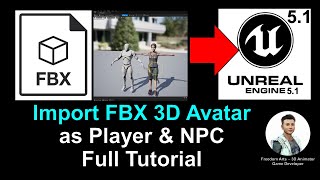
Import FBX Avatar as Player and NPC - Unreal Engine 5.1 Tutorial
Step-by-step guide for importing FBX avatars into Unreal Engine 5.1 as players or NPCs, covering root bone addition and retargeting for seamless integration in game projects.
Mixamo Motion to Unreal Engine 5.1 - Retargeting 3D Avatars with Root Motion
Learn to import and retarget Mixamo animations onto custom 3D avatars in Unreal Engine 5.1, including those with and without root bones. Essential skill for game developers with step-by-step guidance.
iClone 8.1 Avatar to Unreal Engine 5.1 - Retargeting for Main Avatar and NPC - Full Tutorial
Step-by-step guide for importing and retargeting iClone iAvatar to Unreal Engine 5.1, including facial and lip sync morphs, for use as player avatar or NPC in game projects.
Importing Daz Genesis 8.1 Avatar into Unreal Engine 5.1 - Tutorial
Learn to import Daz Genesis 8.1 avatars into Unreal Engine 5.1 for game characters with facial expressions. Step-by-step guide covers exporting, transforming, and setting up in UE5.1 with morph shapes and blueprints.
Character Creator 3.4 to Unreal Engine Integration - Full Tutorial
Step-by-step guide on transferring Character Creator 3.4 avatars directly to Unreal Engine, enabling them to run, walk, and jump as main characters or NPCs in game projects.
Blender 3D Avatar to Unreal Engine Game Character - Full Tutorial
Learn to create and integrate a custom 3D avatar from Blender into Unreal Engine as a playable game character, covering rigging, animation retargeting, and character setup for game development.
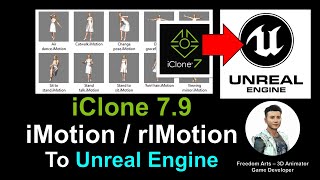
iClone Motion File to Unreal Engine 3D Avatar - Tutorial
Step-by-step guide on importing iClone motion files into Unreal Engine and creating animation sequences for 3D avatars in game projects. Learn to enhance your animation pipeline and game development skills.
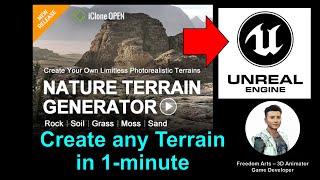
Terrain Generator: Create Any Terrain in Minutes - Unreal Engine Tutorial
Learn to quickly create custom terrains using Nature Terrain Generator in iClone and export them to Unreal Engine, enabling rapid landscape design for game development and 3D animation projects.
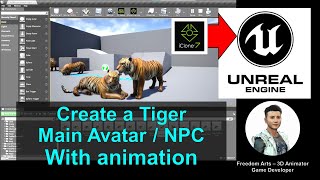
Creating a Tiger Avatar for Unreal Engine with Animation - iClone and Unreal Engine Tutorial
Step-by-step guide to create an animated tiger avatar for Unreal Engine using iClone. Learn to model, animate, and import a fully-functional tiger character for game development projects.
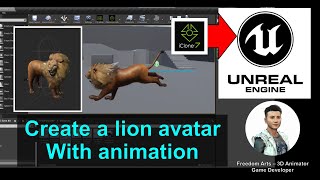
Creating a Lion Avatar with Animation for Unreal Engine - iClone Tutorial
Step-by-step guide to create an animated lion avatar for Unreal Engine using iClone. Learn to import, set up, and animate a 3D lion model for game development projects.