DXO PhotoLab 4 - Exploring the HSL Color Wheel and Hue Picker Tool
Explore DXO PhotoLab 4's HSL Color Wheel and Hue Picker for precise color adjustments in photo editing. Learn to enhance images with powerful, accurate color control tools.

TOPAZ MASK AI: Sky Replacement Tutorial - Simplifying Complex Masking
Learn to replace skies in photos using Topaz Mask AI's new features, including Translucent Mode for fabric and semi-transparent materials. Improve your photo editing skills with this powerful and user-friendly tool.

3D Camera Tracking in AE and Cinema 4D
Learn to create dynamic 3D scenes by combining Cinema 4D and After Effects. Master camera tracking, particle systems, and compositing techniques to bring your CG elements to life in live-action footage.
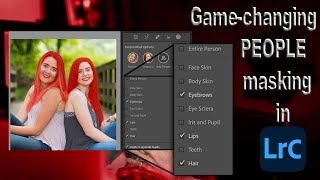
Lightroom 12 and ACR Update - One-Click Beauty Retouching with New Selection Tools
Discover new masking tools in Lightroom Classic and Adobe Camera Raw for effortless one-click beauty retouching, enhancing portraits with precision selections for hair, eyes, skin, and lips.
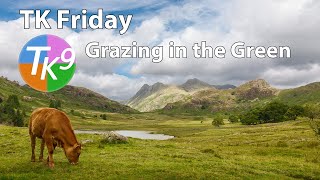
Full Edit Tutorial: Grazing in the Green - TK Friday
Comprehensive Photoshop editing tutorial using TK9 plugin, demonstrating advanced techniques on a landscape image. Includes downloadable resources for hands-on practice.
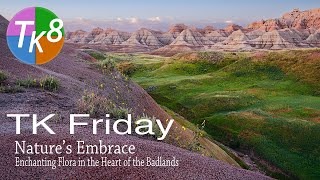
Nature's Embrace: Enchanting Flora in the Badlands - Full Edit Tutorial
Enhance your photo editing skills with Photoshop and TK8 Plugin. Learn techniques for sky, foreground, color grading, and more in this comprehensive tutorial.
TK Friday - Full Edit of Bird Rock Image Using TK8 Plugin for Photoshop
Comprehensive Photoshop editing tutorial using TK8 plugin, featuring advanced techniques for enhancing a landscape image with step-by-step guidance and downloadable resources.
Photo to Painting Photoshop Tutorial
Transform photos into stunning paintings using Photoshop and Topaz plugins. Learn techniques to create artistic masterpieces from your images in this step-by-step tutorial.
ON1 Photo Raw 2018 - Simulating Shallow Depth of Field with Lens Blur Filter
Simulate shallow depth of field using ON1 Photo Raw 2018's Lens Blur Filter. Learn to create professional-looking photos with blurred backgrounds, even without expensive lenses.
Creating The STRAIN Photo Retouch Effect in Photoshop
Learn to create a striking photo effect inspired by "The Strain" poster using Photoshop techniques like Puppet Warp, Layer Styles, and Filters. Master advanced image manipulation for eye-catching designs.
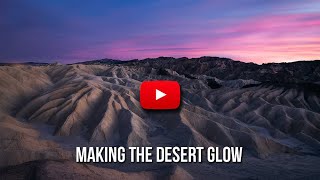
Making the Desert Glow - Enhancing RAW Images with Lightroom and Luminosity Masks
Discover techniques to transform a dull desert RAW image into a vibrant masterpiece using Lightroom and luminosity masks, enhancing sky, light, and overall atmosphere.
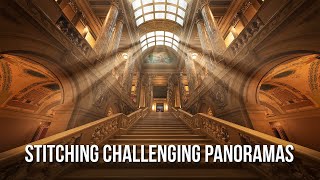
The Easiest Way to Tackle Tough Panoramas
Learn techniques for stitching challenging panoramas using PTGui and Luminar, with tips on shooting and processing workflows to create stunning wide-angle images.
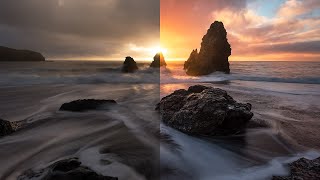
Color Grading in Lightroom and Adobe Camera Raw - New Features Tutorial
Explore advanced color grading techniques in Lightroom and ACR, including midtone control, luminosity adjustments, and blending options for enhanced photo editing.

Topaz DeNoise AI and Sharpen AI - Photoshop Workflow Tutorial
Learn an efficient Photoshop workflow integrating Topaz DeNoise AI and Sharpen AI for enhanced image quality. Discover techniques to reduce noise and improve sharpness in your photos.
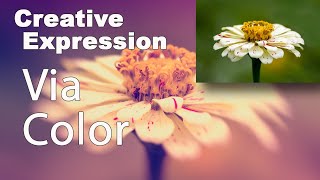
Creative Expression via Color Using NIK Collection Color Efex Pro 4
Explore creative artistic expression through color using the NIK Collection's Color Efex Pro 4. Learn techniques to enhance and transform your digital photography with powerful color editing tools.

Creating a Sci-Fi Composite with Generative Fill in Photoshop
Learn to create a sci-fi composite using Photoshop's Generative Fill, silhouette brushes, and advanced techniques for glows and Saturn rings. Master digital art skills for stunning alien landscapes.

Barbie Movie Poster Photoshop Tutorial
Learn to recreate Barbie movie character posters using Photoshop. Master selections, gradients, fibers, and noise techniques while creating eye-catching designs quickly and efficiently.

Family Marvel Poster Compositing Tutorial
Learn to create a personalized Marvel-inspired family poster using Photoshop, from theme selection and photoshoot to compositing techniques and adding Easter eggs.

How to Create Depth in Photoshop - Tutorial
Learn techniques for creating depth in Photoshop using focal depth, atmosphere, and color. Includes three hands-on projects to practice applying these concepts for more visually engaging and realistic images.

How to Create an Animal-Human Hybrid Portrait in Photoshop
Learn to seamlessly blend animal and human features in Photoshop, mastering selection, masks, paths, channels, blending, color matching, and sharpening for stunning hybrid portraits.

How to Use "Blend If" in Photoshop - Recreating the "OLD" Movie Poster
Learn to recreate the "OLD" movie poster using Photoshop's "Blend If" feature, along with techniques for curves, color, gradients, and masks to achieve professional-level design results.