Graphic Design Basics: Creating a Paul Rand Inspired Logo - Illustrator Challenge
Learn to create a Paul Rand-inspired logo using shape and line tools, exploring graphic design basics and enhancing your Illustrator skills through daily creative challenges.
Sustainable Packaging Design in Adobe Illustrator and Photoshop - Part 1
Explore sustainable packaging design with Art Director Mariela Mezquita as she creates branding for a fictional tea company using Adobe Illustrator and Photoshop, covering color palettes, typography, illustrations, and client presentations.
Packaging and Branding Design - Part 1
Learn branding and packaging design techniques with Jack Forrest as he creates a wine company's logo and mockups using Adobe tools, covering illustration, color spaces, typography, and client presentations.
Freestyle Vector Art Techniques with Orlando Arocena - Part 2
Explore vector freestyle with Orlando Arocena: evolve abstract doodles into familiar images using Illustrator tools. Learn gradient techniques, vector brushes, and professional insights on creativity and client management.
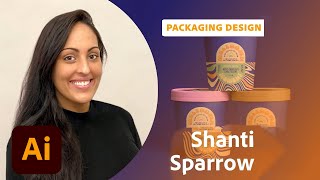
Ice Cream Packaging Design with Shanti Sparrow - Part 1
Award-winning designer Shanti Sparrow demonstrates the packaging design process for a fictional ice cream company, from market research to final mockups, using Adobe tools and audience collaboration.
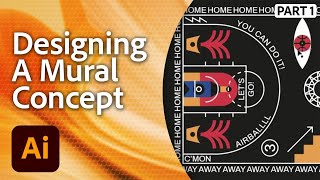
Designing a Mural in Adobe Illustrator - Workshop with Marco Oggian Part 1
Learn to design a large-scale mural for a basketball court using Adobe Illustrator. Multi-disciplinary artist Marco Oggian guides you through creating geometric shapes, incorporating quotes, and developing a unique color palette.
Drawing for CreateWaves in Adobe Fresco - Part 2
Watch Kelly Malka's drawing process for #CreateWaves using Adobe Fresco. Learn color selection, brush techniques, and gain insights into Kelly's inspiration and artistic journey.
Drawing for #CreateWaves in Adobe Fresco - Part 1
Join Kelly Malka as she demonstrates digital drawing techniques in Adobe Fresco, sharing insights on her creative process, color selection, and professional journey while creating artwork for the #CreateWaves ocean awareness campaign.
Packaging Design Pro Tips - Part 1
Learn branding and packaging design techniques for a hot sauce company using Adobe Illustrator. Gain insights on font selection, color palettes, client management, and professional tips for creating and exporting designs.
Photoshop Daily Creative Challenge - Poster Design Using Shapes and Shadows
Design a promotional poster using shapes, shadows, and negative space in Photoshop. Learn techniques like creating waves, fish shapes, color overlays, clipping masks, and applying gradients.

Adobe XD Masterclass: Designing an NFT Marketplace Interface - Episode 61
Learn essential Adobe XD tips and tricks to enhance your design skills and workflow efficiency. Explore logo creation, UI elements, and NFT project design in this comprehensive tutorial.
Creating Brand Identity for a Plant-Based Kitchen - Part 2
Graphic designer Anika Aggarwal demonstrates creating brand identity for a plant-based kitchen, focusing on logo design, typography, color selection, and brand collateral mockups using Adobe Illustrator and Photoshop.
Creating the Brand Identity for a Plant-Based Kitchen - Part 1
Graphic designer Anika Aggarwal creates a brand identity for a plant-based kitchen, focusing on logo design, typography, and color selection using Adobe Illustrator in this live tutorial session.
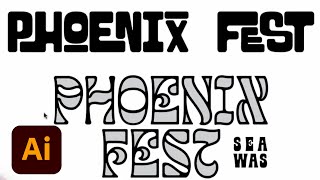
Lettering for a Summer Festival - Part 2: Mockups and Branding Elements
Graphic designer Courtney Sonner demonstrates lettering techniques for a summer festival, covering typeface customization, 3D effects, color selection, and mock-ups in Illustrator and Photoshop.

Adobe XD Masterclass - Tips and Tricks for Improved Design Workflows
Learn essential Adobe XD tips and tricks to enhance your design skills and workflow efficiency. Explore layout techniques, component creation, icon design, and effective use of typography and color in UI/UX projects.
Design Masterclass - Illustrator on iPad
Learn to create unique designs using Illustrator on iPad with Adobe Evangelist Paul Trani. Explore new features, refine outlines, add elements, and master essential tools for professional-quality illustrations.
Designing a WFH Cookbook in Adobe InDesign - Part 1
Learn editorial design techniques for creating a cookbook using Adobe InDesign. Explore page setup, layouts, layers, guides, color palettes, and text formatting for print-friendly results.
Designing an Ethical Brand Identity - Part 2
Explore ethical brand identity design with Lina Cordero as she applies guidelines to collateral for Arawayuu, a Colombian-inspired slow fashion brand, using Adobe Illustrator.
Adobe Illustrator Daily Creative Challenge - Patterns
Learn to transform photos into seamless patterns using Image Trace and Pattern tools in Adobe Illustrator, enhancing your design skills through hands-on challenges and community feedback.
Designing a Vitamin Brand Identity - Part 1
Watch Julia Masalska design a vitamin brand identity using Adobe Illustrator, showcasing her workflow for logos, patterns, and color selection. Learn techniques for creating a cohesive brand design from start to finish.
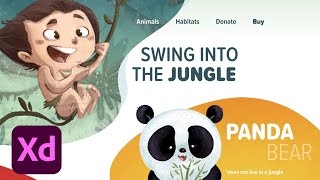
Adobe XD Masterclass - Tips and Tricks for Improved Design Workflows
Learn advanced Adobe XD techniques, including Content-Aware Layout, to enhance your design workflow and efficiency with expert tips from Adobe Evangelist Howard Pinsky.