Packaging Design ProTips - Designing for Welly Gummy Multivitamins - Part 1
Learn packaging design techniques with Tanya Kar as she creates concepts for a gummy vitamin brand using Illustrator and Photoshop, covering brand identity, colors, typography, and mockups.
Logo Design for Home Goods Boutique - Part 1
Explore logo design for a home goods boutique with Lizzie Campbell. Learn typography, color exploration, and brand mark creation using Illustrator and Photoshop. Gain insights on client presentations and design resources.
New 3D Design Techniques in Adobe Illustrator - Masterclass
Explore advanced 3D techniques in Illustrator to transform logos and text into textured, rendered 3D objects. Learn to map art onto models and create stunning visual effects.
Designing Logos and Packaging with Illustrator and Photoshop - Efficient Design Tutorial Part 2
Learn to design logos and packaging using Illustrator and Photoshop. Covers branding strategy, typography, mockups, custom illustrations, and color experimentation for a plant-based cake-pop company.
Designing Characters in Adobe Fresco - Part 1
Learn to create unique characters in Adobe Fresco with Melissa Showers. From sketches to vector and pencil techniques, explore the full creative process of character design, including colors, backgrounds, and animation tools.
Creating a Poster in Adobe Illustrator - Creative Basics 201
Learn to design a poster in Adobe Illustrator with expert tips on color palettes, typography, gradients, and special effects. Gain practical skills for creating eye-catching designs from professional brand identity designers.
Designing Star Wars Themed Propaganda Posters in Photoshop - Part 2
Learn to design Star Wars-themed propaganda posters in Photoshop with Brady from Texturelabs. Master techniques for silhouettes, textures, typography, and color to create impactful designs with a vintage feel.
Designing Star Wars Themed Propaganda Posters in Photoshop - Part 1
Learn to design Star Wars-inspired propaganda posters in Photoshop with Brady from Texturelabs. Master techniques for image prep, color, shadow, typography, and texturing to create stunning vintage-style designs.
Creating Custom Patterns in Adobe Illustrator - Foundations Challenge
Learn to create custom brand patterns in Illustrator using pathfinder tools, color palettes, and various techniques. Explore squiggly lines, random shapes, clipping masks, and logo integration for unique designs.
Must-Know New Features in Adobe Photoshop CC 2019
Explore new features in Photoshop CC 2019, including Content-Aware Fill, Frame Tool, and Symmetry Tool. Learn modern interface updates and productivity enhancements for efficient digital image editing.
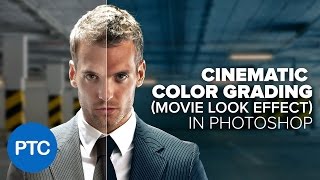
Cinematic Color Grading in Photoshop - Comprehensive Photoshop Tutorial
Learn to create cinematic teal-orange color grading in Photoshop. Master color theory, correction techniques, and various adjustment layers to achieve stunning movie-like effects in your photographs.

Adobe XD Masterclass: Designing Cryptocurrency Info Cards and Animations - Episode 43
Explore Adobe XD tips for designing cryptocurrency-themed info cards, buttons, and animations. Learn color experimentation, 3D transforms, and efficient workflow techniques.

Geometric Magic Design Challenge - Illustrator Daily Creative
Learn to create captivating geometric designs using basic shapes in Illustrator. Master grid creation, pattern development, and essential tools for stunning visual compositions.

Adobe XD Design Techniques and Workflows - Episode 40
Enhance your Adobe XD skills with expert tips on design elements, workflows, and advanced techniques for creating engaging web interfaces and promotional materials.
Designing and Mocking Up Logos in Adobe Illustrator and Photoshop - Part 2
Learn to design and mock up logos for Jurassic Park's Ingen using Adobe Illustrator and Photoshop. Explore techniques for creating name tags, gradient backgrounds, and color palettes with designer John Olson.
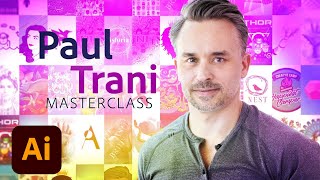
Logo and Branding Creation Masterclass - From Research to Refinement
Learn to create compelling logos and branding with Adobe Evangelist Paul Trani. From research to final designs, discover techniques using Illustrator on iPad and desktop to craft professional brand identities.
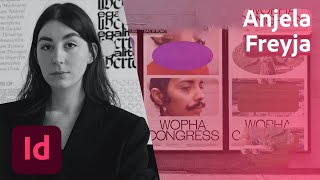
Designing a Print-Ready Book - Part 1
Learn to design a print-ready book using InDesign and Photoshop. Create custom layouts, dynamic fonts, and color palettes while exploring self-care tips for pandemic survival with designer Anjela Freyja.
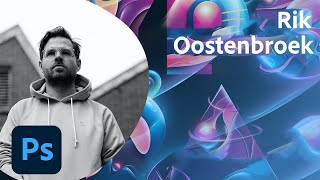
Creating Three-Dimensional Illustrations with Rik Oostenbroek - Part 1
Learn to create stunning 3D illustrations using Photoshop and Illustrator with designer Rik Oostenbroek. Explore font manipulation, abstract forms, and vibrant colors to develop a unique artistic style.
The Basics of Digital Painting in Fresco - Using Live Brushes
Explore digital painting techniques in Fresco, including live brushes for oils and watercolors, composition, and color theory. Learn to create art on iPad that mimics traditional painting methods.
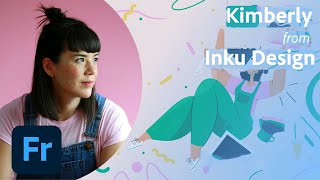
Editorial Illustrations for Magazine Bookshop Feature - Part 2
Explore editorial illustration techniques with Kimberly from Inku Design, covering moodboards, color palettes, typography, sketching, shading, and texture for a magazine piece about local bookshops.
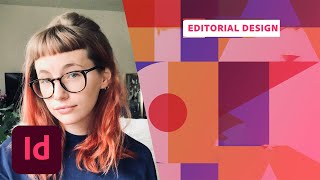
Designing a Food Festival Brochure - Part 2: Layout and Print Preparation
Learn to design a food festival brochure with Mercedes Bazan. Create custom layouts, illustrations, and print-ready publications using Adobe tools. Gain practical tips for efficient, high-quality design work.