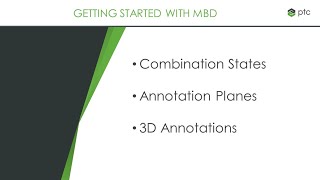
Creo - Model-Based Definition
Aprenda a criar modelos 3D anotados e compatíveis com MBD usando o Creo Parametric, incluindo ferramentas para adicionar PMI e GD&T seguindo padrões técnicos ASME e ISO.

Selecting a 3D CAD Option - 3D Design for 3D Printing Pt1
Explore free 3D CAD options for 3D printing, focusing on Onshape as a parametric solid modeling tool. Learn account creation, settings, and reasons for choosing this software.
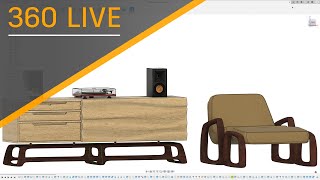
Fusion 360 and Furniture Design - Industrial Design and Sculpting
Explore industrial design and sculpting for furniture creation using Fusion 360. Learn modeling techniques, design workflows, and advanced tools to enhance your skills and expand business potential.
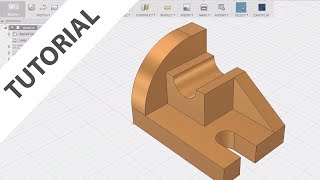
Fusion 360 for AutoCAD Users
Transition from AutoCAD to Fusion 360: Learn basic modeling, sketching, and feature creation while exploring similarities and differences between the two software.
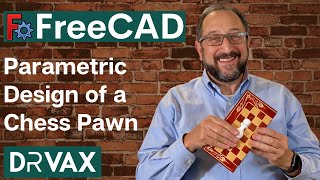
FreeCAD - Spreadsheet, Part Design, Part Workbench
Step-by-step guide to designing a parametric chess pawn using FreeCAD's Spreadsheet, Part Design, and Part Workbenches. Learn to create easily modifiable, dimension-controlled parts.
Catia for Beginners - Top Catia Training Videos
Comprehensive CATIA V5 training covering sketching, part design, surface modeling, assembly, and sheet metal. Master essential tools and techniques through practical exercises.
Learn AutoCAD from Basics
Master AutoCAD fundamentals: interface, drawing setup, precision tools, and essential commands. Gain practical skills for efficient computer-aided drafting through step-by-step tutorials.
Multibody Design in Creo
Learn Creo's multibody design functionality for product design, generative design, additive manufacturing, and simulation through comprehensive video tutorials covering various aspects and applications.
Creo Simulate
Explore advanced simulation features in Creo, including fluid dynamics, topology optimization, and improved analysis tools for enhanced product design and engineering workflows.
VB Scripting Beginner's Basics for Catia V5
Learn VB scripting basics for CATIA V5 automation. Create macros, use control statements, loops, and operators. Develop practical skills through hands-on examples like calculator applications and prime number identification.

SolidWorks Tutorial for Beginners
Comprehensive SolidWorks training from basics to advanced, covering sketching, part modeling, assemblies, drawings, and sheet metal with hands-on exercises and practical examples.
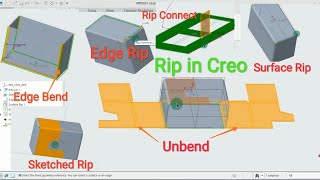
CREO Sheet Metal
Learn essential CREO Sheet Metal commands and techniques including rip, flat, twist, flange, blend curve, revolve, sweep, die form, and customization for efficient design and detailing.

AUTO-CAD in Hindi
हिंदी में ऑटोकैड सीखें: 2D ड्राइंग, कमांड्स, टूलबार, और मैकेनिकल ड्राइंग्स का व्यावहारिक ज्ञान प्राप्त करें। इंजीनियरिंग छात्रों के लिए उपयोगी।
Rendering & Graphics
Explore advanced rendering techniques, animation workspaces, and graphics tools in Fusion 360 for enhanced manufacturing visualizations and professional-quality designs.
Computer Integrated Manufacturing
Explore the integration of computer systems in manufacturing processes, enhancing efficiency and automation in industrial production environments.
Creo Parametric 4.0 Basic Tutorials With Training Guide
Master Creo Parametric 4.0 through comprehensive tutorials covering basic to advanced modeling, assemblies, detailing, sheet metal, and portfolio creation. Enhance your CAD skills and design capabilities.
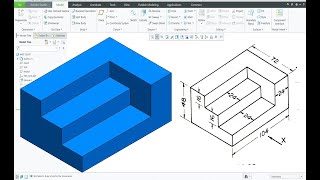
Creo Tutorial for Beginners
Comprehensive 55-part tutorial series introducing Creo software, covering fundamental concepts and techniques for newcomers to 3D CAD design and engineering.

Creo Parametric 7.0 Tutorial
Comprehensive tutorial on Creo Parametric 7.0, covering Sketcher, Part design, and various modeling techniques like Extrude, Revolve, Sweep, and Helical Sweep with practical exercises.
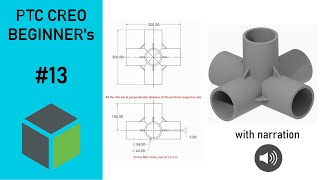
Creo Beginner's Tutorials
Learn 3D modeling in Creo Parametric through hands-on exercises. Master essential tools like extrude and sweep, and progress to part and assembly modeling with practical tutorials and narrated examples.
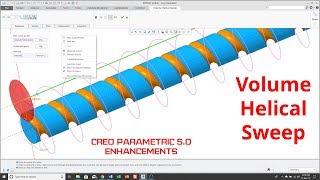
Creo Parametric 5.0 Enhancements
Explore key enhancements in Creo Parametric 5.0, including Volume Helical Sweep, GD&T, sheetmetal, and ModelCHECK. Learn new features and techniques to improve your CAD modeling skills.
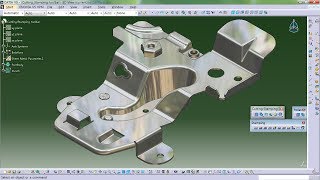
Generative Sheetmetal Design - Catia Tutorial
Learn advanced sheet metal design techniques in CATIA, covering cutting, stamping, walls, bending, and more. Master practical applications through diverse project examples.