Cartoon Animator from A-Z - Setting the Scene - Day 1
Learn Cartoon Animator 4 basics: UI, scene setup, prop importing/editing, animation, and adding music/sound effects. Hands-on demo covers background creation, custom props, and simple animations.
Blender Grease Pencil - Mastering Brush Settings Part II
Explore advanced Grease Pencil brush customization in Blender. Learn to refine settings, create new brushes, and optimize your workflow through practical application on a test piece.
Grease Pencil - Mastering Brush Settings in Blender
Explore Grease Pencil brush settings in Blender, learn troubleshooting techniques, and discover how to customize brushes for optimal results in this informative livestream.
New Build Modifier in Blender - Grease Pencil Natural Drawing Speed
Explore Blender 3.5's new Build modifier for Grease Pencil, creating dynamic draw-on effects with Natural Drawing Speed mode. Learn to animate a speed-drawn Melvin monster character.
Create Custom Brushes for Grease Pencil in Blender
Learn to create and implement custom brushes in Blender's Grease Pencil, expanding your artistic possibilities. Paul demonstrates simple techniques to enhance your 2D animation and illustration workflow.
Create 8-Bit Pixel Art with Grease Pencil in Blender
Learn to create nostalgic 8-bit pixel art using Blender's Grease Pencil tool. Explore techniques for crafting retro-style graphics and bring your pixelated visions to life in this unique digital art tutorial.
Line Art Modifier in Grease Pencil - Blender Tutorial
Discover the power of Grease Pencil's Line Art Modifier in Blender. Learn to apply and utilize this tool for enhancing your 3D artwork with stylized line drawings and comic book effects.
Animate a 2D Bouncing Ball with Grease Pencil in Blender - 2020 Tutorial
Learn to create a springy 2D bouncing ball animation in Blender using Grease Pencil. No drawing skills required - perfect for beginners looking to explore 2D animation techniques in a 3D software environment.
Create 2D Kirby Krackle with Blender's Grease Pencil
Learn to create the iconic Kirby Krackle effect in Blender using Grease Pencil modifiers and default brushes. Master this seemingly complex technique in a simple, efficient way.
Creating Anime-Style Laser Blast Effects with Blender Grease Pencil
Learn to create anime-style laser blast effects using Blender's Grease Pencil tool. Easy-to-follow tutorial suitable for mouse users, no stylus required.

How to Animate in Clip Studio Paint - Tutorial for Beginners
Learn animation basics in Clip Studio Paint: setup, drawing frames, onion skinning, tweening, camera work, lip-syncing, and coloring. Perfect for beginners looking to create their first animated sequences.
Toon Boom Harmony Tutorial for Beginners - How to Make a Cartoon
Learn essential Toon Boom Harmony techniques: drawing tools, color palettes, lip-syncing, object manipulation, animation adjustments, gradients, brushes, importing, deformers, camera animation, and 3D scene setup.

How to Create a 2D Flying Bird - Blender Grease Pencil Tutorial
Master 2D bird animation in Blender Grease Pencil. Learn drawing techniques, layer management, and smooth animation principles to bring a cute flying bird to life step-by-step.
How to Create a 2D Running Character - Blender Grease Pencil Tutorial
Master 2D character animation in Blender Grease Pencil. Learn to create dynamic run cycles, from initial sketches to polished line art, enhancing your digital animation skills.
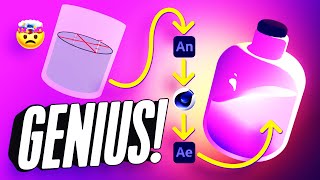
How to Add 2D Frame-by-Frame Animation to Your 3D Renders
Learn to combine 2D frame-by-frame animation with 3D renders using Adobe Animate, Cinema 4D, and After Effects to create a mesmerizing looping animation of a magical bottle.
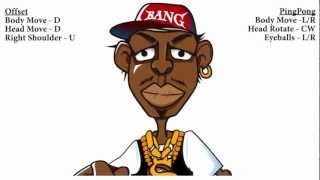
CrazyTalk 7 PRO Tutorial - Advanced Auto Motion - Muscle Control
Learn advanced facial animation techniques using CrazyTalk 7 PRO's Muscle Control feature in the Auto Motion Settings panel for creating vivid and expressive character animations.

CrazyTalk Tutorial - Puppeteering Guide
Master real-time puppeteering techniques in CrazyTalk 5, exploring tools for dynamic character animation and interactive performances.
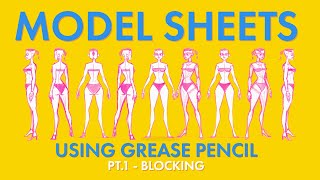
Creating a Model Sheet with Grease Pencil - Part 1 - Blocking
Learn techniques for creating 2D character model sheets using Blender's Grease Pencil tool, focusing on blocking and traditional styling approaches for effective character design.
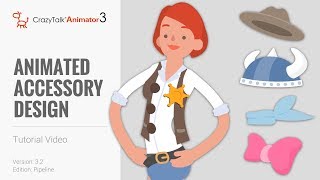
CrazyTalk Animator 3.2 Pipeline Tutorial - Animated Accessory Design
Learn to customize character clothing, create accessories in Photoshop, and animate them in CrazyTalk Animator. Master techniques for enhancing character designs and bringing them to life with animated accessories.
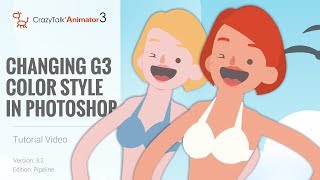
CrazyTalk Animator 3.2 Pipeline Tutorial - Changing G3 Color Style in Photoshop
Learn to customize G3 character colors in Photoshop for CrazyTalk Animator 3.2. Covers launching characters, adjusting skin and facial features, and updating changes in the animation software.

CrazyTalk 8 - Easy to Create a Talking Avatars
Learn to create and animate 2D and 3D talking avatars using CrazyTalk 8's enhanced face-fitting technology. Explore techniques for customizing eyes, teeth, and facial animations for realistic character expressions.