
Microsoft Word Full Course Tutorial - From Beginner to Advanced with Copilot
Comprehensive tutorial covering essential to advanced Microsoft Word features, including document creation, formatting, collaboration tools, and AI-powered Copilot functionality for enhanced productivity.

How to Create a Professional Resume in Microsoft Word - Step-by-Step Tutorial
Master the art of creating professional resumes in Microsoft Word through step-by-step guidance on template selection, customization, AI-powered content enhancement, and formatting for maximum impact.
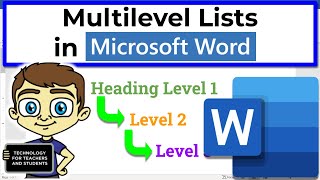
Creating and Managing Multilevel Lists in Microsoft Word
Master multilevel lists in Word: Create, customize, and manage hierarchical structures for organized and professional documents. Enhance your formatting skills efficiently.

LibreOffice - A Powerful Open Source Alternative to Microsoft Office
Explore LibreOffice: a powerful, free alternative to Microsoft Office. Learn installation, features, customization, and collaborative editing in this comprehensive overview.

Google Docs: A Complete Beginner's Guide to Document Creation and Collaboration
Master essential Google Docs features from document organization to advanced formatting, collaboration tools, and content elements like tables, charts, and images - all designed for beginners to create professional documents.

Microsoft Word Insert Tab and Ribbon Tutorial - In-Depth Guide
Comprehensive guide to Microsoft Word's Insert Tab and Ribbon, covering advanced features and productivity tips for users of all levels to enhance document creation skills.

Microsoft Word Beginner Tutorial - From Interface to PDF Conversion
Comprehensive tutorial covering Word basics to advanced features. Learn interface navigation, text formatting, styles, lists, proofing, shapes, images, page layout, and PDF conversion for efficient document creation.

Google Slides: A Complete Beginner's Guide to Creating Professional Presentations
Master the essentials of Google Slides through step-by-step guidance on creating, formatting, and sharing presentations. Learn to incorporate multimedia, animations, and collaborative features for engaging slideshows.

Microsoft Word Essential Features Tutorial 2024
Master essential Microsoft Word features from document creation to advanced formatting, citations, and collaboration tools. Learn text editing, tables, illustrations, and document sharing in a comprehensive guide.