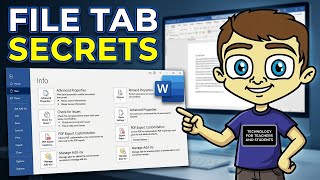
The Microsoft Word File Tab in Depth
Explore essential options and features of the Microsoft Word File Tab to enhance your productivity and document management skills.
Word 2016 Tutorial
Learn to create professional documents with Word 2016, from basic formatting to advanced features like templates, mail merge, and interactive forms. Master essential skills for modern business communication.

Microsoft Word Tutorial - Beginners Level 1
Learn essential Microsoft Word skills: text editing, formatting, styles, lists, images, layout, headers, footers, and more. Perfect for beginners seeking to master basic Word functions.

Getting Started in Microsoft Word 2019-365 - Microsoft Word Tutorial
Comprehensive introduction to Microsoft Word 2019/365 for beginners, covering essential functions, document creation, formatting, and navigation to boost productivity and document management skills.
Word 2019 Advanced Tutorial
Explore advanced Word 2019 features: tables, charts, styles, themes, quick parts, templates, document flow, large document management, and mail merge for enhanced productivity.
Word 2019 Beginner Tutorial
Learn essential Microsoft Word skills for beginners, from document creation to formatting, tables, graphics, and efficient workflow techniques. Master the basics of this powerful word processor.
Word 2021 Beginner Tutorial - Part 1 of 3
Comprehensive tutorial covering essential Word 2021 features for beginners, including text formatting, lists, tables, images, and document layout. Ideal for students and professionals seeking to master basic word processing skills.

Word Advanced Tutorial
Master advanced Microsoft Word features: tables, styles, multimedia integration, mail merge, and more. Enhance your document creation skills for professional-quality results.
Word 2019 Intermediate Tutorial
Enhance your Word 2019 skills with advanced features like tables, charts, styles, templates, and mail merge. Master document flow and management for improved productivity.
Word for Law Firms Tutorial
Enhance legal document creation with advanced Word techniques, including styles, templates, and specialized features for pleadings, contracts, and more. Boost efficiency and precision in legal writing.

Word 2021 Full Course Tutorial
Comprehensive tutorial covering Microsoft Word 2021 features, from basics to advanced functions. Learn text formatting, document design, collaboration tools, and automation techniques for efficient word processing.

Effective Resume Building - Resume Writing Tips & Tricks
Learn essential resume-building techniques for freshers and students, covering purpose, structure, content, formatting, and best practices to create an impactful resume that stands out to potential employers.

Effective Resume Building - How to Write a Resume That Can Land You Your Dream Job
Learn essential techniques for crafting a compelling resume that highlights your strengths, stands out to employers, and increases your chances of landing interviews for your desired positions.
How to Make a Professional Resume for Free - Best Templates and Formats
Comprehensive guide to creating professional resumes using free online tools. Learn research techniques, template customization, grammar tips, and formatting best practices for impactful job applications.
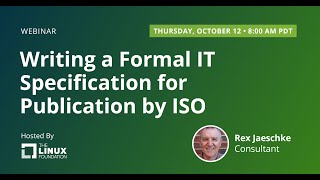
Writing a Formal IT Specification for Publication by ISO
Learn to create formal IT specifications complying with ISO/IEC Directives and ISO's Style Guide. Gain insights on formatting, structure, and drafting principles for ISO document submissions.

Google Workspace Basics: Sheets, Docs, Slides, Forms, and Meet Tutorial
Comprehensive tutorial on Google Workspace apps: Sheets, Docs, Slides, Forms, and Meet. Learn essential features, collaboration tools, and productivity tips for seamless workflow and efficient project management.
13 Powerful Microsoft Word Techniques for 2024
Master 13 powerful Microsoft Word techniques to enhance document creation, from hyperlinks and tables to forms and mail merge, boosting productivity and professionalism.
Microsoft Word 365 for Beginners - 4-Hour Training Course
Comprehensive training on Microsoft Word 365, covering interface, formatting, themes, styles, and advanced features. Includes practical exercises for hands-on learning and skill development.

History of Neuroscience - Attention Research and Mental Chronometry
Explore Michael I. Posner's groundbreaking research on attention, mental chronometry, and cognitive neuroscience in this insightful interview detailing his influential career and discoveries.

LaTeX Tutorial - Comprehensive Guide to Typesetting
Comprehensive guide to LaTeX typesetting system, covering essential concepts and techniques for creating professional technical and scientific documents with beautiful formulas.

LaTeX - It's Not You, It's Me: Exploring Alternatives in Technical Typesetting
Explore LaTeX's history, design, and limitations, comparing it to modern alternatives like Typst. Evaluate if it's time for STEM and Open Source communities to consider new typesetting systems.