Getting Started with 3D Modeling in Blender - Week 1
Learn the basics of Blender's interface, navigation, and 3D modeling concepts. Ideal for beginners looking to start their journey in 3D graphics and animation.

Inkscape Tutorial - Introduction and Basic Tools
Comprehensive introduction to Inkscape's interface, tools, and basic functions for creating vector graphics and designs, with shortcuts and practical tips.
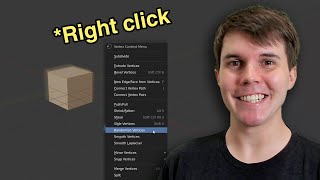
Where Everything Is in Blender 2.8 - Major Functions and Changes
Comprehensive guide to Blender 2.8's interface, showcasing major functions and key changes. Learn essential tools and navigation for efficient 3D modeling and animation workflows.
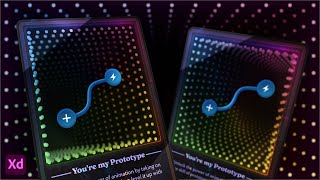
Designing a 3D NFT Card Using Adobe XD
Explore 3D Transforms in Adobe XD to design and animate an NFT-style card with an infinity mirror effect. Learn techniques for creating depth, applying masks, and adding visual elements to enhance your digital artwork.
Creating an iPhone in Photoshop
Learn to create a realistic iPhone design in Photoshop using layers, shapes, gradients, and effects. Master essential techniques for digital product mockups and graphic design.
Interview Mode Guest Features in Ecamm Live - BuildingBlocks Tutorial
Explore Interview Mode guest features in Ecamm Live, including chat, screen sharing, and camera options. Learn to set up guests for success and create engaging live productions.
Amazon Live Graphics and Overlays - Creating Custom Visuals for Livestreams
Learn to create engaging custom graphics and overlays for Amazon Live streams using Ecamm. Explore hexagons, lower thirds, text overlays, crop overlays, and more to enhance viewer engagement and professionalism.

Building an Auth Experience for Humans - Best Practices and User-Friendly Design
Discover best practices for designing secure and user-friendly authentication experiences. Learn industry tips, pitfalls to avoid, and insights into human psychology to create top-notch app security.
How I Design for Impact With Figma
Learn to create high-impact website designs in Figma with expert tips on grids, color balance, typography, layout rhythm, and advanced animation techniques for stunning, user-friendly interfaces.
Creating a Complete Animated Scene with CrazyTalk Animator 3 - Day 1: Introduction and Scene Setup
Learn to create animated scenes using CrazyTalk Animator 3. Covers UI basics, prop customization, environment creation, animation techniques, and sound integration for beginners in animation production.
Cloud Animator Tutorial - Walkthrough of Tools and Features
Explore Reallusion's Cloud Animator: create interactive animations for promotions, invitations, and more. Learn about scenes, assets, and features in this comprehensive walkthrough.
Cartoon Animator from A-Z - Setting the Scene - Day 1
Learn Cartoon Animator 4 basics: UI, scene setup, prop importing and animation, background creation, and adding music. Hands-on demo covers essential tools for 2D animation beginners.
Blender - Simple UI Tweaks You'll Love
Learn safe and effective UI customizations in Blender to enhance your workflow. Discover preferences, themes, navigation settings, keymaps, and add-ons to optimize your Blender experience.
FOLDERS for Your Midjourney Prompts - Organizing and Managing AI-Generated Content
Learn to organize Midjourney prompts efficiently with folders, manage style codes, and explore new features in Promptalot for improved AI image generation workflows.

Figma Basics - Tutorial 52
Learn essential Figma skills for web design: interface, tools, components, and prototyping. Master the basics to create stunning UI/UX designs efficiently.
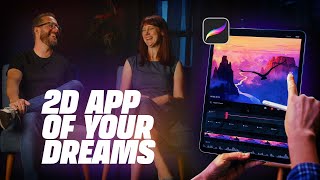
Procreate Dreams: The 2D Animation Revolution for Digital Artists
Explore the journey of Procreate Dreams, a revolutionary 2D animation app, with insights from its creators on development, design philosophy, and impact on digital artistry.
Ways to Fix the ZBrush User Interface
Discover 10 ways to enhance ZBrush's interface, improving workflow for beginners and experienced users. Learn to customize menus, navigate efficiently, and optimize your digital sculpting experience.
Adobe XD Prototyping Interactions Overview
Comprehensive guide to Adobe XD prototyping interactions, covering various techniques from basic button states to complex animations and transitions for creating realistic user interfaces.
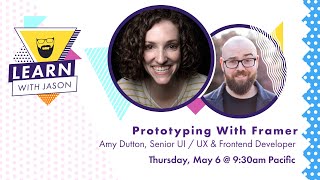
Prototyping With Framer - Combining No-Code and Custom Code
Learn to combine no-code and custom code in Framer for powerful prototyping. Amy Dutton demonstrates how to build interactive prototypes using design components and custom code, enhancing your design workflow.
Build a Twitch Extension - Learn With Jason
Learn to create custom Twitch extensions for displaying specific information on profiles, working across website and apps. Gain hands-on experience with practical demos and code examples.
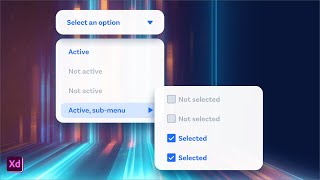
Multi-Level Nested Dropdown Menus in Adobe XD
Learn to design and prototype multi-level dropdown menus using nested Component States in Adobe XD, enhancing your UI design skills and streamlining your workflow.