
Adobe XD Masterclass - Tips and Tricks for Improved Design Workflows - Episode 8
Enhance your design skills with expert tips and tricks for Adobe XD, improving workflows and mastering key features for efficient and creative project development.

Adobe XD Masterclass - Tips and Tricks for Improved Design Workflows - Episode 7
Enhance your design skills with Adobe XD tips and tricks. Learn to create interactive quizzes, master essential tools, and improve your workflow for efficient UI/UX design.

Adobe XD Masterclass - Tips and Tricks for Improved Design Workflows
Learn advanced Adobe XD techniques, including Content-Aware Layout, to enhance your design workflow and efficiency with expert tips from Adobe Evangelist Howard Pinsky.

Adobe XD Masterclass - Tips and Tricks for Improved Design Workflows - Episode 5
Learn advanced Adobe XD techniques, including Content-Aware Layout, to enhance your design workflow and efficiency. Discover tips for creating seamless patterns, masking, and animations.
Design a To-Do App for Creatives - Part 2
Explore mobile app design with Kate Kassab as she creates a to-do app for creatives using Adobe XD, showcasing new features and pro-tips for building engaging user experiences.
Designing a To-Do App for Creatives in Adobe XD - Part 1
Watch Kate Kassab design a creative to-do app using Adobe XD, featuring Content Aware Layout and tips for building engaging user experiences with gamification elements.

Adobe XD Masterclass - Creating a Landing Page with Hover Effects and Animations
Learn to create an engaging landing page with hover effects and animated elements using Adobe XD. Master layout techniques and design principles in this hands-on tutorial.
Adobe XD Masterclass - Creating Advanced Micro-Interactions with Component States - Episode 2
Learn advanced micro-interactions in Adobe XD with Howard Pinsky. Master component states, hover effects, and animated elements to enhance your UI/UX design skills.

Creating a Movie Recommendation App in Adobe XD - Part 1
Learn to design a movie recommendation app in Adobe XD, covering login screens, user experience, plugins, and profile pages. Gain insights on information architecture, components, and effective use of icons.

Introduction to Figma for Developers
Explore Figma's powerful design and collaboration features with Ryan Warner. Learn fundamentals and get a comprehensive feature tour to enhance your design workflow.

2024 UI/UX Design Crash Course in Figma
Learn UI/UX design in Figma: create layouts, use components, auto layout, and design key sections for a fictional business. Gain practical skills in modern interface design.

Build and Deploy a Figma Clone with Real-Time Collaboration
Create a Figma clone with real-time collaboration features including cursor chat, comments, reactions, and design tools using Fabric.js and Liveblocks. Learn to build and deploy a complex web application with modern technologies.

Figma Tutorial for Beginners - 2024 Crash Course in Web Design
Comprehensive beginner's guide to Figma for web designers, covering interface, setup, libraries, styles, and key webpage sections in a hands-on tutorial format.
Cartoon Animator from A-Z - Setting the Scene - Day 1
Learn Cartoon Animator 4 basics: UI, scene setup, prop importing/editing, animation, and adding music/sound effects. Hands-on demo covers background creation, custom props, and simple animations.

Advanced Figma Prototyping with Variables
Master advanced Figma prototyping techniques for mobile eCommerce, including variables, conditionals, and variable modes. Suitable for all skill levels with clear step-by-step guidance.
Responsive Design in Adobe XD
Master responsive design in Adobe XD: Learn efficient techniques for creating adaptable layouts, using responsive resize, handling breakpoints, and optimizing for various devices and screen sizes.
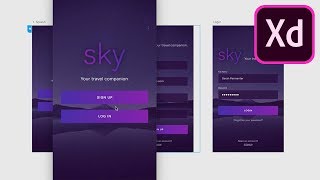
Exploring Adobe XD October 2018 Update - Add-ons, Linked Symbols, Auto Animate, and Voice Prototyping
Discover key Adobe XD updates: add-ons, linked symbols, auto animate, and voice prototyping. Learn to enhance your design workflow with these powerful new features in action.

Adobe XD Course for Beginners - Complete UI/UX Tutorial
Comprehensive UI/UX tutorial covering Adobe XD basics to advanced techniques. Learn wireframing, interface design, and essential tools for creating professional user interfaces.
Moving from Blender 2.7 to 2.8 - Modeling and Texturing Tips
Learn essential tips for transitioning from Blender 2.7 to 2.8, focusing on modeling and texturing. Discover UI changes, new tools, and workflow improvements to enhance your 3D creation process.
Interface Tips - Moving from Blender 2.7 to 2.8 - Hurdles and Roadblocks
Concise guide to transitioning from Blender 2.7 to 2.8, highlighting key changes in interface, modeling, animation, and rendering. Addresses common issues and provides quick solutions for experienced users.
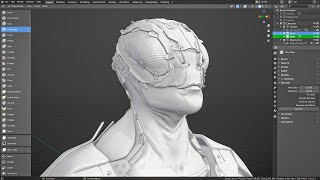
What's New in Blender 2.81 - Major Changes and Updates Overview
Comprehensive overview of Blender 2.81's major updates, highlighting key improvements and workflow changes for 3D artists and designers.