Adobe XD New Features: UI/UX Design Workflow Enhancements
Explore Adobe XD's latest features with UI/UX designer Rachel Smith, showcasing 3D presentations, auto-animate, scroll groups, and plugins to enhance your design workflow.
Creating Custom Icons in Illustrator on iPad - Part 1
Learn to design custom mobile app icons using Illustrator on iPad with Sarah Kuehnle. Explore shape-building tools, artboards, mirroring, gradients, and gestures while incorporating real-time viewer feedback.

Designing an Online History Class Portal with Drag and Drop - XD Daily Creative Challenge
Design an interactive history class portal with drag-and-drop functionality for student profiles, syllabus access, and homework management using Adobe XD.
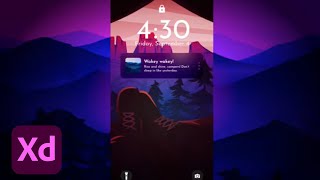
Adobe XD Masterclass - Tips and Tricks for Improved Design Workflows
Learn advanced Adobe XD techniques for dynamic designs, including importing AI files, creating night versions, using Auto Animate, and building interactive lock screens with Howard Pinsky.

Adobe XD Masterclass - Tips and Tricks for Improved Design Workflows - Episode 23
Learn advanced Adobe XD techniques for creating animated intros, custom cursors, and interactive designs. Master auto-animate, smart guides, and efficient workflows to enhance your digital design skills.

Adobe XD Masterclass - Tips and Tricks for Improved Design Workflows - Episode 21
Enhance your Adobe XD skills with expert tips on creating iOS widgets, animated toggles, and 3D shapes. Learn efficient design workflows and techniques to elevate your projects.

Adobe XD Masterclass - Designing Info Cards and Calendars - Episode 53
Explore advanced Adobe XD techniques with Howard Pinsky: info cards, padding, components, calendars, 3D transforms, and user interaction cues for improved design workflows.

Adobe XD Masterclass - Tips and Tricks for Improved Design Workflows - Episode 52
Learn advanced Adobe XD techniques for designing fitness app interfaces, including 3D transforms, character styles, and animated transitions. Improve your workflow and create dynamic UI elements.

Adobe XD Masterclass - Designing a Messenger User Interface - Episode 50
Learn advanced Adobe XD techniques for designing messenger interfaces, including user lists, background effects, repeat grids, and interactive elements like hover effects and buttons.

Adobe XD Masterclass - Tips and Tricks for Improved Design Workflows - Episode 49
Learn advanced Adobe XD techniques, including creating directional arrows, expanded headers, and login experiences. Improve your design workflow with gamepad navigation, icon packs, and Z-order management.

Adobe XD Masterclass: Designing a TV Streaming Interface - Episode 48
Learn advanced Adobe XD techniques for designing TV streaming interfaces, including 3D transforms, masking, state management, and efficient workflows to enhance your UI/UX design skills.

Adobe XD Masterclass - Designing a Video Player Interface with Chat
Learn advanced Adobe XD techniques for designing a video player interface with dark mode, interactive elements, and a chat feature. Improve your workflow and create engaging user experiences.

Adobe XD Masterclass - Tips and Tricks for Improved Design Workflows
Learn essential Adobe XD tips and tricks to enhance your design skills and workflow efficiency. Covers artboard sizing, logo integration, navigation, category creation, and UI elements like search bars and CTAs.

Credit Card Payment Screen Design with 3D Transforms and Auto-Animate - XD Daily Creative Challenge
Design and prototype a web-based payment screen with 3D Transforms and Auto-Animate in Adobe XD. Learn techniques for creating interactive credit card forms and enhancing user experience.

Adobe XD Masterclass: Designing an NFT Marketplace Interface - Episode 61
Learn essential Adobe XD tips and tricks to enhance your design skills and workflow efficiency. Explore logo creation, UI elements, and NFT project design in this comprehensive tutorial.
13+ Design Tips and Tricks to Improve Workflow in Adobe XD
Discover 13+ professional design tips to enhance your Adobe XD workflow, from creating stream overlays to mastering animations and combating burnout.

Adobe XD Masterclass - Tips and Tricks for Improved Design Workflows
Learn essential Adobe XD tips and tricks to enhance your design skills and workflow efficiency. Explore layout techniques, component creation, icon design, and effective use of typography and color in UI/UX projects.
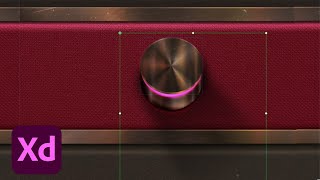
Adobe XD Masterclass: Skeuomorphic Dial Design Techniques - Episode 56
Explore advanced Adobe XD techniques for creating realistic skeuomorphic dials, including layering, shadows, textures, and 3D effects to enhance your design skills and workflow efficiency.

Designing a Coffee Delivery App in Adobe XD - Part 1
Learn to design a coffee delivery app using Adobe XD. Explore research methods, prototyping techniques, and essential UX/UI design principles. Gain insights on user engagement, wireframing, and effective feature implementation.

Adobe XD Masterclass - Redesigning the Bestla App - Episode 55
Explore advanced Adobe XD techniques for redesigning the Bestla app, including branding, component creation, stacks, illustrations, and designing for specific device features.

Adobe XD Masterclass: Designing Maps and Menus with Plugins - Episode 20
Explore Adobe XD tips and tricks with Howard Pinsky, focusing on plugin usage, map design, menu creation, and prototyping to enhance your design workflow and efficiency.