
Perfecting Live Graphics for Streaming - Expert Tips and Techniques
Expert tips for creating stunning live graphics: hierarchy, contrast, color schemes, and customization. Learn to audit, improve, and stand out with attention-grabbing visuals for your streams.

Building Blocks of Live Streaming and Video Production
Weekly live tutorial on mastering live streaming and video production skills. Learn step-by-step techniques for creating professional and engaging content with hosts ana and Fuljens.
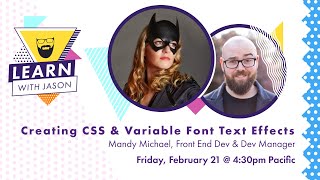
Variables Fonts and Text Effects - Learn With Jason
Explore creative typography with Mandy Michael: learn variable fonts, text effects, gradients, and advanced CSS techniques to enhance web design and create visually stunning text.

Art Direction for Developers - Learn With Jason
Learn art direction techniques for developers with Tatiana Mac. Discover how to create visually appealing, readable, and uncrowded web pages while incorporating essential elements and maintaining aesthetic appeal.

iClone 7.2 Tutorial - PopcornFX Text Emitter Super Tool
Learn to create dynamic text effects using PopcornFX Super Tools in iClone 7.2. Master input modes, line display, text styling, animation, and font changes for professional-looking visual enhancements.
Graphic Design Basics - Fundamentals for Beginners
Learn graphic design fundamentals, from history and principles to typography and brand design. Master print and digital design, explore professional workflows, and discover how to use design assets effectively.
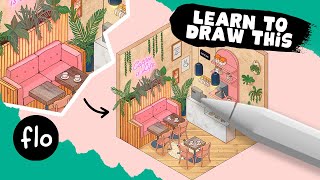
Draw an Isometric Coffee Corner in Procreate
Learn to create an isometric coffee corner in Procreate with step-by-step guidance. Master techniques for furniture, textures, colors, and lighting effects to bring your digital illustration to life.
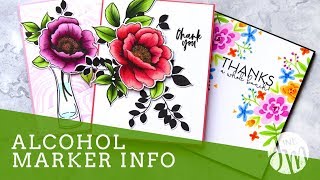
Alcohol-Based Marker Techniques with Altenew Artist Markers
Explore alcohol-based marker techniques using Altenew Artist Markers. Learn blending, shading, and coloring methods to create stunning card designs with various stamp sets and complementary inks.
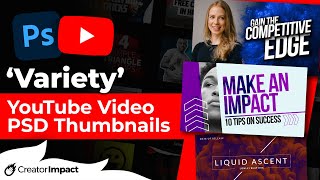
Editing Premium YouTube Thumbnail Templates in Photoshop
Learn to edit professional YouTube thumbnail templates in Photoshop. Master text editing, image insertion, background removal, and advanced techniques to create eye-catching thumbnails that boost engagement.
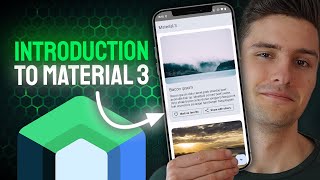
Introduction to Material 3 - Color Theming, Typography, Shapes
Learn to implement Material 3 in Android apps, covering dynamic colors, typography, and shapes. Discover key features and practical examples for creating modern, visually appealing user interfaces.
Photoshop 101 - Basics for Beginners
Learn essential Photoshop skills in 50 minutes. Covers fundamental tools, techniques, and features for beginners to start editing images and creating designs effectively.

How to Create a 3D Letter Effect in Photoshop
Learn to recreate the 3D lettering effect from the Sharper movie poster using Photoshop tools like transform, distort, blur gallery, masking, and gradient map for coloring.

Barbie Movie Poster Photoshop Tutorial
Learn to recreate Barbie movie character posters using Photoshop. Master selections, gradients, fibers, and noise techniques while creating eye-catching designs quickly and efficiently.

How to Use "Blend If" in Photoshop - Recreating the "OLD" Movie Poster
Learn to recreate the "OLD" movie poster using Photoshop's "Blend If" feature, along with techniques for curves, color, gradients, and masks to achieve professional-level design results.

Photoshop Texture Tutorial - Recreating the Cherry Movie Poster
Learn to recreate the Cherry movie poster using Photoshop techniques like cropping, transform, curves, guides, masks, and gradient maps. Enhance your design skills with professional texture application.

Harry Potter Patronus Effect in Photoshop - Tutorial
Learn to create a magical Harry Potter-inspired Patronus effect in Photoshop using advanced techniques for compositing, color grading, lighting, and lettering. Master atmospheric effects to enhance your digital art skills.
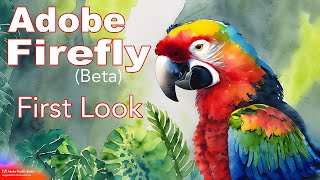
Adobe Firefly Beta - First Look at Text-to-Image, Text Effects, and Vector Recoloring
Explore Adobe Firefly's AI-powered features including Text to Image, Text Effects, and Recolor Vectors. Learn how to access and use this innovative tool for creative digital art generation.
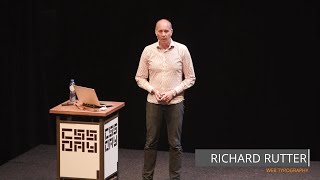
Web Typography - Golden Rules for Effective Design
Explore web typography principles, from paragraph styling to variable fonts, to create beautiful, effective responsive designs that enhance reader experience.
Performance and Web Typography - Balancing Beauty and Speed
Explore the intersection of beautiful web typography and performance, learning OpenType features, optimization techniques, and trade-offs for creating visually appealing and efficient websites.
The State of WebFonts - Current and Future Technologies
Explore the latest advancements and future trends in web typography with insights from a leading expert in the field.
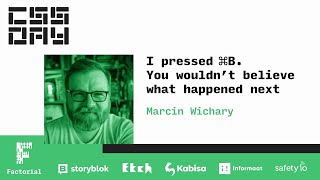
The Surprising Complexity of Keyboard Shortcuts and Typography - Command B in Figma
Explore the surprising complexity behind Figma's ⌘B shortcut, delving into the rich histories of keyboard shortcuts and typography, and unraveling the intricacies of digital design tools.