
The Smartest Mask Generator for Photoshop
Explore Lumenzia, an advanced Photoshop tool for luminosity masking. Learn essential features, techniques for landscapes, portraits, and custom effects to enhance your photo editing skills.
Essential Design Tips for Photoshop
Learn 10 essential Photoshop tips to enhance your workflow, including non-destructive editing, smart objects, custom brushes, and layer optimization. Improve your design skills and efficiency.

High Impact Special Grunge Effect in Photoshop CC
Create a high-impact grunge effect in Photoshop CC using advanced techniques like smart objects, filters, and adjustments for striking visual results.

How to Use Depth Maps in Photoshop Tutorial
Learn to enhance image depth using Photoshop's Blur Depth neural filter, Lens blur filter, and depth maps. Apply techniques to real projects, adding atmospheric depth and making subjects stand out.

Turn Anything to Gold - Hunger Games Songbirds and Snakes Poster Tutorial
Learn to create a stunning gold effect in Photoshop and recreate The Hunger Games character poster. Master healing tools, fabric graphics, liquify, and curve adjustments in this hands-on tutorial.
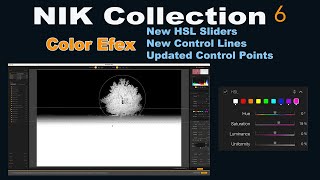
NIK Collection 6: Color Efex Updates - HSL Sliders, Control Lines, and Control Points
Explore new features in NIK COLLECTION 6's Color Efex, including HSL sliders, control lines, and control points. Learn tips to maximize these enhancements for improved photo editing.

How to Use the Hard Mix Blending Mode in Photoshop
Explore the powerful Hard Mix blending mode in Photoshop to create custom starburst halftone effects. Learn advanced blending techniques and texture manipulation for unique designs.
Using Path Blur Filter in Photoshop to Create Dynamic Photos
Learn to create dynamic motion effects in photos using Photoshop's Path Blur filter. Master techniques for realistic movement, exposure blending, and artifact removal to enhance your visual storytelling.

Argylle Movie Poster Design Tutorial in Photoshop
Learn to recreate the Argylle movie poster in Photoshop, mastering techniques like argyle pattern creation, photo editing, color correction, and typography for professional-looking movie poster designs.
Mastering Infinite Sequences in Photoshop - Creating Dynamic Transformation Series
Learn to create dynamic infinite transformation sequences in Photoshop, power-duplicate layers, and make automatic updates. Master techniques for scaling, positioning, masking, and using Generative Fill for stunning visual effects.
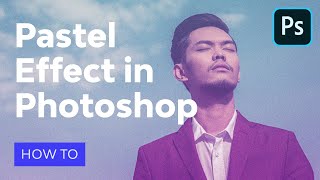
How to Make Pastel Effect in Photoshop - Aesthetic Edit Action
Learn to create aesthetic edits with soft pastel colors and vaporwave effects in Photoshop. Master action recording, text layers, smart objects, and achieve a faded look inspired by Windows 95 interface.
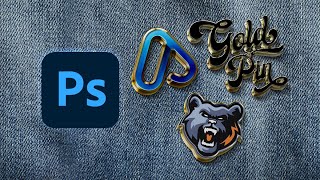
How to Make an Enamel Pin Mockup
Learn to create realistic enamel pin mockups in Photoshop using smart objects, layer styles, and drop shadows. Master techniques for glossy 3D effects and professional-looking designs.

Creating a Split Water Effect in Photoshop - Book Cover Design Tutorial
Learn to create a stunning split water effect in Photoshop, perfect for book covers. Master techniques for blending above and below water elements, and create a reusable smart object template for future projects.

High-Resolution Generative Fill and Updates for PiXimperfect Photoshop Plugin
Explore new features in PiXimperfect's Photoshop plugin, including unlimited resolution Gen-Fill, improved navigation, smarter functions, and enhanced compositing tools for faster and easier image editing.

13 Common Photoshop Mistakes for Beginners and How to Fix Them
Uncover 13 common Photoshop mistakes beginners make and learn practical solutions to enhance your editing skills, from proper layer management to efficient retouching techniques.

Smart Object Masking - Creating a Beetlejuice Poster in Photoshop
Learn to create a Beetlejuice character poster using advanced Photoshop techniques like smart objects, masking, blending modes, and selections. Enhance your design skills with this practical tutorial.

How to Create a Xerox Poster Effect in Photoshop
Learn to recreate a vintage xerox copy effect for character posters using Photoshop's Hard Mix blend mode and Knockout feature. Master smart-object based masks for unique, professional designs.

Photo Manipulation Basics in Adobe Photoshop
Master essential photo manipulation techniques in Adobe Photoshop, from image extraction and blending to color matching and advanced compositing. Learn to create professional-quality manipulations with expert guidance.
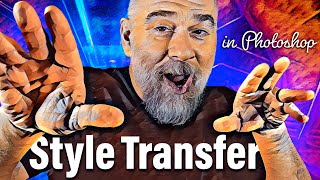
Turn Any Image Into an Automated Masterpiece
Explore Photoshop's Style Transfer Neural Filter to transform images using AI. Learn presets, custom styles, and blending techniques for unique artistic results.
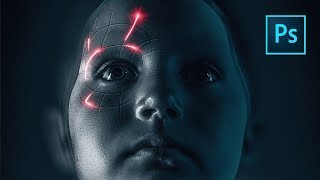
Perfect Movie Poster Tutorial
Learn advanced Photoshop techniques to recreate a movie poster, covering tools like frequency separation, gradient maps, and Camera RAW filter. Enhance your photo editing and design skills through practical application.
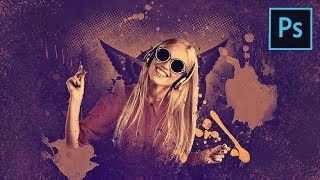
How to Create a Fun Wallpaper Style Composite in Photoshop
Create a fun poster-style composite using gradient maps, custom brushes, and halftone effects in Photoshop. Learn to blend elements seamlessly and add eye-catching splash and scatter effects.