
Multi Level Navigation Menu With HTML & CSS Only - Responsive Dropdown Navbar Menu
Learn to create a responsive, accessible multi-level navigation menu using only HTML and CSS. Covers dropdown functionality, mega menu features, and screen reader compatibility.
Build a Website with Tailwind CSS - Project Tutorial
Learn to build a responsive website using Tailwind CSS, covering media queries, light/dark mode, and various CSS styles through class names. Hands-on project tutorial for practical implementation.
How to Make a Website Using Editor X
Learn to create a responsive travel website using Editor X's advanced design tools, including stacking, grids, and animations, without coding. Explore business solutions and custom features.
How to Make a Website from Scratch Using Webflow
Build a professional website without coding using Webflow. Learn to create navbars, logos, hero sections, image galleries, contact forms, and more in this step-by-step tutorial for beginners.
React Navbar Tutorial Responsive - 3 Designs
Create responsive React navbars with three customizable designs. Learn step-by-step implementation, including mobile dropdown menus, for seamless integration into your projects.

React Website Using Styled Components and Smooth Scroll - Beginner Project Fully Responsive
Build a responsive React website with styled components, smooth scroll, and reusable sections. Learn React Hooks, Router, and advanced styling techniques for a modern web development project.

HTML, CSS, and Javascript Website Design Tutorial - Beginner Project Fully Responsive
Step-by-step tutorial for building a responsive website using HTML, CSS, and JavaScript. Covers navbar, hero section, services, footer, and navigation between pages.

React Website Tutorial - Beginner React JS Project Fully Responsive
Build a fully responsive React website from scratch using Hooks and Router. Learn to create components, pages, and implement responsive design techniques.
CSS Responsive Card Design - Mini-Project Tutorial for Beginners
Learn to create a responsive card design using CSS, covering HTML structure, styling, media queries, and breakpoints for various screen sizes.
Intro to CSS Flexbox - Flex CSS Tutorial for Beginners
Comprehensive introduction to CSS Flexbox, covering key properties and concepts with practical examples. Ideal for beginners looking to master flexible layouts in web design.

Best Practices of Modern Web Development
Explore modern web development best practices, focusing on user experience, responsive design, and performance optimization for creating effective websites and web applications.

Typesafe Design Systems: Building Scalable Component Libraries
Explore building scalable, flexible design systems using TypeScript. Learn type-safe utilities for consistent styling and reduced errors in large enterprise applications.

Build and Deploy a Light and Dark Mode Portfolio Using HTML, CSS, and JavaScript
Learn to build and deploy a portfolio website with light and dark mode options using HTML, CSS, and JavaScript. Gain practical skills in web development and design customization.

Build a Responsive Online Portfolio from Scratch
Learn to create a responsive online portfolio using HTML, CSS, and basic JavaScript. Covers layout, navigation, sections, media queries, and deployment to a custom domain.

Designing Mobile and Web Experiences for the Medical Industry - Part 1
Learn UI/UX design with Howard Pinsky as he creates a medical app and website using Adobe XD, demonstrating new features and practical techniques for effective mobile and web experiences.

React Social Media App Design - Dark-Light Mode and Responsive with HTML CSS
Design a responsive social media app with React, featuring dark/light mode, protected routes, and UI components like login, navbar, and user profiles.
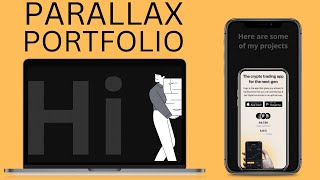
Portfolio Website for Developers and Designers - HTML CSS JS Portfolio
Learn to create a responsive parallax portfolio website using HTML, CSS, and JavaScript. Master design techniques, animations, and deployment for an impressive online showcase.
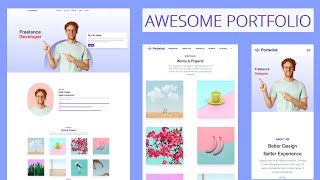
Portfolio Website with Tailwind CSS - Tailwind Tutorial for Beginners
Learn to create a responsive portfolio website using Tailwind CSS, covering installation, design elements, dark mode, and deployment in this comprehensive beginner-friendly tutorial.

HTML CSS JavaScript E-Commerce Website Tutorial for Beginners
Learn to build and deploy a responsive e-commerce website using HTML, CSS, and JavaScript. Covers navbar, slider, product sections, modals, gallery, footer, and responsive design.
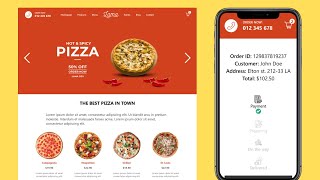
Food Ordering App UI Design Using React Next.js - Responsive Restaurant Website
Build a responsive pizza restaurant food ordering app UI with React Next.js, featuring creative CSS animations, sliders, product listings, shopping cart, and order tracking functionality.
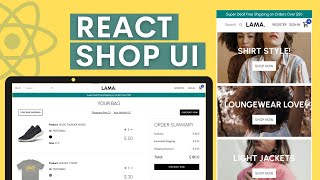
React E-Commerce App Design Tutorial - React Shopping Cart UI Design
Comprehensive tutorial on building a React e-commerce UI, covering navbar, slider, product listings, cart, and responsive design using Styled Components.