
Basic Excel Business Analytics - Clean & Transform Data - Formulas, Flash Fill, Power Query, Text To Columns
Aprenda técnicas avançadas para limpar e transformar dados no Excel, incluindo fórmulas, Flash Fill, Power Query e Text to Columns, preparando-os eficientemente para análise.
Running Total in Column - Power Query, DAX or Worksheet Formula?
Learn to create running totals in Excel using worksheet formulas, Power Query, and DAX. Master expandable ranges and cumulative calculations for overall and monthly totals.
Two Fact Tables - DAX, Power Query or Worksheet Formulas to Convert to 1 Fact Table
Learn techniques to convert two fact tables into one using Excel formulas, DAX in Power Pivot, and Power Query in Power BI. Master data modeling and analysis skills for improved business reporting and decision-making.
Power Query - Reduce Data Model Size, Transformations to Columnar Database Size
Learn strategies to optimize data model size using Power Query transformations, enhancing efficiency for big data analysis and business intelligence with columnar databases.
Data Modeling - VLOOKUP, Power Query or Power Pivot?
Learn data modeling techniques using VLOOKUP, Power Query, and Power Pivot for efficient data analysis in Excel. Explore methods for handling multiple tables and creating effective PivotTable reports.
The Magic of Power Query to Import, Transform & Load Data
Learn to import, clean, and transform data using Power Query in Excel. Master techniques for efficient data handling, report creation, and automated updates.
Excel Spreadsheet Formulas - Old School or Dynamic Arrays?
Learn to use Excel formulas for data analysis, comparing traditional methods with dynamic arrays. Master SUMIFS, COUNTIFS, and AVERAGEIFS for creating effective summary reports.
Power BI Desktop Comprehensive Introduction - Power Query, DAX, Dashboards, Publishing
Comprehensive Power BI Desktop tutorial covering data import, DAX formulas, dashboard creation, and report publishing. Master essential skills for effective data analysis and visualization.
Mysteries of VLOOKUP Function Revealed - Amazing Examples
Comprehensive tutorial on VLOOKUP function in Excel, covering 15 examples from basic to advanced usage, including exact and approximate matches, dynamic tables, and error handling.
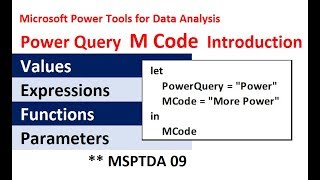
Power Query Complete M Code Introduction - Values, Let, Lookup, Functions, Parameters, More
Comprehensive introduction to M Code in Power Query, covering values, expressions, functions, and advanced techniques for efficient data manipulation and analysis.
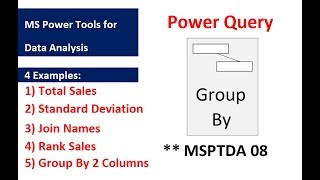
Power Query Group By Feature and Table.Group Function - Examples
Learn Power Query's Group By feature with five practical examples, including calculating totals, standard deviation, joining names, and ranking sales.
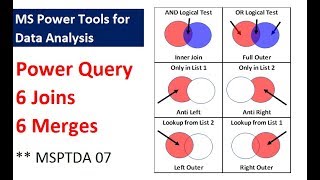
Power Query - 6 Types of Joins, 6 Types of Merges - 9 Examples
Explore Power Query's 6 types of joins and merges through 9 practical examples, enhancing your data analysis skills in Excel with step-by-step guidance.

Power Query - Excel.CurrentWorkbook Function to Append All Excel Tables in Excel Workbook
Master Excel's Power Query to efficiently append tables, handle recursion issues, and manipulate data using advanced functions like Excel.CurrentWorkbook and Table.ColumnNames.
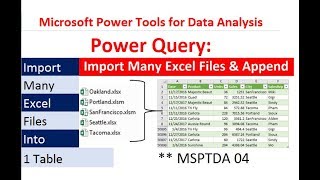
Power Query - Import Multiple Excel Files and Combine into Proper Data Set
Learn to import and combine multiple Excel files using Power Query, create a unified dataset, and build dynamic PivotTable reports with automated updates when new files are added.
Power Query Introduction - Importing & Transformation Data in Excel & Power BI Desktop
Comprehensive introduction to Power Query for data importing, cleaning, and transformation in Excel and Power BI Desktop, with practical examples and hands-on exercises.
Power Query Power BI - Transform 2 Fact Tables to Star Schema Data Model - Invoice Data
Transform invoice data into a star schema using Power Query, creating a single fact table for improved reporting and analysis in Power BI Desktop.

Introduction to Power Query & Power Pivot Data Model in Excel 2016
Learn to clean data, create PivotTables, and use Power Query and Power Pivot in Excel 2016. Master data transformation, import large datasets, and build efficient data models for advanced analysis.

Excel for Accountants - Power Query & PivotTables to Import & Clean Data and Build Reports
Learn to import, clean, and analyze data using Power Query and PivotTables. Master techniques for efficient data management, creating insightful reports, and optimizing file size in Excel for accounting purposes.
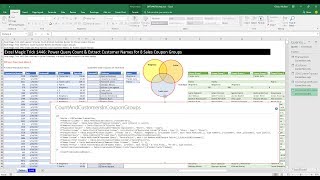
Power Query Count & Extract Customer Names for 8 Sales Coupon Groups
Learn advanced Power Query techniques to analyze customer coupon usage across multiple stores, including counting and extracting customer names for various coupon groups.

Excel Basics - Power Query (Get & Transform) to Clean & Transform Data into Proper Data Set
Learn to use Power Query in Excel for data cleaning, transformation, and analysis. Master importing, combining, and refreshing data from various sources to create proper datasets and pivot tables.

Getting Started in Power BI - Microsoft Power BI Tutorial for Beginners
Comprehensive introduction to Power BI, covering installation, data import, query merging, table relationships, and date handling. Learn to create dynamic dashboards and reports for data analysis and visualization.