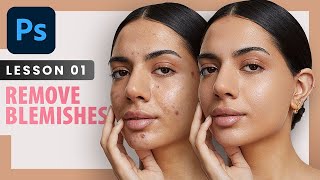
Remove Blemishes - Professional Photoshop Retouching Techniques - Lesson 1
Learn professional techniques for high-end skin retouching in Photoshop, including spot healing, healing brush, patch tool, and dodge and burn. Discover when to remove blemishes and how to achieve natural-looking results.
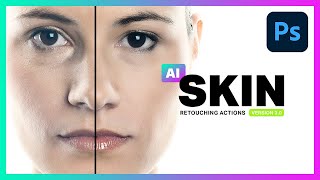
AI Skin Retouching Photoshop Actions - Is It Really AI?
Explore AI Skin Retouching Photoshop Actions: effectiveness, techniques, and the truth behind AI claims. Learn to create your own actions for portrait enhancement.
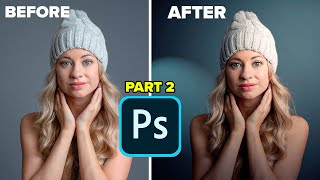
Lighting Portrait Photos in Photoshop - It's Amazing
Transform flat portraits into dramatic images using Photoshop's Lighting Effects. Learn to create studio-quality lighting, manipulate shadows, and enhance depth for stunning results.

Dark Black Portrait Style - Affinity Photo Tutorial
Learn to create striking dark-skinned portrait art in Affinity Photo. Master composition, skin effects, background gradients, hair masking, skin retouching, and final adjustments for professional results.

How to Create Golden Hour in Photoshop Tutorial 2022
Learn to create stunning golden hour effects in Photoshop using sky replacement, color adjustments, and atmospheric elements. Master techniques for landscapes, cityscapes, and portraits.

Beginner Tips for Retouching Portraits in Photoshop Tutorial
Learn beginner-friendly techniques for enhancing portrait photos in Photoshop, including eye retouching, skin blemish removal, and dramatic lighting effects using non-destructive methods and essential tools.

Working with Black and White Using TK7 GO Panel
Explore black and white image editing using TK7 GO and COMBO/CX panels. Learn techniques for enhancing contrast, adjusting highlights, and creating a captivating monochrome result.

Creative Color Grading in Lightroom Classic - Color Grading Lightroom Tutorial
Master color grading in Lightroom Classic: Learn adjustment presets, custom color grades, toolkit presets, masking techniques for portraits and skies, and advanced range masking for creative emphasis.

Smart Phone Portrait Editing - Quick and Easy Bokeh Effect Using Lightroom, Photoshop, and ON1 Portrait AI 2022
Learn to enhance smartphone portraits using Lightroom, Photoshop, and ON1 Portrait AI. Master RAW adjustments, bokeh effects, and face retouching for professional-looking results.
Luminar AI Portrait Bokeh AI Tutorial - Version 1.4.0
Explore Luminar AI's new Portrait Bokeh AI feature in this tutorial. Learn how to enhance portrait backgrounds and create stunning bokeh effects with AI-powered tools.

Topaz Adjust AI - One-Click Image Makeovers Tutorial
Explore the power of one-click image enhancements with Topaz ADJUST AI through 11 diverse examples, showcasing its ability to transform photos effortlessly and effectively.
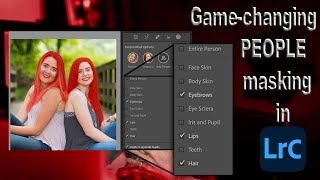
Lightroom 12 and ACR Update - One-Click Beauty Retouching with New Selection Tools
Discover new masking tools in Lightroom Classic and Adobe Camera Raw for effortless one-click beauty retouching, enhancing portraits with precision selections for hair, eyes, skin, and lips.

How to Make Eyes Dramatic in Photoshop
Learn three powerful techniques to enhance eyes in portraits using Adobe Photoshop and Camera RAW. Master layer manipulation, masking, and retouching skills to create striking, dramatic eye effects.
Luminar 4 Tutorial - Hi-Key Black and White Portrait
Learn to create stunning hi-key black and white portraits using Luminar 4. Master techniques for achieving dramatic, high-contrast images that captivate viewers and elevate your photography skills.
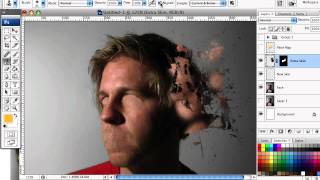
How to Mold Paint Splatter to a Face in Photoshop
Learn to apply splattered paint brushes to a model's face contours in Photoshop, creating artistic effects with a simple yet impactful technique.
How to Turn Humdrum Photos into Cinematic Portraits
Transform ordinary portraits into dramatic, cinematic masterpieces using advanced editing techniques. Learn to add depth, enhance lighting, and create stunning visual effects for impactful images.
Head Shot Photography Tutorial
Learn professional techniques for capturing stunning head shots, from lighting setup to posing and post-processing, to elevate your portrait photography skills.

13 Common Photoshop Mistakes for Beginners and How to Fix Them
Uncover 13 common Photoshop mistakes beginners make and learn practical solutions to enhance your editing skills, from proper layer management to efficient retouching techniques.

NASA's Photoshop Tool for Sharpening - Testing APF-R Plugin
Explore NASA's APF-R sharpening technique in Photoshop. Learn its application on astrophotography, portraits, and landscapes. Compare with Smart Sharpen and discover manual methods for achieving similar results.

AI vs. Human Retouching Comparison - Photoshop Techniques and AI Apps
Compares AI and manual retouching techniques for various photo editing tasks, exploring their effectiveness, efficiency, and artistic value in professional image enhancement.
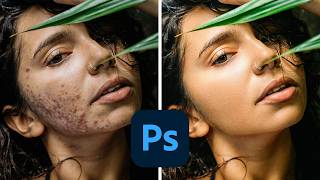
How to Smooth Skin in Photoshop
Learn professional skin smoothing techniques in Photoshop, including manual blemish removal and time-saving actions for efficient editing across various portrait styles.