Master Photoshop in 30 Days
Take your skills from beginner to pro in 30 days of Photoshop!
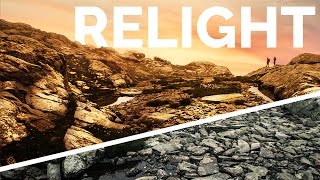
Advanced Photoshop Tutorials
Master advanced Photoshop techniques including special effects, retouching, and color manipulation to enhance your digital imaging skills and create stunning visuals.
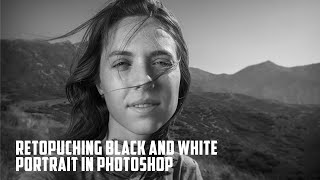
Retouching Black and White Portrait in Photoshop
Learn advanced techniques for creating and retouching stunning black and white portraits in Photoshop, from initial processing to final touches, enhancing your photo editing skills.
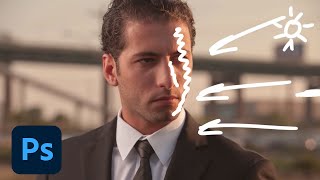
Creating Cinematic Images in Photoshop - Part 1
Learn advanced Photoshop techniques to transform ordinary photos into cinematic masterpieces. Master complex selections, environmental lighting, retouching, and digital re-lighting for stunning visual effects.
Photo Retouching and Compositing Techniques - Part 2
Learn advanced Photoshop techniques for portrait retouching and compositing with Aaron Nace. Master color correction, blemish removal, background adjustments, and create stunning double exposure designs.
Photo Retouching and Compositing Techniques - Part 1
Learn advanced Photoshop techniques for portrait retouching, compositing, and creating dynamic effects with expert Aaron Nace. Master skills like hair extraction, light flares, and animating particles for stunning visual designs.

Portrait Retouching in Lightroom and Photoshop - Tips and Techniques
Learn professional portrait retouching techniques using Lightroom Classic and Photoshop. Master adjustments, blemish removal, dodging and burning, and cutting out subjects to elevate your photo editing skills.
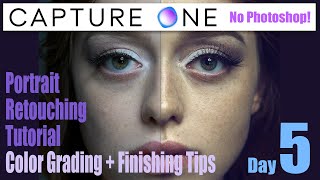
Capture One - Portrait Retouching Tutorial - Color Grading + Finishing Touches No Photoshop
Learn advanced portrait retouching techniques in Capture One, including color grading, exposure adjustments, and finishing touches. Master layering, masking, and color balance for polished, professional results without Photoshop.
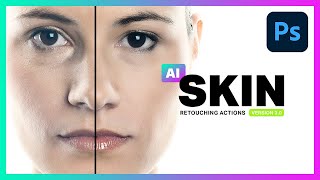
AI Skin Retouching Photoshop Actions - Is It Really AI?
Explore AI Skin Retouching Photoshop Actions: effectiveness, techniques, and the truth behind AI claims. Learn to create your own actions for portrait enhancement.

Beginner Tips for Retouching Portraits in Photoshop Tutorial
Learn beginner-friendly techniques for enhancing portrait photos in Photoshop, including eye retouching, skin blemish removal, and dramatic lighting effects using non-destructive methods and essential tools.

Working with Black and White Using TK7 GO Panel
Explore black and white image editing using TK7 GO and COMBO/CX panels. Learn techniques for enhancing contrast, adjusting highlights, and creating a captivating monochrome result.
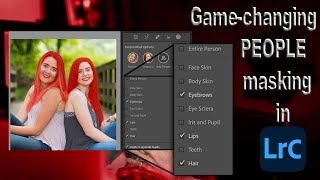
Lightroom 12 and ACR Update - One-Click Beauty Retouching with New Selection Tools
Discover new masking tools in Lightroom Classic and Adobe Camera Raw for effortless one-click beauty retouching, enhancing portraits with precision selections for hair, eyes, skin, and lips.

13 Common Photoshop Mistakes for Beginners and How to Fix Them
Uncover 13 common Photoshop mistakes beginners make and learn practical solutions to enhance your editing skills, from proper layer management to efficient retouching techniques.

NASA's Photoshop Tool for Sharpening - Testing APF-R Plugin
Explore NASA's APF-R sharpening technique in Photoshop. Learn its application on astrophotography, portraits, and landscapes. Compare with Smart Sharpen and discover manual methods for achieving similar results.

Master the Painterly Effect and Add Wings in Photoshop
Create stunning painterly portraits with angel wings using Photoshop techniques. Master compositing, shadows, lighting, textures, and color adjustments for a dramatic, ethereal effect.
How to Use Neural Filters in Photoshop CC - Advanced AI Editing
Explore AI-enhanced editing with Neural Filters in Photoshop CC. Learn to refine portraits, adjust expressions, and create stunning effects using advanced AI techniques for transforming your photos.
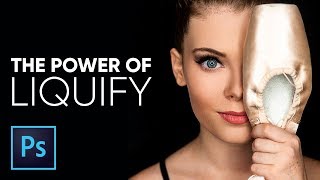
The Amazing Power of Liquify for Portrait Retouching in Photoshop
Master Photoshop's Liquify tool for portrait retouching. Learn basic and advanced techniques, including Face-Aware Liquify, through practical examples and expert tips for professional results.
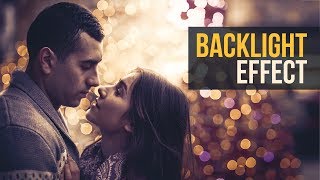
Brilliant Backlight or Rim Light Effect in Photoshop
Learn to create realistic rim lights and backlight effects in Photoshop using layer masks, understanding diffraction principles, and applying creative filters for enhanced image impact.

Amazing Photoshop Actions by PiXimperfect
Discover 10 premium Photoshop actions for portrait retouching and landscape editing. Learn to customize and apply these versatile tools for professional-quality image enhancements.
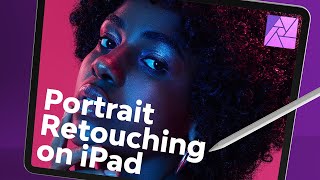
Portrait Retouching on iPad With Affinity Photo
Master portrait retouching on iPad using Affinity Photo. Learn essential techniques for skin, hair, eyes, and color grading to achieve professional-level edits on the go.

Creating Detailed Eye Effects in Photoshop - A Photo Enhancement Tutorial
Master the art of creating stunning eye details in Photoshop using iris brushes, lighting techniques, and precise adjustments to achieve captivating and realistic results in portrait retouching.