
How to Remove Glare from Glasses Using Photoshop
Learn techniques to remove glare from glasses in Photoshop, from beginner to advanced levels. Master tools like Remove Tool, Generative Fill, and Curves to enhance your photo retouching skills.
Generative Remove in Lightroom and ACR - Advanced Cloning for RAW Files
Explore advanced cloning techniques using Generative Remove in Lightroom/ACR for non-destructive RAW file editing, enhancing your photo manipulation skills.
Lightroom Classic 13.3 - New AI Generative Remove Tool Tutorial
Explore Lightroom Classic's new AI-powered Generative Remove tool for effortless photo editing. Learn techniques for object removal, hair refinement, and glare elimination without Photoshop.

10 Photoshop Features to Avoid and Their Better Alternatives
Discover 10 outdated Photoshop features to avoid and learn superior alternatives for enhancing your image editing skills, improving workflow efficiency, and achieving better results.

5 Hidden Photoshop Tools for Advanced Editing
Discover 5 hidden Photoshop tools: unblur faces, advanced crop, asset generator, scripted pattern, and contrast mask. Enhance your workflow with these powerful, lesser-known features.
Affinity Photo Crash Course for Web Designers - Photoshop Alternative
Learn Affinity Photo 2, a Photoshop alternative for web designers. Master UI, retouching, color editing, background removal, grading, and layout integration in this concise tutorial.
Firefly 3 AI in Photo Retouching - Practical Tips
Practical tips for leveraging Adobe Firefly 3 AI in photo retouching, enhancing image quality through AI-powered upscaling and noise reduction techniques.

Painterly Retouching in Photoshop with FireFly AI 3
Crea una escena de ángel caído en Photoshop utilizando fotografía digital y tecnología de IA para manipular componentes. Aprende técnicas de retoque pictórico avanzadas.
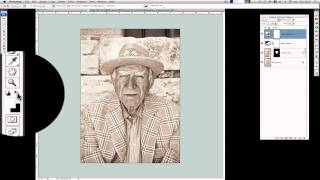
Create a Stunning High Key Portrait Photo in Photoshop
Learn to enhance portrait photos with texture and character, creating charming high-key images using image editing techniques like Camera Raw, dodging, burning, and final adjustments.

PHP Method of Frequency Separation in Photoshop
Learn the "PHP" method for smooth skin retouching in Photoshop using frequency separation. Master patch, healing, and brush tools to achieve natural-looking results while preserving skin texture.

Frequency Separation - Smooth Skin in Photoshop
Learn the high-end retouching technique of Frequency Separation for achieving silky smooth skin in Photoshop. This easy-to-follow guide covers setup, color detailing, retouching, and masking.

One-Minute Skin Retouching Action Tutorial in Photoshop
Master professional skin retouching in Photoshop with a custom action that creates smooth, natural-looking results while preserving texture. Learn to build and apply automated workflows for efficient photo editing.
Using Correction Layers and Color Adjustments in Photoshop - Lesson 44
Master essential Photoshop correction techniques for enhancing renders, including color adjustments, layer management, and efficient workflows for achieving professional-quality image improvements.
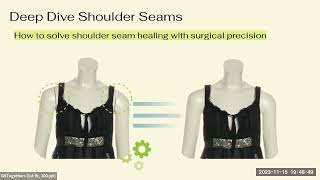
Automatic Photo Retouching with Python - AI-Powered Image Processing Pipeline
Discover how AI and Python revolutionize photo retouching at scale, automating 87% of image processing tasks while maintaining luxury presentation standards and delivering significant cost savings.

Retouching Children's Photos Complete Workflow in Photoshop - Live Replay
Comprehensive Photoshop workflow for retouching children's photos, covering skin softening, eye enhancement, and mood creation while preserving natural innocence.

Мини-курс «Фишки и лайфхаки Photoshop»
Adobe Photoshop — многофункциональный графический редактор. Программа основном работает с растровыми изображениями, но при этом имеет и векторные инструменты. Фотошоп - лидер рынка в области редактирования растровых изображений. В данной серии уроков мы познакомим вас с самыми крутыми фишками, лайфх