Ctrl - Shift - Enter - Excel Array Formulas - Review Formula Basics
Comprehensive tutorial on Excel array formulas, covering formula basics, advanced functions, and practical applications for efficient data analysis and problem-solving.

Excel for Accounting - Formulas, VLOOKUP & INDEX, PivotTables, Recorded Macros, Charts, Keyboards
Master Excel for accounting with advanced formulas, PivotTables, macros, and charts. Learn efficient techniques for data analysis, reporting, and visualization to enhance your financial workflow.
Slaying Excel Dragons - Complete Lessons on Excel Charts
Comprehensive guide to Excel charts: creation, formatting, and advanced techniques. Covers various chart types, data manipulation, and practical applications for effective data visualization.
Cell References in Formulas - Relative, Absolute, Mixed
Master Excel cell references: relative, absolute, and mixed. Learn to create dynamic formulas, use FV function, and build multiplication tables. Enhance your spreadsheet skills for efficient data manipulation.
SUMIFS Function - Adding with Criteria and SUMIF Function
Master Excel's SUMIFS and SUMIF functions with 36 practical examples, covering various criteria, operators, and advanced techniques for efficient data analysis and reporting.
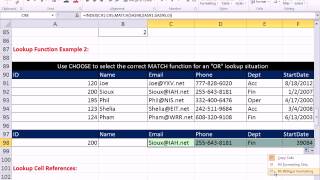
CHOOSE Function - Beginner to Advanced Examples
Master Excel's CHOOSE function with 12 practical examples, from basic text selection to advanced array manipulation for powerful data analysis and formula creation.
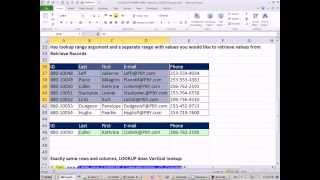
LOOKUP Function Beginner to Advanced 23 Examples - Excel VLOOKUP WEEK Video
Master Excel's LOOKUP function with 23 practical examples, from basic to advanced applications. Enhance your data analysis skills and streamline your spreadsheet workflows.
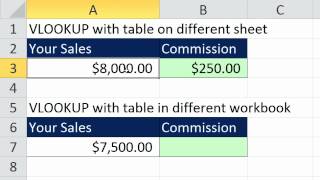
Excel VLOOKUP Function - All You Need to Know
Comprehensive guide to mastering VLOOKUP function in Excel, covering basic to advanced techniques for efficient data lookup and manipulation.
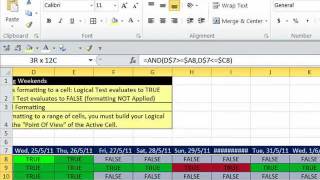
Conditional Formatting Basic to Advanced - 30 Examples
Comprehensive tutorial on Excel's conditional formatting, covering 30 advanced techniques for data visualization, analysis, and highlighting specific information in spreadsheets.
Tour of Excel - Formulas, Formatting, Sort, Filter, PivotTables, Charts, Keyboards
Comprehensive Excel tutorial covering formulas, formatting, data manipulation, PivotTables, and charts. Includes practical examples and keyboard shortcuts for enhanced productivity.
INDEX & MATCH Lookup Functions - Beginning to Advanced
Comprehensive tutorial on INDEX & MATCH functions in Excel, covering 18 advanced techniques from basic lookups to complex array formulas for data extraction and manipulation.
Excel Magic Trick - FREQUENCY Array Function
Comprehensive tutorial on Excel's FREQUENCY function, covering various applications from basic usage to advanced techniques for data analysis and unique item extraction.

Excel Basics - Introduction to Excel - Formatting, Formulas, Cell References, Page Setup
Learn Excel basics: formatting, formulas, cell references, and page setup. Master essential skills for data entry, calculations, and spreadsheet organization in this comprehensive introduction.

Introduction to Power Query & Power Pivot Data Model in Excel 2016
Learn to clean data, create PivotTables, and use Power Query and Power Pivot in Excel 2016. Master data transformation, import large datasets, and build efficient data models for advanced analysis.
COUNTIFS or SUMPRODUCT for Complex Counting Formula - 3 Examples
Learn advanced Excel techniques for complex counting using COUNTIFS and SUMPRODUCT functions, including handling empty cells and combining AND/OR logic in formulas.

Hack Data Model, Date Table & DAX Measures Without Buying Power Pivot
Master advanced Excel techniques: build data models, create DAX measures, and use functions like CALCULATE and TOTALYTD. Learn to optimize PivotTables and implement variables for efficient data analysis.

Excel for Accountants - Power Query & PivotTables to Import & Clean Data and Build Reports
Learn to import, clean, and analyze data using Power Query and PivotTables. Master techniques for efficient data management, creating insightful reports, and optimizing file size in Excel for accounting purposes.
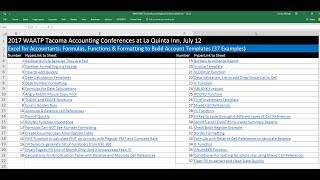
Excel for Accountants - Formulas, Functions & Formatting to Build Account Templates
Master Excel formulas, functions, and formatting to create powerful accounting templates. Learn essential skills for efficient data management and financial analysis.
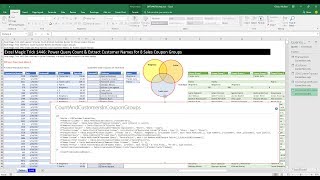
Power Query Count & Extract Customer Names for 8 Sales Coupon Groups
Learn advanced Power Query techniques to analyze customer coupon usage across multiple stores, including counting and extracting customer names for various coupon groups.
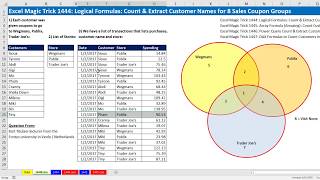
Logical Formulas - Count & Extract Customer Names for 8 Sales Coupon Groups
Learn advanced Excel techniques for analyzing customer coupon usage across multiple stores, including logical formulas, array formulas, and functions like COUNTIFS, AND, OR, and INDEX.
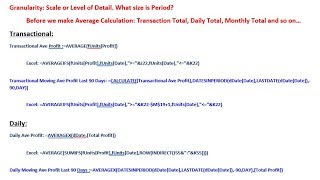
Average, Moving Average at Different Granularity - DAX or Excel Formulas
Learn advanced Excel and DAX techniques for calculating averages and moving averages at different granularities, enhancing your data analysis skills for more accurate financial reporting.