iClone 8 3D Avatar to Unreal Engine 5 - Motion, Facial, and Viseme Animation Transfer Tutorial
Learn to transfer iClone 8 3D avatars with motion, facial expressions, and lip-sync animations to Unreal Engine 5 using iClone Unreal Live Link. Step-by-step guide for creating animation sequences in UE5.
Vroid Studio to iClone - Importing Manga Avatars with Facial Expressions and Lip Sync - Tutorial
Learn to import Vroid manga avatars into iClone 7.93 with full facial expressions and lip sync. Create awesome 3D animations using this step-by-step guide for seamless integration between the two software.
Vroid Studio to iClone 7.9 - Character Import with Facial Animation and Lip Sync Tutorial
Learn to import Vroid Studio manga avatars into iClone 7, enabling facial expressions and lip sync for 3D animation. Step-by-step guide covers essential tools, workflows, and tips for seamless integration.
iClone and Character Creator 3 Animation Pipeline for Unreal Engine 4 and 5
Learn to transfer Character Creator 3 avatars with facial expressions, visemes, and body animations to Unreal Engine 4 & 5 using iClone's iMotionPlus system. Master advanced animation workflows for game development.
Lip Sync and ARKit Facial Mocap Animation Tips and Techniques
Explore advanced facial animation techniques using iClone, including ARKit motion capture, AI-powered lip-sync, and real-time integration with Unreal Engine for creating lifelike character dialogues.
Lip Sync and ARKit Facial Motion Capture Tips and Techniques for iClone 7
Learn advanced facial animation techniques using iClone 7, including ARKit motion capture, AI-powered lip-sync, and real-time integration with Unreal Engine for creating lifelike character dialogues.
The Powerful Facial System for LipSync, Smart Hair, and ARKit Facial Mocap in iClone 7.9
Explore iClone 7.9's enhanced facial animation features, including improved lip sync, ARKit mocap, and a new hair system for creating customized characters with high-quality facial animations.
The Powerful Facial System for LipSync, Smart Hair, and ARKit Facial Mocap in iClone 7.9
Explore iClone 7.9's advanced facial animation features, including enhanced lip sync, ARKit mocap, and improved hair system for creating customized characters with realistic facial expressions.
Headshot Head Generation for iClone Projects
Learn to generate and animate 3D digital humans from a single photo using Headshot, an AI-powered Character Creator plug-in. Explore Auto and Pro modes, troubleshooting techniques, and basic facial animation tools in iClone.
Facial Motion Capture Tips and Techniques for iClone 7
Learn facial motion capture techniques for iClone 7, including setup, capturing, editing, and reusing animations. Explore combining mocap with traditional lip-sync methods for character monologues.
Headshot Head Generation for iClone Projects - AI-Powered Character Creation
Explore AI-powered Headshot plug-in for generating 3D digital humans from photos. Learn auto and pro modes, troubleshooting techniques, and basic facial animation tools in iClone for quick character creation and animation.
Wrinkle Editing for 3D Facial Performance Enhancement
Enhance 3D facial animations with realistic wrinkles using Character Creator 4. Learn to customize, apply, and animate wrinkle maps for more expressive and emotive digital characters.
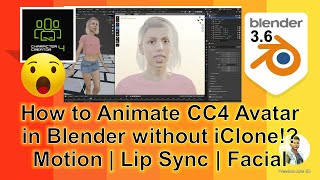
How to Animate CC4 Avatar in Blender - Motion, Lip Sync, and Facial Animation
Learn to animate Character Creator 4 avatars in Blender: retarget body animations, create path constraints, generate lip sync, and more. Master essential techniques for 3D character animation.
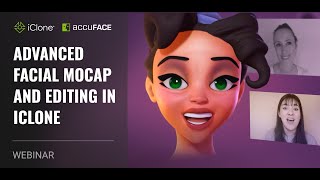
Advanced Facial Motion Capture and Editing in iClone
Explore advanced facial motion capture techniques in iClone, including AccuFace video import, Live Face iPhone capture, and AccuLips lip sync. Learn to refine raw captures and generate complementary facial performances.
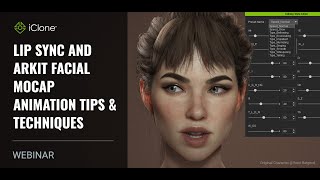
Lip Sync and ARKit Facial Mocap Animation Tips and Techniques
Learn advanced facial animation techniques using iClone8, including ARKit motion capture, AI-powered lip-sync, and real-time integration with Unreal Engine for creating lifelike digital characters.
Creating 3D Animation Using AI - iClone, Character Creator, and Lip Sync
Discover how to create 3D animations in minutes using AI-powered tools for modeling, voice synthesis, and lip-sync. Learn to combine various AI technologies for efficient animation production.
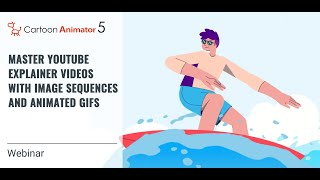
Master YouTube Explainer Videos with Image Sequences and Animated GIFs
Learn to create engaging YouTube explainer videos using animation, graphics, and storytelling techniques. Discover character setup, expression customization, facial puppetry, and lip-syncing to produce captivating content for your audience.
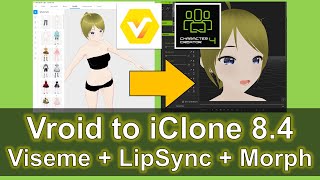
Vroid Studio to iClone 8 and Character Creator 4 - Viseme, Lip Sync, and Morph Animation Tutorial
Learn to import Vroid cartoon avatars into iClone 8 and Character Creator 4, complete with facial morphs and lip sync. Master the workflow for creating and animating manga-style 3D characters.
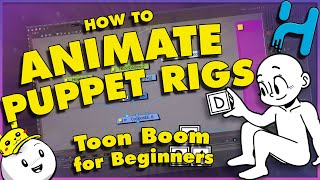
Toon Boom Harmony Rig/Puppet Animation Tutorial - Part 4
Learn advanced puppet animation in Toon Boom Harmony, covering storyboarding, character rigging, keyframing, 3D rotation, motion tweens, facial animation, and video export for a complete animation workflow.
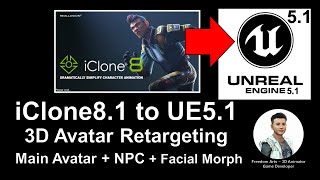
iClone 8.1 Avatar to Unreal Engine 5.1 - Retargeting for Main Avatar and NPC - Full Tutorial
Step-by-step guide for importing and retargeting iClone iAvatar to Unreal Engine 5.1, including facial and lip sync morphs, for use as player avatar or NPC in game projects.
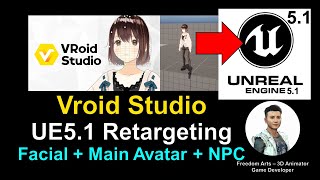
Vroid Studio to Unreal Engine 5.1 - Retargeting, Main Avatar, and NPC Creation Tutorial
Learn to import, retarget, and implement Vroid 3D cartoon avatars in Unreal Engine 5.1, including facial expressions and lip-sync, for use as main characters or NPCs in game projects.