Understanding the Detail Extractor Filter in NIK Collection 5
Explore the Detail Extractor filter in NIK COLOR EFEX PRO to enhance local image details. Learn tips for optimal use through three practical examples.
ON1 Photo RAW 2022 - Exploring Filter Effects Part 1
Explore filter effects in ON1 Photo RAW 2022, including LUT, Glow, Luminosity Mask, Dynamic Contrast, and Blur, with practical demonstrations on various images to enhance your photo editing skills.

New Tips and Techniques for TK8 Plugin in Photoshop - Linear Profiles and Image Editing
New tips and techniques for photo editing using TK8 plugin, including color grading, chromatic aberration correction, and object selection. Includes practice image and linear profile downloads.
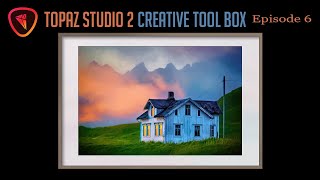
Topaz Studio 2 Creative Toolbox - Episode 7: Smudge and Impression Filters
Explore creative photo editing techniques using Topaz Studio 2, including Photoshop filters, smudge effects, and digital framing for unique and artistic image transformations.
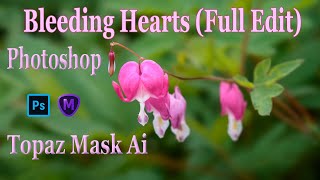
TOPAZ MASK AI and Photoshop: Bleeding Hearts Full Edit Tutorial
Enhance bleeding heart photos using Topaz Mask AI and Photoshop techniques. Learn sharpening, masking, compositing, and painting for stunning floral edits.
TOPAZ STUDIO 2 - Layer Masking 101 - Episode 4
Learn essential layer masking techniques in Topaz Studio 2, including edge wear adjustments, brush masking, dodging, and burning, to enhance your photo editing skills.
Photoshop Tutorial - Color Range Selection Tool
Explore the powerful Color Range Selection Tool in Photoshop to enhance image editing skills, remove color tones, adjust contrast, and create precise masks for professional-looking results.
Re-Discovering Analog Efex Pro 2 - NIK Collection Tutorial
Explore Analog Efex Pro 2's creative filters to transform digital images into unique, vintage-style photographs. Learn to build custom cameras and save presets for efficient editing workflows.
Photo Art Tutorial - Using Photoshop and Topaz Studio 2
Transform photos into art using Photoshop and Topaz Studio 2. Learn techniques like layer masking, texture application, and AI-powered effects to create stunning digital artwork from your photographs.

Topaz Remask AI Tutorial - Masking Techniques for Photo Editing
Learn to use Topaz Remask AI for efficient photo editing. Explore mask modes, background removal, edge recovery, and adjustments in this comprehensive tutorial.

Topaz Studio 2 Tutorial - Using the Edges Filter
Comprehensive tutorial on using the Edges Filter in Topaz Studio 2, covering its functionality and practical application through step-by-step demonstrations and real-world examples.

Topaz Studio 2 Tutorial - The Channel Mixer Filter
Explore the Channel Mixer filter in Topaz Studio 2 to enhance your photo editing skills. Learn techniques for adjusting color channels and creating monochrome images with real-world examples.
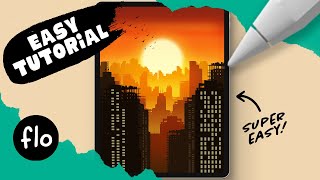
Draw This Sunset City Skyline in Procreate
Learn to create a stunning sunset city skyline in Procreate with step-by-step guidance. Master digital drawing techniques like gradients, layering, and detailing to bring your urban landscape to life.
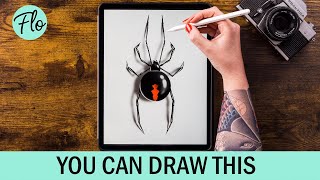
Draw a Spider in Procreate
Step-by-step tutorial for drawing a realistic spider in Procreate, covering body structure, leg details, highlights, patterns, and shadow effects to create a lifelike digital illustration.
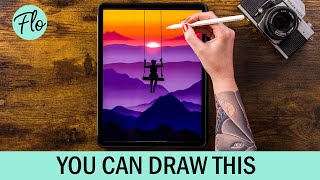
Draw This Sunset Landscape in Procreate
Step-by-step tutorial for creating a stunning sunset landscape in Procreate, covering techniques from basic mountains to adding mist and clouds for a realistic digital artwork.
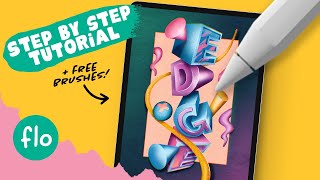
Create Amazing 3D Text in Procreate - Step by Step Procreate Tutorial
Learn to create stunning 3D text in Procreate with step-by-step guidance. Master techniques like alpha lock, layer clipping, blur effects, and chromatic aberration to design eye-catching digital illustrations.

Master Filters - Photoshop for Beginners
Explore essential Photoshop filters, from simple blurs to complex effects. Learn practical applications, overcome common issues, and discover powerful third-party plugins to enhance your editing skills.
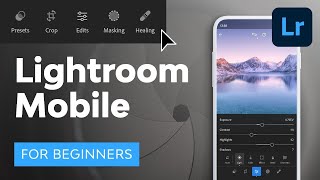
Lightroom Mobile Tutorial for Beginners
Master Lightroom Mobile: shoot RAW, edit on-the-go, create presets, and share high-quality images directly from your phone or tablet. Learn essential techniques for professional mobile photography.
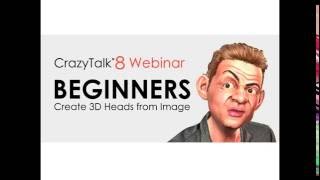
Quickly Create a 3D Head from One Image - CrazyTalk 8 Tutorial
Learn to create realistic 3D heads from single images using CrazyTalk 8's face fitting technology. Master tools, techniques, and tips for optimal results, including texture blending, morphing, and character customization.
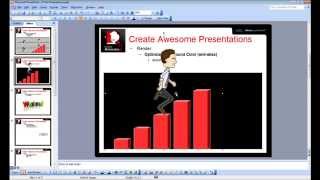
CrazyTalk Animator 2 Tutorial - Capture PNG and AniGIF for PowerPoint-Keynote
Learn to capture and export transparent PNGs and animated GIFs in CrazyTalk Animator 2 for use in presentations. Covers Windows and Mac environments, export range adjustment, and image quality optimization.

RIOT - Full Tutorial and Breakdown - Adobe After Effects, Photoshop, Blender
Comprehensive tutorial on advanced video editing techniques used in A$AP Rocky's "RIOT" music video, covering masking, 3D effects, transitions, and AI-powered tools in After Effects, Photoshop, and Blender.