Photoshop Beta - Discover the New Remove Tool
Explore Photoshop Beta's new Remove Tool, offering advanced object removal capabilities. Learn tips and tricks for optimal results in this hands-on tutorial.

TOPAZ MASK AI - New Update V1.2.0 First Look
Explore the latest Mask Ai update with a first-look tutorial, showcasing new features and improvements for efficient image editing and masking techniques.
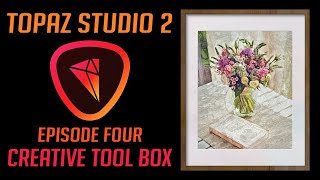
Topaz Studio 2: Creative Tool Box - Episode 4
Explore the Creative Tool Box in Topaz Studio 2, enhancing your photo editing skills with advanced techniques and tools for stunning visual results.
Mastering Topaz Mask AI - Advanced Techniques for Photo Editing
Discover advanced techniques for Topaz Mask AI, enhancing your photo editing skills with expert guidance on masking, sky replacement, and more.
Luminar 4 Tutorial - Creative Edits and Topaz Mask AI - Episode 6
Learn advanced creative editing techniques in Luminar 4, including a bonus tutorial on Topaz Mask AI. Enhance your photo editing skills with professional tools and achieve stunning results.
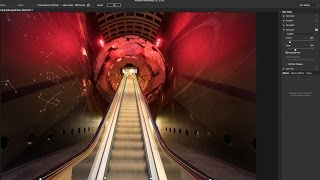
Using Path Blur Filter in Photoshop to Create Dynamic Photos
Learn to create dynamic motion effects in photos using Photoshop's Path Blur filter. Master techniques for realistic movement, exposure blending, and artifact removal to enhance your visual storytelling.

Adobe Photoshop CC - Beginner to Advanced Training Course
Comprehensive Adobe Photoshop CC tutorial covering essential tools, techniques, and advanced features. Learn to create, edit, and manipulate images from beginner to expert level.
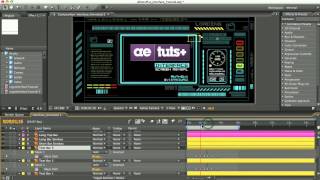
Glitchy Display Tutorial
Create a glitchy display effect using After Effects, exploring techniques for distortion, displacement, and color manipulation to achieve a unique visual style.
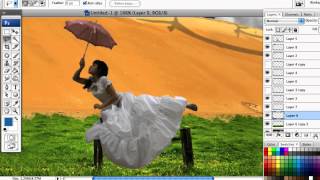
How to Create a Dark Surreal Illustration in Photoshop
Create a dark surreal illustration using Photoshop techniques. Learn to combine images, apply color settings, and add finishing touches for a polished, atmospheric artwork.
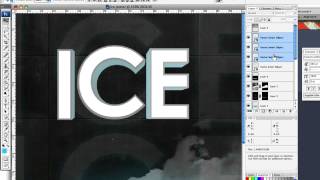
How to Create an Ice-cold Poster with 3D Text
Create an eye-catching poster combining 3D text and stock images with an icy theme. Learn effective techniques for text placement, color manipulation, and image blending to achieve a striking visual impact.
How to Simulate Fractals in Photoshop
Create stylized fractal designs using Photoshop techniques, exploring repeating shapes and swirling patterns to produce visually stunning images without complex mathematics.
Create an Intense Movie Poster in Photoshop - Envato Tuts+ Tutorial
Learn to design a captivating movie poster for a thriller, mastering advanced Photoshop techniques to convey suspense and drama through visual storytelling.
How to Design an Elvis Movie Poster in Photoshop
Learn to create a stunning Elvis-inspired movie poster using Photoshop. Master techniques for background setup, bling effects, and poster composition to craft a visually striking tribute to the King of Rock and Roll.
Adobe Firefly Image 2 Beta: First Look and Tips
Explore Adobe Firefly Image 2 beta's capabilities and learn valuable tips for enhancing your image editing workflow with this innovative AI-powered tool.

Spin Anything in Photoshop with This Simple Hack
Learn a simple technique to create realistic spinning effects for any object in Photoshop, enhancing your photo manipulation skills and adding dynamic motion to your designs.
Adobe InDesign CC Fundamentals - 2-Hour Tutorial for Beginners
Comprehensive tutorial on Adobe InDesign CC basics, covering workspace navigation, document creation, image placement, text manipulation, shape tools, and layer management for beginners.

Glass Effect in Photoshop - Ripley Poster Tutorial
Create a Netflix-inspired "Ripley" poster using Photoshop's glass effect, while mastering selections, masks, and color adjustments in this hands-on tutorial.

How to Create a Xerox Poster Effect in Photoshop
Learn to recreate a vintage xerox copy effect for character posters using Photoshop's Hard Mix blend mode and Knockout feature. Master smart-object based masks for unique, professional designs.
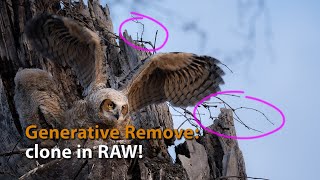
Generative Remove in Lightroom and ACR - Advanced Cloning for RAW Files
Explore advanced cloning techniques using Generative Remove in Lightroom/ACR for non-destructive RAW file editing, enhancing your photo manipulation skills.

Removing Complex Objects in Photoshop - Advanced Techniques
Master advanced Photoshop techniques to remove complex objects like fences, combining Content-Aware Fill, Generative Fill, and Remove Tool for high-quality results in photo editing.

Converting Photos to Art in Photoshop Using Generative AI - New Features and Techniques
Explore Photoshop's new AI-powered features for transforming photos into art, including Generative Fill and Selection Brush. Learn techniques for partial effects and advanced methods.