
Topaz Studio 2 - The Impression Filter Tutorial
Transform photos into digital art with the Impression Filter in Topaz Studio 2. Learn techniques inspired by Bob Ross to create expressive, painterly effects and unleash your creativity.

The Good, the Bad & the Ugly of Midjourney Inpainting
Explore Midjourney's new "Vary (Region)" feature: its strengths in object manipulation and facial adjustments, limitations in character replacement, and potential for creative image editing.
Non-Destructive Image Editing and the Power of Photoshop - Software Showcase
Explore non-destructive image editing in Photoshop, from finding free stock photos to using AI-driven tools and adjustment layers for powerful, flexible image manipulation.

Midjourney Tutorial - How to Get Started in 2023
Learn to use Midjourney AI for creating stunning art. Master basic features, prompts, image manipulation, and advanced techniques to unlock your creative potential with this powerful AI tool.
Having Fun with Style Transfer: A Photoshop Neural Filter Tutorial - 6 Examples
Explore Photoshop's Style Transfer Neural Filter through 6 diverse examples, unlocking creative potential and transforming images with AI-powered artistic styles.
Minimalistic Sail Boat Painting with Topaz Studio 2 - Creative Tool Box Episode 43
Learn to create a minimalistic sailboat painting using Topaz Studio 2. Master filters and settings to transform a stock image into a stunning artistic piece with a unique, impressionistic style.
Topaz Studio 2 Creative Toolbox - Impression, HSL Color, and Precision Detail Filters
Learn to enhance images using Topaz Studio 2 as a Photoshop plugin. Master Impression, HSL Color, and Precision Detail filters, along with layer masking techniques for stunning visual effects.
Topaz Studio 2 Tutorial - Creative Toolbox for Photo Art
Explore photo art creation using Topaz Studio 2 as a Photoshop plugin. Learn techniques for transforming images into unique artistic pieces with the "Creative Toolbox" approach.
Photoshop and Topaz Studio 2 Tutorial - Creating Cascading Water Photo Art
Transform drab images into vibrant photo art using Photoshop and Topaz plugins. Learn techniques to enhance flat lighting and add creative, artistic effects to breathe new life into your photographs.
Topaz Studio 2 Tutorial - The Abstraction Filter
Explore the Abstraction Filter in Topaz Studio 2 to create stylistic, painterly effects. Learn techniques for simplifying images and achieving unique artistic results across various subjects.
Digital Art Creation Using DXO PhotoLab 4, NIK Collection, and Topaz Studio 2
Explore digital art creation using powerful photo editing tools, enhancing images with advanced techniques and creative effects for stunning visual results.
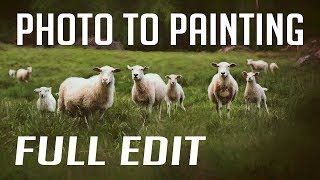
Photo to Painting Photoshop Tutorial
Transform photos into stunning paintings using Photoshop and Topaz plugins. Learn techniques to create artistic masterpieces from your images in this step-by-step tutorial.
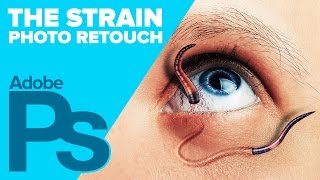
Creating The STRAIN Photo Retouch Effect in Photoshop
Learn to create a striking photo effect inspired by "The Strain" poster using Photoshop techniques like Puppet Warp, Layer Styles, and Filters. Master advanced image manipulation for eye-catching designs.

Creating a Sci-Fi Composite with Generative Fill in Photoshop
Learn to create a sci-fi composite using Photoshop's Generative Fill, silhouette brushes, and advanced techniques for glows and Saturn rings. Master digital art skills for stunning alien landscapes.

Barbie Movie Poster Photoshop Tutorial
Learn to recreate Barbie movie character posters using Photoshop. Master selections, gradients, fibers, and noise techniques while creating eye-catching designs quickly and efficiently.

Family Marvel Poster Compositing Tutorial
Learn to create a personalized Marvel-inspired family poster using Photoshop, from theme selection and photoshoot to compositing techniques and adding Easter eggs.

How to Create an Animal-Human Hybrid Portrait in Photoshop
Learn to seamlessly blend animal and human features in Photoshop, mastering selection, masks, paths, channels, blending, color matching, and sharpening for stunning hybrid portraits.

Wood God Photoshop Composite Tutorial
Learn to create a sci-fi wood god composite in Photoshop, mastering distort effects, image blending, and halo creation. Perfect for enhancing photo manipulation skills and unleashing creativity in digital art.
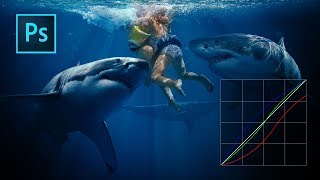
Color Grading with Curves in Photoshop
Master artistic color grading in Photoshop using curves. Learn to edit RGB curves separately, creating three distinct color grades with a single adjustment layer in this hands-on tutorial.
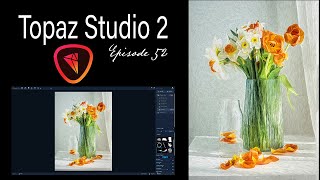
Topaz Studio 2 Creative Toolbox - Painterly Flower Effects - Episode 52
Learn to create painterly photo art using Topaz Studio 2. Master techniques for transforming images, saving custom effects, and applying them to various photos. Enhance your digital art skills with this practical tutorial.
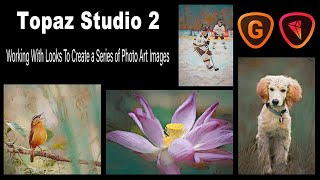
Topaz Studio 2 - Creating Photo Art Series with LOOKS and Upsizing with GigaPixel AI
Learn to create consistent photo art using Topaz Studio 2's LOOKS feature, explore stock image usage, and upsize images for large prints with GigaPixel AI. Enhance your digital art skills and maximize your creative potential.