CSS Background Images and Responsive Image Properties for Beginners
Learn CSS background images and responsive image properties to create visually appealing web designs with properly sized images, effective backgrounds, and standout text content.
CSS Grid Intro and Basic Layout Tutorial for Beginners
Learn CSS Grid basics and create layouts with properties like grid-template-columns, grid-auto-rows, and grid-template-areas. Hands-on practice building a responsive grid layout for web pages.
Intro to CSS Flexbox - Flex CSS Tutorial for Beginners
Comprehensive introduction to CSS Flexbox, covering key properties and concepts with practical examples. Ideal for beginners looking to master flexible layouts in web design.
CSS Position Property Tutorial for Beginners - Absolute, Relative, Fixed, Sticky
Learn CSS positioning with hands-on examples. Covers static, absolute, relative, fixed, and sticky positions. Includes mini-project and accessibility considerations for web layout mastery.
CSS Columns Tutorial for Beginners - Multicolumns Without Grid or Flexbox
Learn to create multi-column layouts using CSS without grid or flexbox. Covers column properties, rules, gaps, breaks, and spans. Ideal for beginners seeking to enhance their web design skills.
How to Make a Navbar Sidebar Menu Youtube Clone Using HTML, CSS, and Javascript - Vertical Navigation
Create a vertical navigation sidebar menu with toggle functionality using HTML, CSS, and JavaScript, featuring icons and a YouTube-inspired design.
Build a Better Responsive Admin Dashboard UI - HTML, CSS, JavaScript
Learn to build a responsive admin dashboard UI with collapsible sidebar, icons, and dark mode toggle using HTML, CSS, and JavaScript. Gain practical skills in creating common web interfaces.
Portfolio Website for Developers and Designers - HTML CSS JS Portfolio
Learn to create a responsive parallax portfolio website using HTML, CSS, and JavaScript. Master design techniques, animations, and deployment for an impressive online showcase.
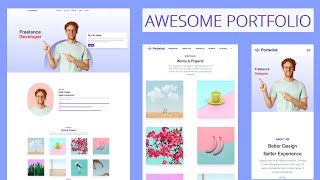
Portfolio Website with Tailwind CSS - Tailwind Tutorial for Beginners
Learn to create a responsive portfolio website using Tailwind CSS, covering installation, design elements, dark mode, and deployment in this comprehensive beginner-friendly tutorial.
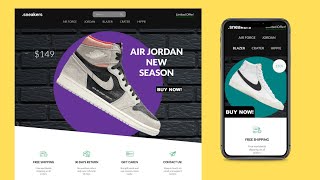
HTML CSS JavaScript E-Commerce Website Tutorial for Beginners
Learn to build and deploy a responsive e-commerce website using HTML, CSS, and JavaScript. Covers navbar, slider, product sections, modals, gallery, footer, and responsive design.
React Blog Website Design Tutorial - React UI Full Course for Beginners
Learn to build a React blog website from scratch, covering UI design, components, and React Router Dom for a fully functional and responsive application.
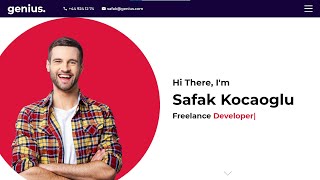
Responsive React Portfolio Website Tutorial
Comprehensive tutorial on building a responsive React portfolio website, covering components, hooks, animations, and design techniques for beginners.
Responsive Multicolor Sidebar Menu - HTML, CSS, Pure JS
Create a responsive multicolor sidebar menu using HTML, CSS, and JavaScript. Learn animations, styling, and dark mode implementation for an interactive website navigation.
Create a Movie Website - HTML, CSS & Javascript
Build a Netflix-like movie website using HTML, CSS, and JavaScript, featuring responsive design, dark mode, and interactive sliders.

Vuetify Tutorial - Build an Online Store - Full Course
Build a professional-looking online store using Vuetify, a popular UI library for Vue.js. Learn key concepts and components while creating a functional webshop in this hands-on tutorial.
Masonry Layout with CSS Only
Learn to create Masonry layouts using CSS, including basic implementation, spans, align-tracks, and fallback options. Discover techniques for robust designs and stay updated on emerging CSS features.

Animated Glitch Text Effect With CSS Only
Create an animated glitch text effect using CSS, exploring text-shadows, keyframes, and clip-path. Learn to implement accessibility features for users who prefer reduced motion.
Setting Up Font Awesome Icons as Pseudo-Elements
Learn to efficiently use Font Awesome icons as pseudo-elements in web design, enhancing decorative elements without cluttering HTML. Explore different approaches and practical applications.
Lazy Loading Is Too Easy Now
Explore native browser lazy loading for improved website performance. Learn implementation techniques, content jumping prevention, and advantages over traditional methods.

Container Queries Are Possible
Discover a clever CSS trick to replicate container queries using flex properties, enabling responsive layouts without media queries. Learn to implement this powerful technique for more flexible web design.
Custom Select Menu - CSS Only
Learn to create a stylish custom select menu using only CSS, with techniques for customizing appearance and behavior without JavaScript.