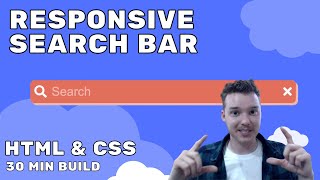
Build a Responsive Search Bar - HTML & CSS
Learn to create a responsive search bar using HTML and CSS, covering layout techniques, icon integration, and styling for a polished user interface.
Flutter Crash Course for Beginners - Build a Flutter App with Google's Flutter & Dart
Learn to build iOS and Android apps with Flutter and Dart. Covers setup, widgets, state management, and app development from scratch. Ideal for beginners seeking hands-on experience in cross-platform mobile development.

Bootstrap 4 Forms & Buttons - Bootstrap 4 Tutorial
Learn to create and style forms and buttons using Bootstrap 4 classes, enhancing web page functionality and appearance with ease.
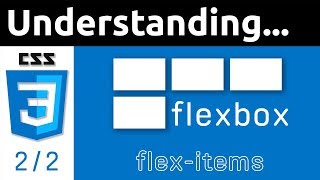
CSS Flexbox Tutorial - Flex Items - Part 2
Learn to customize individual flex items with properties like order, flex-flow, align-self, and flex-grow. Master advanced flexbox techniques for precise control over layout and responsiveness.

CSS Positioning Tutorial for Beginners
Learn CSS positioning techniques to control element layout, including absolute, relative, and fixed positioning for creating dynamic and responsive designs.
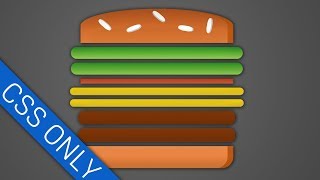
CSS - Burger Builder - Tutorial
Create a visually appealing burger using CSS techniques, focusing on ingredient styling and layout for a React-based Burger Builder application.
Multi Level Navigation Menu With HTML & CSS Only - Responsive Dropdown Navbar Menu
Learn to create a responsive, accessible multi-level navigation menu using only HTML and CSS. Covers dropdown functionality, mega menu features, and screen reader compatibility.
How to Create a Simple Search Box with HTML and CSS - Responsive Search Bar Tutorial
Step-by-step tutorial on creating a responsive search bar using HTML and CSS, covering form creation, styling, icon integration, and flexbox positioning for web developers.
CSS Text and Fonts Tutorial for Beginners - Typography
Learn essential CSS typography techniques for beginners, covering font properties, text styling, and layout. Enhance your web design skills with practical examples and expert guidance.
CSS Box Model Tutorial for Beginners
Learn CSS box model layers, box sizing, and practical applications. Explore margins, padding, borders, and outlines to create visually appealing layouts and even circular elements.

CSS Units & Sizes Tutorial for Beginners
Learn about common CSS units like px, rem, em, ch, vw, vh, and % for setting sizes in web pages. Understand when to use absolute vs relative units and explore viewport units for responsive design.

HTML Full Course for Beginners - Complete All-in-One Tutorial
Comprehensive HTML5 tutorial covering essential concepts, from basic structure to advanced features like semantic tags, tables, and forms, with hands-on project experience.
CSS Selectors Tutorial for Beginners
Learn CSS selectors, cascade, specificity, and inheritance. Understand element, class, ID, group, nested, and universal selectors. Practice with dev tools and explore inheritance concepts.

HTML5 Website Project for Beginners - First HTML Project Tutorial
Build a complete HTML5 website from scratch, covering navigation, images, page structure, and essential sections like About, Menu, and Contact Us. Practical tutorial for beginners.
HTML Forms and Inputs - HTML5 Tutorial for Beginners
Learn to create interactive web pages with HTML forms and inputs, covering various input types, form elements, and best practices for building user-friendly interfaces.
Semantic HTML Tags - HTML5 Semantic Elements Tutorial
Comprehensive tutorial on using semantic HTML5 elements to improve webpage structure, accessibility, and SEO. Covers key tags, best practices, and tools for effective implementation.
How to Insert Images in HTML - An HTML5 Image Tutorial
Learn to insert and optimize images in HTML5, including img attributes, figure elements, and best practices for web performance and accessibility.

How to Add Links in HTML Code - HTML5 Linking Tutorial
Learn to create various types of hyperlinks in HTML5, including external links, internal page navigation, and special links for downloads, email, and phone numbers. Master anchor elements and best practices.
HTML Tag Text Basics - HTML5 Element Text Tutorial
Learn essential HTML text elements, including headings, paragraphs, and semantic tags. Explore formatting, whitespace, and comments for effective web content structuring.
Introduction to HTML - An HTML5 Tutorial for Beginners
Learn HTML5 basics, create web pages, and set up a development environment with tools like VS Code and Chrome. Validate your code and understand essential HTML elements and structure.
Tailwind CSS Full Course for Beginners - Complete All-in-One Tutorial
Comprehensive tutorial on Tailwind CSS, covering setup, project components, animations, and deployment. Ideal for beginners looking to enhance their web development skills.