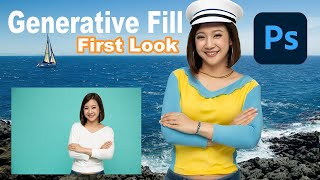
Embrace the Future - Discover Photoshop Beta's Groundbreaking Generative Fill Feature
Explore PHOTOSHOP Beta's revolutionary Generative Fill feature, a mind-blowing AI-powered tool that transforms image editing with unprecedented ease and creativity.
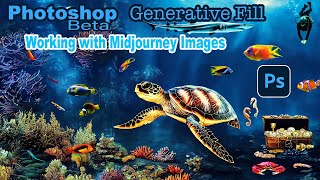
Photoshop Beta Generative Fill - Working With Midjourney Images
Explore PHOTOSHOP Beta's GENERATIVE Fill to enhance Midjourney images. Learn resolution maximization, creative augmentation, and techniques applicable to photographs for improved visual storytelling.

Photoshop Generative Fill - Epic Uses, Superfast
Discover 20 innovative uses of Photoshop's Generative Fill, from expanding images and removing distractions to creating impossible scenarios, in this comprehensive guide to AI-powered photo editing.

Secret Tips for Generative Fill in Photoshop
Discover advanced techniques for Photoshop's Generative Fill tool, including layer blending, context enhancement, depth of field creation, intensity adjustment, and seamless pattern generation.
Reasons Why Generative Fill Will Not Replace You - Photoshop
Explores limitations of Photoshop's Generative Fill, discussing resolution, precision, inconsistency, legal issues, and edge quality. Emphasizes continued relevance of traditional editing techniques for creative professionals.
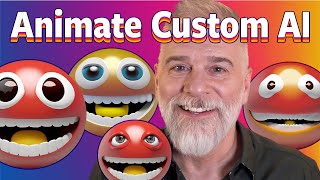
Animate Your Own Custom A.I. Emoji
Learn to create and animate custom AI-generated emojis using Adobe Firefly and Photoshop's Timeline panel. Master techniques for smooth looping, masking, and enhancing with generative AI tools.
Outsmarting Generative Fill, One Tiny Step at a Time
Discover a foolproof technique to enhance Photoshop's Generative Fill resolution. Learn to work in 1MP blocks, create seamless patterns, and maximize AI-generated image quality.
Image GPT- Generative Pretraining from Pixels - Paper Explained
Exploring generative pretraining for image processing, adapting NLP techniques to visual tasks. Discusses model architecture, experiments, and potential applications in computer vision.
Photoshop Beta: Photo to Art Workflow and New Action - Part 2
Discover a new workflow for transforming photos into art using Photoshop Beta, featuring a free action to streamline the process. Learn techniques for generating vector and layered paper art.

Creating a Sci-Fi Composite with Generative Fill in Photoshop
Learn to create a sci-fi composite using Photoshop's Generative Fill, silhouette brushes, and advanced techniques for glows and Saturn rings. Master digital art skills for stunning alien landscapes.

Controlling Generative Fill in Photoshop - Watercolor Tutorial
Learn to create watercolor paintings from photos using Photoshop's Generative Fill, exploring intensity control and the quickmask tool for stunning digital art transformations.

Master Generative AI with Adobe Firefly - Image Generation Made Easy
Explore Adobe Firefly's powerful generative AI capabilities for effortless image creation. Learn techniques to produce stunning visuals and enhance your creative workflow.
Mastering Infinite Sequences in Photoshop - Creating Dynamic Transformation Series
Learn to create dynamic infinite transformation sequences in Photoshop, power-duplicate layers, and make automatic updates. Master techniques for scaling, positioning, masking, and using Generative Fill for stunning visual effects.

Using the Render Tree Filter in Photoshop - Tutorial
Learn to master Photoshop's Render Tree Filter, overcome its limitations, and create stunning composites using photos, generative fill, and various tools like curves, hue/saturation, and pattern overlay.
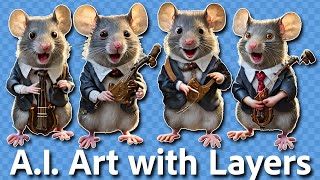
Separating AI-Generated Images into Layers Using Photoshop
Learn techniques to separate AI-generated images into editable layers in Photoshop, enhancing flexibility and control over individual elements for improved image manipulation and refinement.

Generative Fill Magic: Creating an Invisible Person Effect in Photoshop
Learn to create an invisible person effect using Photoshop's Generative Fill, selection tools, and painting techniques. Explore advanced features like the pen tool and patterns.
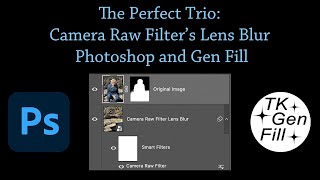
The Perfect Trio: Camera Raw Filter's Lens Blur, Photoshop and Generative Fill
Enhance photos using Camera Raw's Lens Blur, Photoshop, and Gen Fill. Learn to combine these tools for improved image quality, realistic blur effects, and seamless object removal.

High-Resolution Generative Fill and Updates for PiXimperfect Photoshop Plugin
Explore new features in PiXimperfect's Photoshop plugin, including unlimited resolution Gen-Fill, improved navigation, smarter functions, and enhanced compositing tools for faster and easier image editing.

Firefly Image 3 in Photoshop Beta - Exploring Generative AI Advancements
Explore Adobe Firefly Image 3 in Photoshop Beta: Discover practical and innovative features of this generative AI update, revolutionizing image editing workflows.
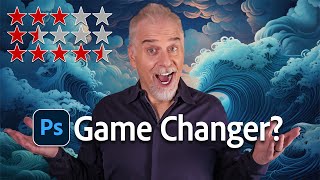
Ranking and Review of New Features in Photoshop Beta 25.9
Comprehensive review and rating of seven new features in Photoshop Beta 25.9, including generative fill, enhance detail, and adjustment brush, with practical demonstrations.

How to Remove Glare from Glasses Using Photoshop
Learn techniques to remove glare from glasses in Photoshop, from beginner to advanced levels. Master tools like Remove Tool, Generative Fill, and Curves to enhance your photo retouching skills.