
Adding Lightning Effects with Photoshop and Optics
Learn to enhance scenes with realistic lightning effects using Optics filters and integrate them seamlessly into Photoshop composites. Master advanced techniques for creating dramatic, cinematic imagery.

Maleficent-Inspired Composite Tutorial - Photoshop and Optics by Boris FX
Learn to create a Maleficent-inspired composite using Photoshop and Optics plugin. Master compositing techniques, atmosphere addition, depth enhancement, and color grading in this comprehensive tutorial.

Harry Potter Patronus Effect in Photoshop - Tutorial
Learn to create a magical Harry Potter-inspired Patronus effect in Photoshop using advanced techniques for compositing, color grading, lighting, and lettering. Master atmospheric effects to enhance your digital art skills.

Setting Up Your Workspace in Photoshop CC 2020
Learn to customize Photoshop CC 2020's workspace for efficient compositing and retouching, covering interface elements, essential shortcuts, and personal setup tips.

Add Color to Preset Brushes in Photoshop - Compositing and Enhancement Techniques
Learn to add color to preset brushes in Photoshop, along with techniques for compositing, background replacement, color matching, and vignette creation. Enhance your photo editing skills with practical effects.

How to Blend Two Images Creatively in Photoshop - Water in Pavement Effect
Learn creative image blending techniques in Photoshop, including the popular "water in pavement" effect. Master photo manipulation and compositing skills to create dramatic and eye-catching visuals.

Gone Girl Movie Poster Recreation - Photoshop Tutorial
Learn to recreate the Gone Girl movie poster using Photoshop techniques like file setup, guide layouts, gradient backgrounds, layer blending, masking, and custom brushes in this comprehensive design tutorial.
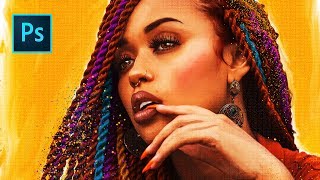
She's Gotta Have It Poster Tutorial - Photo to Faux Oil Painting in Photoshop
Learn to transform a photo into a faux oil painting using Photoshop techniques like selection, quick masks, color manipulation, compositing, and digital painting. Ideal for intermediate users seeking advanced skills.
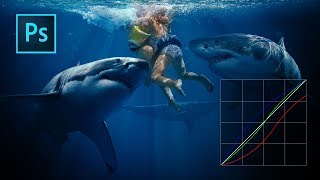
Color Grading with Curves in Photoshop
Master artistic color grading in Photoshop using curves. Learn to edit RGB curves separately, creating three distinct color grades with a single adjustment layer in this hands-on tutorial.
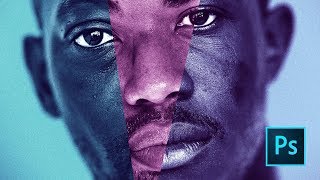
Moonlight Movie Poster Photoshop Tutorial
Learn to recreate the Moonlight movie poster using advanced Photoshop techniques like gradient maps, liquify tool, and blur gallery. Master compositing skills applicable to various design projects.
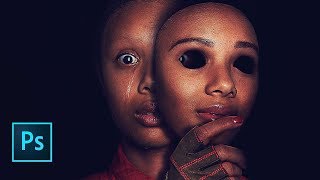
Us Movie Poster Photoshop Tutorial
Learn to recreate the "Us" movie poster using advanced Photoshop techniques. Master compositing, recoloring, masking, and various tools to achieve professional-level results in this comprehensive tutorial.
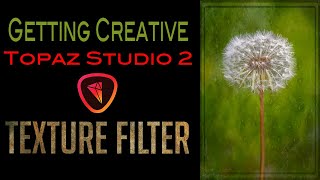
Topaz Studio 2 - Getting Creative with Texture Filter
Explore creative texture effects in Topaz Studio 2 with expert guidance, enhancing your photo editing skills and unleashing artistic potential.
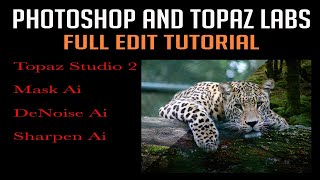
Photoshop and Topaz Labs Full Edit Tutorial
Comprehensive tutorial on enhancing photos using Photoshop and Topaz Labs plugins, covering noise reduction, sharpening, and advanced editing techniques for stunning results.
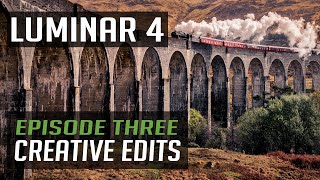
Luminar 4 Tutorial - Creative Edits - Episode 3
Explore creative photo editing techniques in Luminar 4, focusing on enhancing images with unique effects and transformations for stunning visual results.
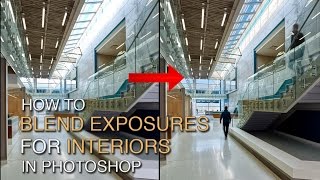
How to Blend Exposures for Interiors in Photoshop Using Luminosity Masks
Learn advanced Photoshop techniques for blending interior and exterior exposures using luminosity masks. Master BlendIf masking and painting through luminosity selections to achieve stunning results in architectural photography.

How to Edit Videos on iPhone & iPad with iMovie - 2023
Comprehensive guide to video editing on iOS devices using iMovie, covering essential techniques from project creation to exporting, with tips for enhancing visual and audio elements.
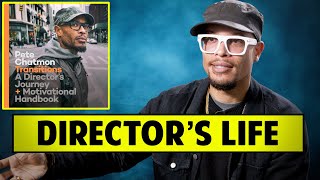
A Director's Journey and Motivational Guide for Beginners
Comprehensive interview exploring Pete Chatmon's directing journey, offering invaluable insights on filmmaking, career development, and industry success for aspiring directors and film professionals.
How a Star Is Born - From Music to Film Production
Heather Parry discusses producing successful music-based films, including "A Star is Born," and explores the synergy between music and film in this insightful fireside chat.
Z Pass Tutorial in Blender - Outputting and Using Depth Information
Aprenda a exportar e utilizar o Z-pass no Blender para composição, incluindo pixelização, salvamento de múltiplos passes e uso no Photoshop.
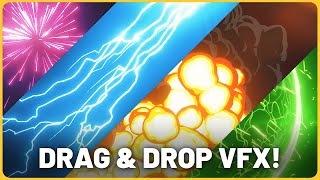
New Asset Pack for Easy VFX in Blender - Tutorial
Explore Blender's new Asset Pack for effortless VFX creation. Learn to craft stunning effects from particle systems to explosions, streamlining your workflow for both beginners and experienced artists.
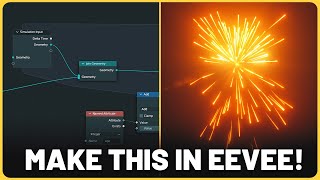
Blender 3.6 Simulation Nodes for VFX - New Powerful Feature
Explore Blender 3.6's new Simulation Nodes feature for enhanced VFX capabilities. Learn to create dynamic, realistic simulations for fluid dynamics, cloth, and particle systems in your 3D projects.