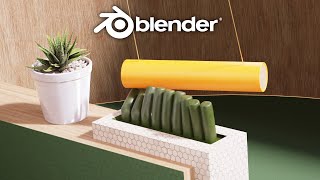
Stunning MoGraph Loop in Blender - Part 1
Create a captivating motion graphics animation loop in Blender, focusing on hexagonal concrete paving and plywood textures. Learn essential techniques for designing visually appealing and satisfying 3D animations.
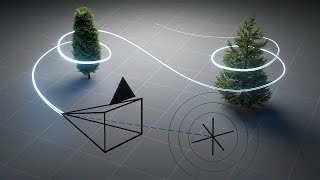
Animating Hyperrealistic FPV Drone Footage in Blender
Learn to create hyperrealistic FPV drone footage in Blender using physics simulation, advanced compositing techniques, and post-processing effects for a vintage digital camera look.
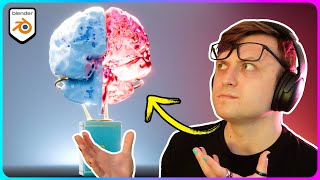
Creating 3D Art from Brain Scans Using Blender
Learn to transform a brain scan into stunning 3D art using Blender. Explore techniques for cleaning, rendering, material work, and adding intricate details to create a unique and visually striking piece.
Music is My Medicine - Pursuing Passion and Finding Healing Through Sound
Inspiring journey of pursuing passion in music, showcasing how following one's dreams can lead to success and fulfillment. Encourages embracing inner voice and taking chances.
DaVinci Resolve 18 - Complete Tutorial for Beginners
Comprehensive guide to video editing with DaVinci Resolve 18. Learn interface navigation, importing, trimming, effects, audio editing, color grading, and exporting for professional-quality results.
Turbo Tools - Blender Tutorial
Accelerate your Blender workflow with Turbo Tools. Learn real-time compositing, caching, automation, and efficient file output management to dramatically speed up your 3D projects.
TK8 Color Grading Tool - Getting Creative with Photoshop Plugin
Unleash creativity with TK8 Color Grading Tool for Photoshop. Learn techniques for enhancing color and black-and-white images, exploring innovative approaches to image manipulation and color adjustment.
TK8 Plugin for Photoshop - First Look and Favorite New Features
Explore the latest features of TK8 Plugin for Photoshop, including color grading, luminosity masks, and color sketching techniques for enhanced photo editing.
Photoshop Color Grading: Getting Creative with Gradient Maps
Explore creative color grading techniques using gradient maps in Photoshop. Learn to enhance and transform your images with unique color effects and mood-setting adjustments.
Topaz Studio 2 Tutorial - Texture Filter
Explore the Texture Filter in Topaz Studio 2 to enhance your images with creative textures. Learn techniques for adding depth and visual interest to your photographs through this powerful editing tool.

3D Camera Tracking in AE and Cinema 4D
Learn to create dynamic 3D scenes by combining Cinema 4D and After Effects. Master camera tracking, particle systems, and compositing techniques to bring your CG elements to life in live-action footage.
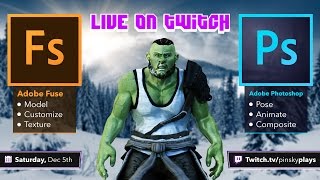
Adobe Fuse and Photoshop Integration - 3D Character Creation and Animation
Explore Adobe Fuse and Photoshop CC integration: customize 3D characters, texture, pose, animate, and composite. Learn to create and manipulate 3D models for graphic design projects.
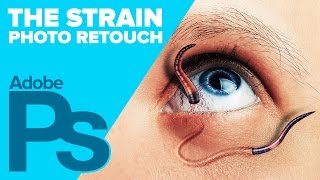
Creating The STRAIN Photo Retouch Effect in Photoshop
Learn to create a striking photo effect inspired by "The Strain" poster using Photoshop techniques like Puppet Warp, Layer Styles, and Filters. Master advanced image manipulation for eye-catching designs.
Photoshop 101 - Basics for Beginners
Learn essential Photoshop skills in 50 minutes. Covers fundamental tools, techniques, and features for beginners to start editing images and creating designs effectively.
Photoshop 101 - Part 2
Learn essential Photoshop techniques in this concise tutorial. Master key tools and features to enhance your graphic design and photo editing skills.

Creating a Sci-Fi Composite with Generative Fill in Photoshop
Learn to create a sci-fi composite using Photoshop's Generative Fill, silhouette brushes, and advanced techniques for glows and Saturn rings. Master digital art skills for stunning alien landscapes.

Controlling Generative Fill in Photoshop - Watercolor Tutorial
Learn to create watercolor paintings from photos using Photoshop's Generative Fill, exploring intensity control and the quickmask tool for stunning digital art transformations.

Family Marvel Poster Compositing Tutorial
Learn to create a personalized Marvel-inspired family poster using Photoshop, from theme selection and photoshoot to compositing techniques and adding Easter eggs.

Opacity vs Fill in Photoshop - Demystifying Differences and Effects
Explore the nuanced differences between Opacity and Fill in Photoshop, focusing on their unique effects with specific blending modes. Learn to create impossible visual effects by leveraging these distinctions.

Putting Your Face in a Classical Painting Using Photoshop
Learn to seamlessly integrate your portrait into classical paintings using Photoshop techniques. Master the art of digital time travel by blending modern photos with historical artworks for stunning, realistic results.

Photoshop Texture Tutorial - Recreating the Cherry Movie Poster
Learn to recreate the Cherry movie poster using Photoshop techniques like cropping, transform, curves, guides, masks, and gradient maps. Enhance your design skills with professional texture application.